


X (Twitter) Advertising: Who It Works For and What It Costs in Turkey
X (Twitter) advertising is not the first ad channel for most small businesses, and we say that as an agency that runs X campaigns. If you need customers today, Google comes first; if you sell with visuals, Instagram does. X earns its place in three situations: a launch or event day, a message tied to what people are talking about, and app installs. On cost there is no fixed rate; you set a daily budget, but to advertise at all the account has to pass paid verification.
Below is the short, honest version: who it works for, what it costs in lira, how to set it up, which objective charges you for what, and which of X's recommendations we ignore. No help-centre tour; the big-brand takeover products get a single paragraph.
Who X ads work for, and who they do not
X's strength is timing. When a match, a launch or an industry story breaks, the first reactions are written here, and a well-built campaign can join that conversation. That strength is not for every business.
It works for: event, launch and campaign-day announcements; sports, gaming, technology, media and entertainment brands; app installs and re-engagement; B2B companies whose executives or experts share opinions in their field.
It does not work for: a local business serving one district (plumbers, clinics, removals), where search and maps bring far more direct results; products that sell visually, which belong on Instagram and TikTok; B2B that needs job-title and company targeting, which belongs on LinkedIn. Finance, alcohol and gambling fall under X's additional policies; we do not open campaigns in those categories.
Our rule: put money into X only after Google and Meta are saturated, and only when there is a message tied to a specific day. We say no to clients who want an X budget "to gain followers".
What X (Twitter) advertising costs in lira
X sets no minimum spend; you give an ad group a daily budget and X does not exceed it. A brand entering 500 TL a day spends at most 15,200 TL a month. Every impression is sold in an auction, and X looks not only at the bid but at whether the ad gets engagement and how recent it is; the winner pays slightly more than the second-highest bid.
What you pay for depends on the objective: a thousand impressions for reach, an engagement for engagement, a link click or an impression for website traffic, a view for video objectives. The trap is the engagement objective: likes, replies and reposts are engagements too, and you pay for all of them. If you want sales, do not buy engagement.
Example scenario, a mobile game studio: it sets aside 7 days × 1,000 TL, 7,000 TL in total, for launch week; objective app installs, bidding automatic. Before setup we fix one number: what is the most an install may cost us? If the answer is 35 TL, we need at least 200 installs in the week. If cost per install sits above 50 TL in the first three days, we change the creative, not the budget.
One more line goes on the budget: verification. A business account cannot advertise without a Verified Organizations subscription, an individual without X Premium. That monthly subscription sits outside the ad budget and is wasted money for a business that tries X and drops it. If your monthly ad budget is under 5,000 TL, do not go near X; verification and setup effort cost more than the budget itself.
How to advertise on X: five steps
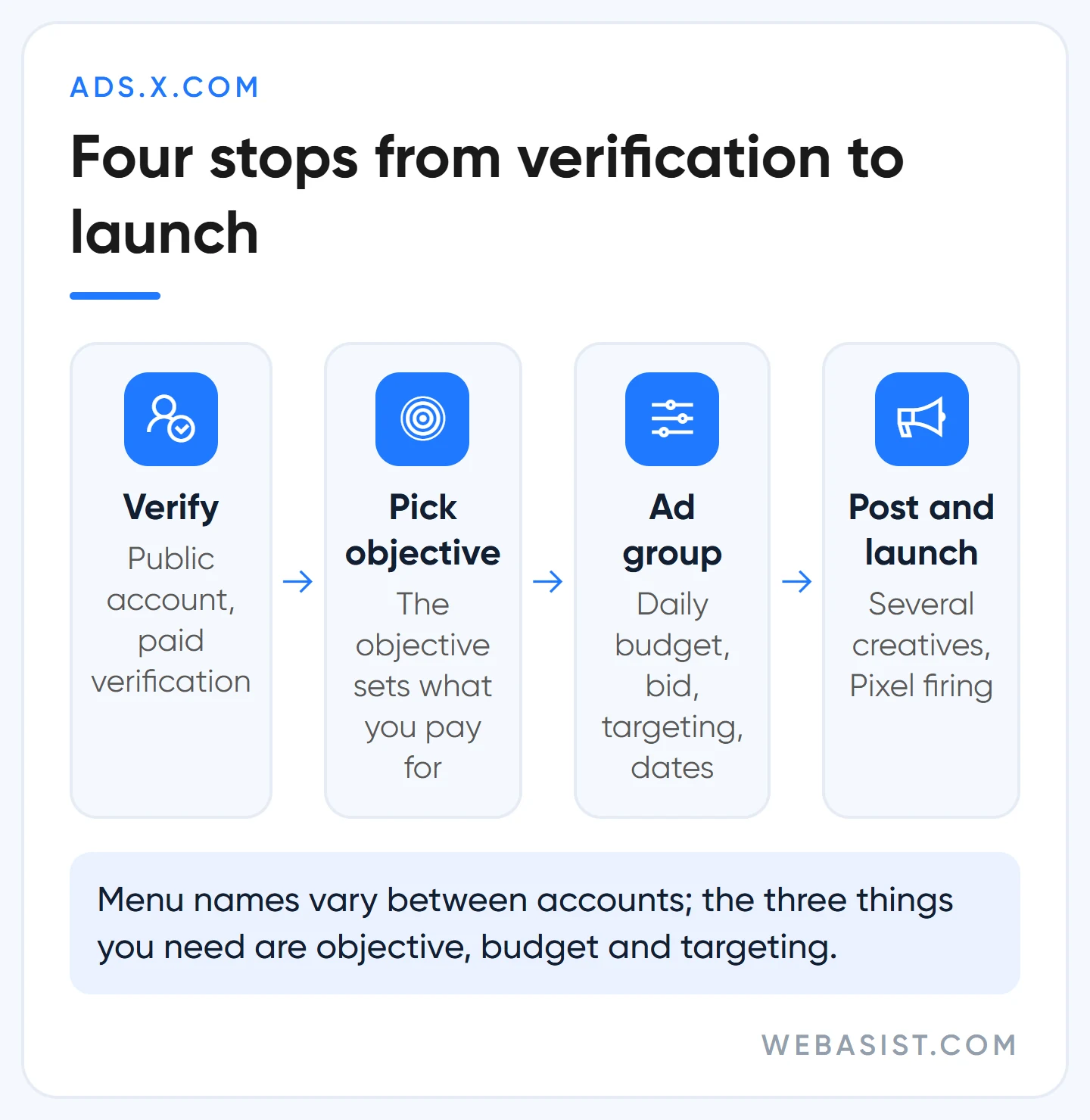
- Prepare the account: a public, verified account. No GIFs as profile or header image; bio and link in line with the ad policies. Write in Turkish for a Turkish audience.
- Open the ad account at ads.x.com: country, time zone, currency and billing details; get them right the first time.
- Choose the objective: reach, video views, pre-roll views, engagement, website traffic, app installs, app re-engagement or website conversions (Sales in the new interface). This choice sets what you pay for.
- Build the ad group: daily budget, bid type, targeting and dates. Add more than one creative; X shifts delivery towards the best performer.
- Add the post and launch: an existing post, or a "promoted-only" post that never appears in your followers' timelines. For the website conversions objective either the X Pixel or the Conversion API must be live.
The Ads Manager was rebuilt, so menu names may differ from account to account. As long as the three things you are looking for are objective, budget and targeting, the order does not change.
Objectives and formats: what are you paying for?
Most formats you set up yourself in the panel; takeover products are reserved in advance and sold at a fixed price.
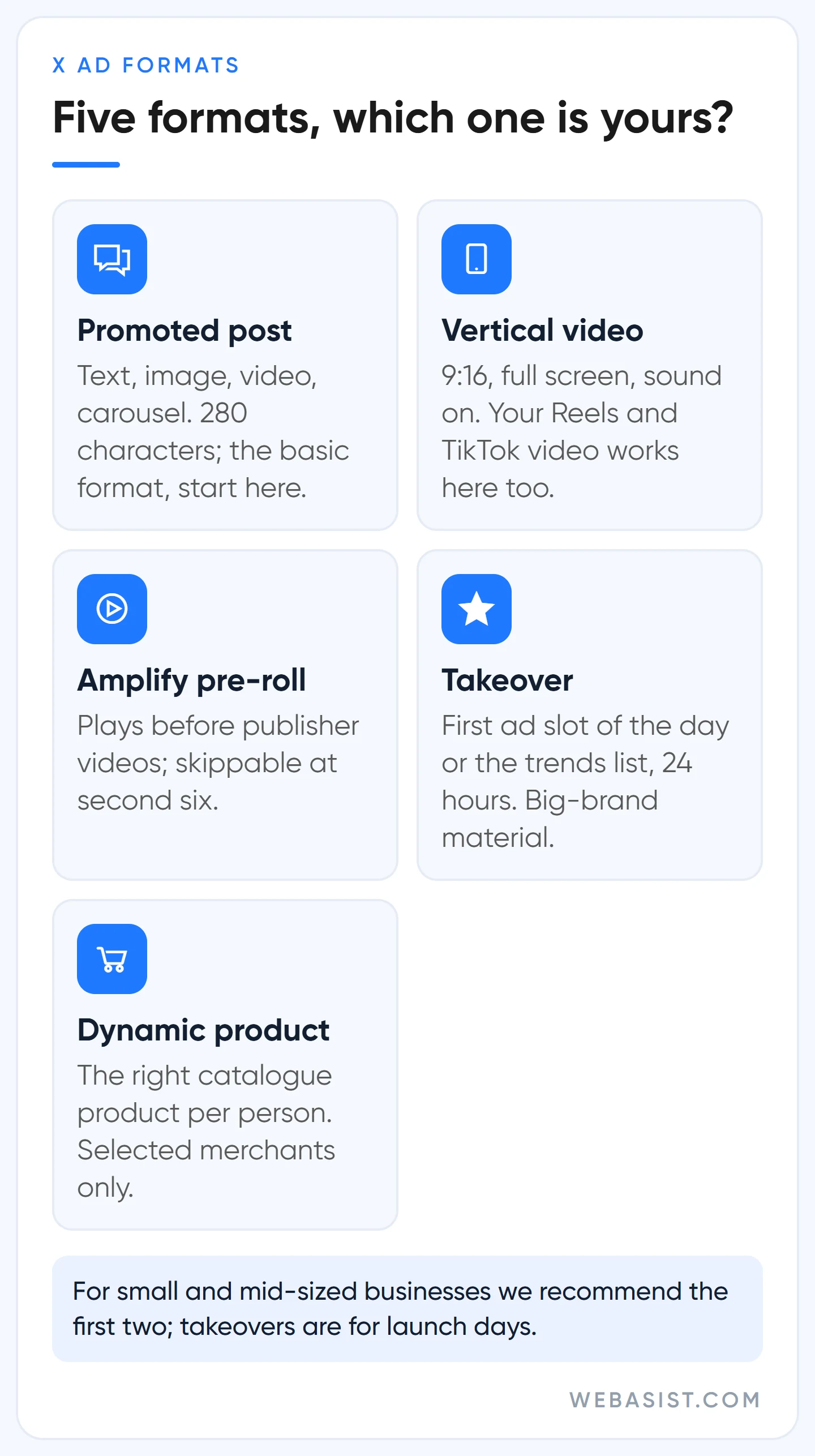
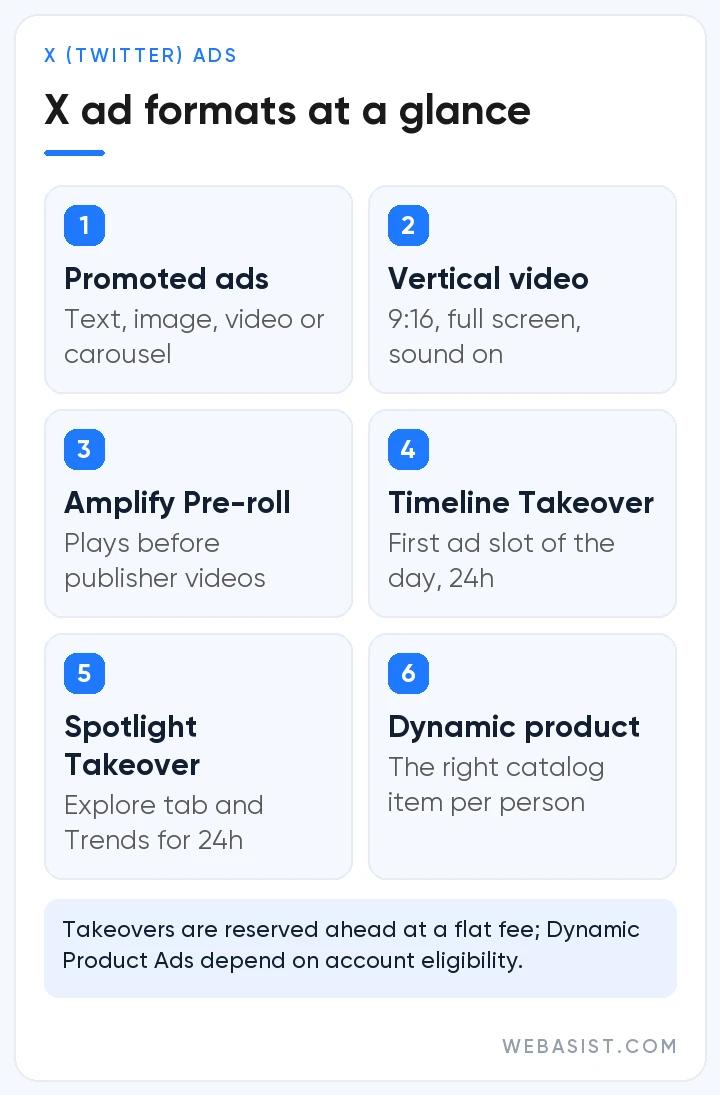
- Promoted posts: the basic format. Text, image, video or a 2 to 6 card carousel; 280 characters, each link takes 23. X suggests under 15 seconds for video; we do not run video without captions.
- Vertical video: 9:16, full screen, sound on. Video shot for Reels or TikTok works here too; with the website destination the button appears after one second.
- Amplify pre-roll: your video plays before publisher partners' videos; a skip button appears at second six. You can exclude publishers and content categories you do not want.
- Timeline Takeover and Spotlight Takeover: the first ad slot of the day, or the top of Explore and the trends list, for 24 hours; one brand per country per day. Launch-day material, not for an SME budget.
- Dynamic product ads: the right product from your catalogue for each person. Currently open to selected merchants; use it if it shows in your account, do not chase it if it does not.
Targeting: choices that widen and narrow the audience
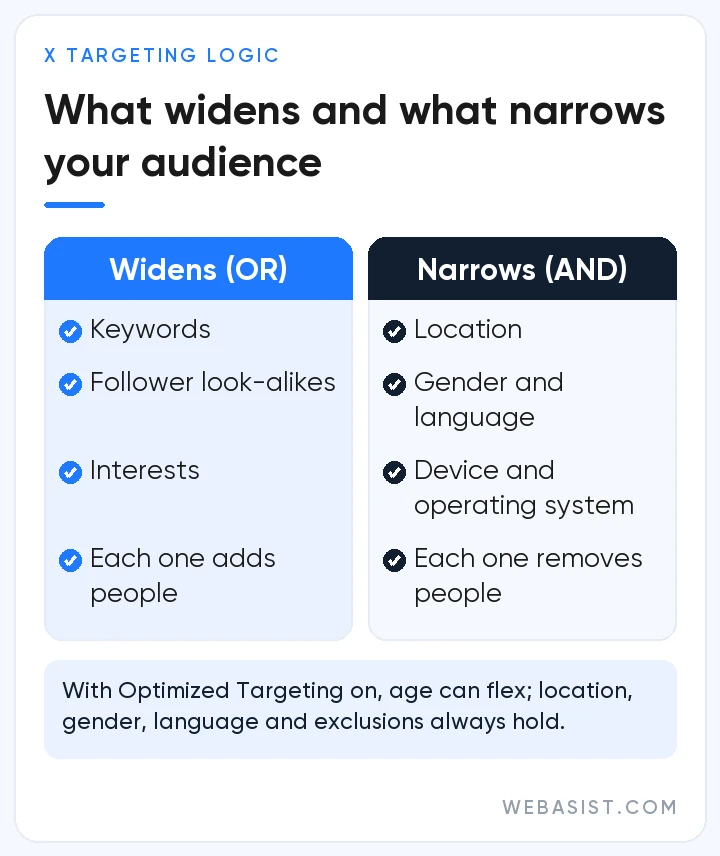
Targeting on X has two layers. Keyword, follower look-alike and interest selections are joined with "or"; every addition widens the audience. Location, age, gender, language and device are joined with "and"; every addition narrows it. The mistake we see most in new accounts is adding 20 interests to 40 keywords and asking why the audience is so large.
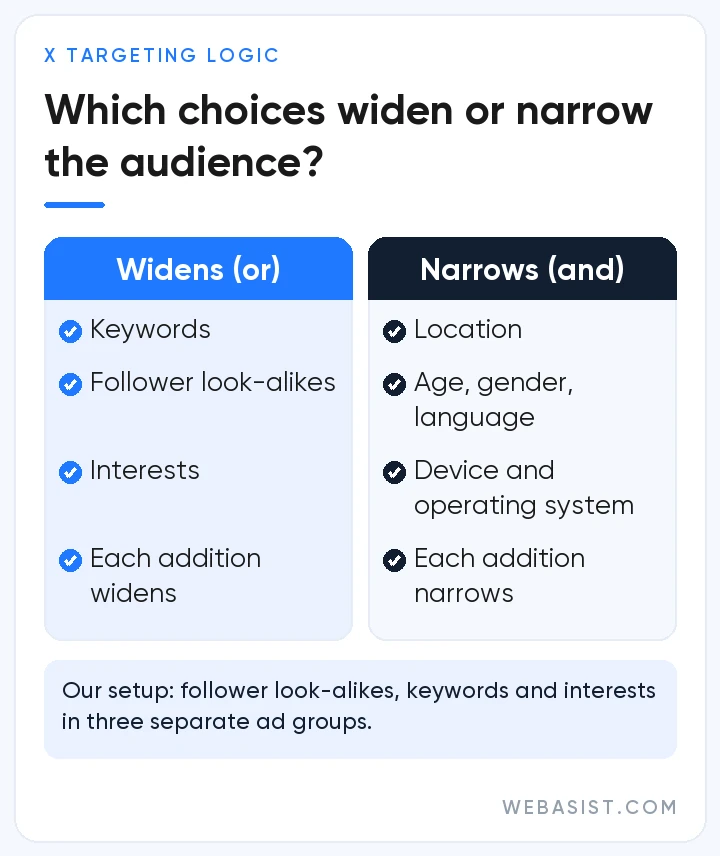
Our setup: follower look-alikes of competitor and industry-publication accounts in one ad group, keywords in a second, interests in a third. X recommends this too and this time we agree; you only see which one works when you separate them. Followers of celebrity accounts are large but not focused on your topic; you do not sell a gym to football players' followers.
Retargeting with your own data is available too: customer lists (at least 100 matches needed; X suggests more than 2,000 handles), site visitors through the X Pixel, and people who engaged with your posts (up to 45 days back for organic engagement, 90 for paid).
What X recommends, and what we do instead
- Optimized Targeting: when on, X loosens your selections if it predicts better results. Location, gender, language and exclusions are kept; age can be stretched, limited to 25 and over. If age is critical (a product aimed at 18 to 24, say) we turn it off.
- Audience Expansion: adds similar people at three levels. Choosing "Broad" on a narrow B2B audience spreads the budget over irrelevant people; we start with "Defined".
- Automatic bidding: X recommends it if you are unsure, and it is right for week one. After the second week we switch to maximum bid; the amount we are willing to pay per result should be set by us, not the system.
- Frequency caps: on reach and video objectives you can cap impressions per person per 24 hours, 7 days or 30 days. We do not leave the default; outside a launch there is no point appearing to the same person every day.
- Brand safety: what your ad appears next to is decided by the brand safety settings, not by keywords. We always set sensitivity and adjacency during setup; what is trending on X is not always something your brand wants to stand beside.
Measurement: without the X Pixel, "did it work" has no answer
The X Pixel is code added to your site; the Conversion API sends the same events from the server. For most businesses the Pixel is enough. If you use both, prevent double counting with conversion_id. Do not use redirects or URL shorteners in ad links; X's click ID (twclid) gets lost and some conversions go unmeasured. The attribution window defaults to 30 days; pick the same window when comparing with Google and Meta, otherwise X flatters itself. Short vertical video decides results on X, so plan the shoot at 9:16 with a video production team from the start.
Frequently Asked Questions
Does my account need to be verified to advertise on X?
Yes. Businesses need Verified Organizations, individuals X Premium; the account must be public and the profile must comply with the policies. The verification subscription is not part of the ad budget.
How much does advertising on X cost, and is there a minimum budget?
There is no minimum spend; you set the daily budget and X does not exceed it. The real cost forms in the auction. Our own floor is 5,000 TL a month; below that, verification and setup effort outweigh the budget.
Can I promote a single post as an ad?
Yes; you can add an existing post to a campaign as a promoted post. With the "promoted-only" option the post is shown only to the audience you target without landing in your followers' timelines; that is how you test different messages without cluttering your profile.
Conclusion
X is a strong channel for a message tied to the right day and a weak one for day-to-day customer generation. If you have a launch, an event or a claim tied to the news, go in; otherwise that budget does more work on Google or Instagram.
If you are preparing for a specific day, write to us with the date, the budget and the audience; we will tell you plainly whether it should be vertical video, pre-roll, or no X at all. If you want to hand over management, our X advertising service page is ready; our social media ad packages focus on Facebook and Instagram, and we quote X separately.