


Google Ads Campaign Types: Which One Fits Your Business? (2026)
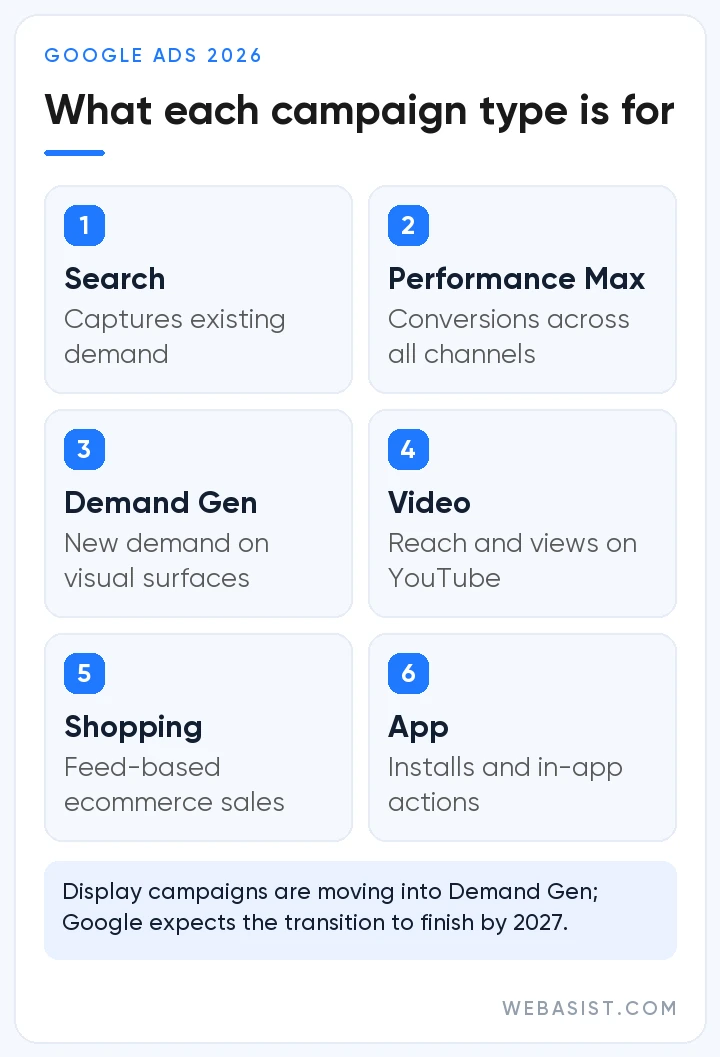
Google Ads campaign types come in seven kinds in Expert Mode: Search, Performance Max, Demand Gen, Display, Video, Shopping and App. There is also the Smart campaign, which only exists in Smart Mode. You do not need to know them all; for most businesses the right answer is one or two types.
Here is our verdict up front: if you sell a service and your monthly budget is small, start with a Search campaign only. If you run an e-commerce store, add Shopping or Performance Max with your product feed. If your account does not have steady conversion data, stay out of Performance Max and Smart campaigns; Google recommends both to beginners, but we do not open either at that stage. Below we explain why, and give our pick for each type of business in one table.
Google Ads campaign types: 7 types, one sentence each
- Search: Text ads for people searching for you on Google. Catches ready demand. We explain how it works in our search ads article.
- Performance Max (PMax): One campaign serving across Search, YouTube, Display, Discover, Gmail and Maps. Google makes most of the decisions.
- Demand Gen: Image and video ads on YouTube, Shorts, Discover, Gmail and the Display Network. Reaches people who are not searching for you yet.
- Display: Banners on websites and apps. Being folded into Demand Gen.
- Video: Reach, views and awareness on YouTube.
- Shopping: Product cards with prices, driven by your product feed in Merchant Center.
- App: App installs and in-app actions.
The "map ads", "smart ads" or "remarketing campaigns" you see in older lists are no longer separate types. The old Local campaigns were moved into Performance Max in 2022, and remarketing is not a campaign type but an audience method you add to Demand Gen, Display, Video and Search campaigns. If the basics of the platform are new to you, start with our guide to advertising on Google.
Which campaign type for which business? A decision table
When choosing a campaign type, do not ask "which one is newest"; ask "what is my customer doing right now". Searching means Search, comparing products means Shopping, not aware of you yet means video and image ads. The table below sums up the answers we give in first meetings with new clients:
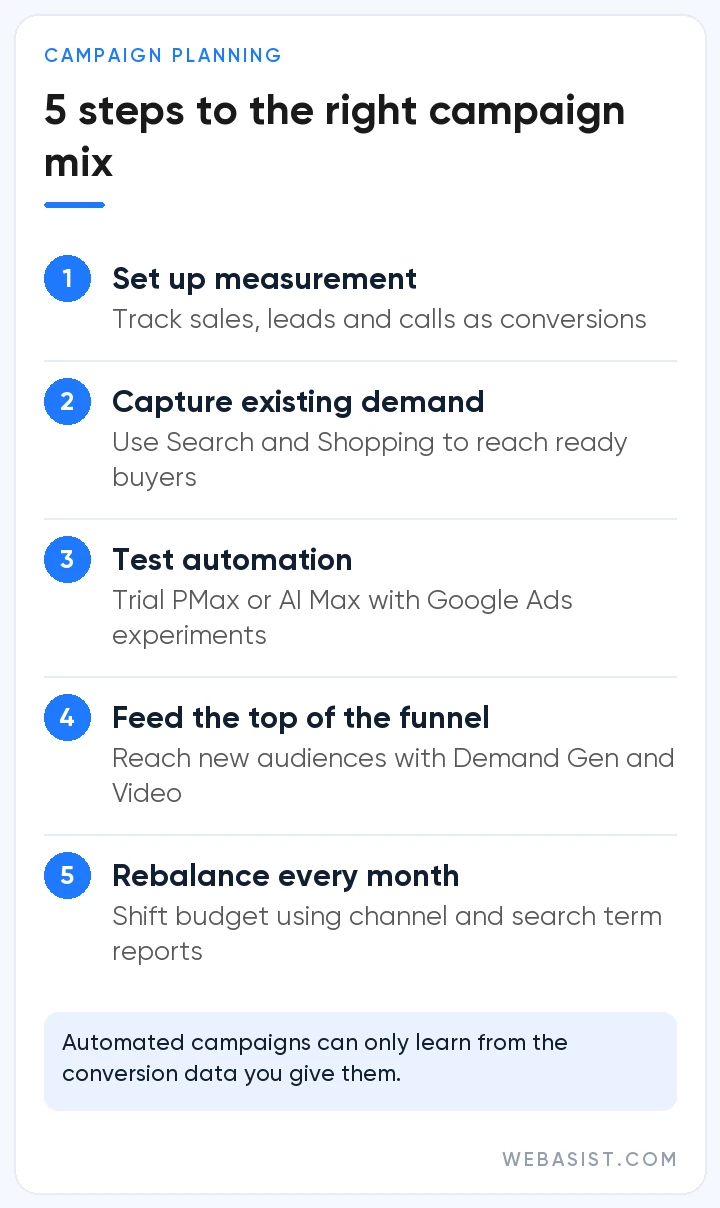
| Business | First campaign | Add later | Skip |
|---|---|---|---|
| Boiler repair, locksmith, movers | Search | A brand campaign within Search | Video, Display |
| Dental clinic, aesthetics, lawyer | Search | Demand Gen for site visitors | Smart campaign |
| E-commerce, few products | Shopping | Search for brand and categories | PMax without data |
| E-commerce, hundreds of products and sales data | PMax with product feed | Search to protect the brand | PMax without brand exclusions |
| B2B manufacturer, exporter | Search | Demand Gen for visitors | Video to broad audiences |
| New product, new category | Video or Demand Gen | Search, once demand appears | Search only |
| Mobile app | App (installs) | App (engagement) | Install campaigns without in-app tracking |
The "Skip" column matters as much as the first two. The waste we see most in accounts we take over is a campaign type the business does not need eating half the budget: a dental clinic buying YouTube views, a service firm collecting cheap but empty clicks on the Display Network.
The "brand campaign" in the table is not a separate type either; it is a small Search campaign that only collects searches for your business name. We keep it separate because brand searches always convert well, and mixed in with generic campaigns they hide what those campaigns really cost.
The two types Google pushes hardest: Performance Max and Smart campaigns
Google's setup screens and the Recommendations tab often steer you toward these two types. What they share is that the system keeps most of the control. With plenty of data that works; with little data you cannot see where your money goes.
Performance Max: powerful, but it can eat your brand traffic
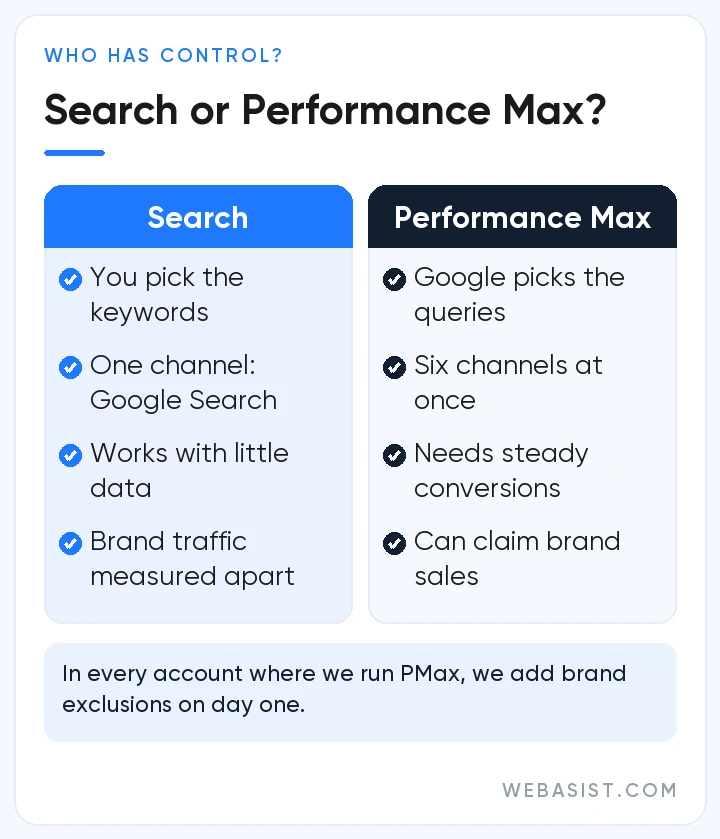
Once you give it a conversion goal, a budget, images and text, Performance Max decides on its own which channel, which person and which ad. We see it work well for e-commerce sites with settled sales data. But do not switch it on without knowing three mechanisms:
- Brand searches: PMax can also show on brand searches from people who were already looking for you, and report those sales as its own result. The campaign looks great, but that customer would have come anyway. That is why we add brand exclusions to PMax on day one.
- A budget-limited Search campaign: For queries identical to an exact match keyword in your Search campaign, Search normally takes priority. But if the Search campaign is limited by budget, PMax may show on those queries too. If you run both in one account, do not leave Search budget-limited.
- Little data: PMax learns what to look for from your conversions. Our rule is not to open PMax in an account with fewer than about 30 conversions a month; below that the system has nothing to learn from and the budget drifts to the cheapest impressions.
PMax now has negative keywords, brand exclusions, search themes and a channel performance report; it is not the black box it was in its first years. Even so, we put PMax next to Search, not in its place, and read the search terms of both campaigns side by side every month; we do not shift budget before seeing which one takes which query. Setup and these controls are covered in our Performance Max guide.
Smart campaigns: easy at first, expensive by month two
A Smart campaign comes out of the simplified flow you meet when opening a Google Ads account, and it can only be built in Smart Mode. It takes "keyword themes" instead of keywords and does not let you choose match types or bids. In week one it looks like it works; then the "we get clicks but no calls" phase begins, and there are no settings to fix it with.
We open new accounts in Expert Mode with a regular Search campaign. When we take over an account that started with a Smart campaign, we go through its search terms and move the phrases that worked into a new Search campaign; the steps are in our campaign setup guide.
Demand Gen, Video and Display: when do we use them?
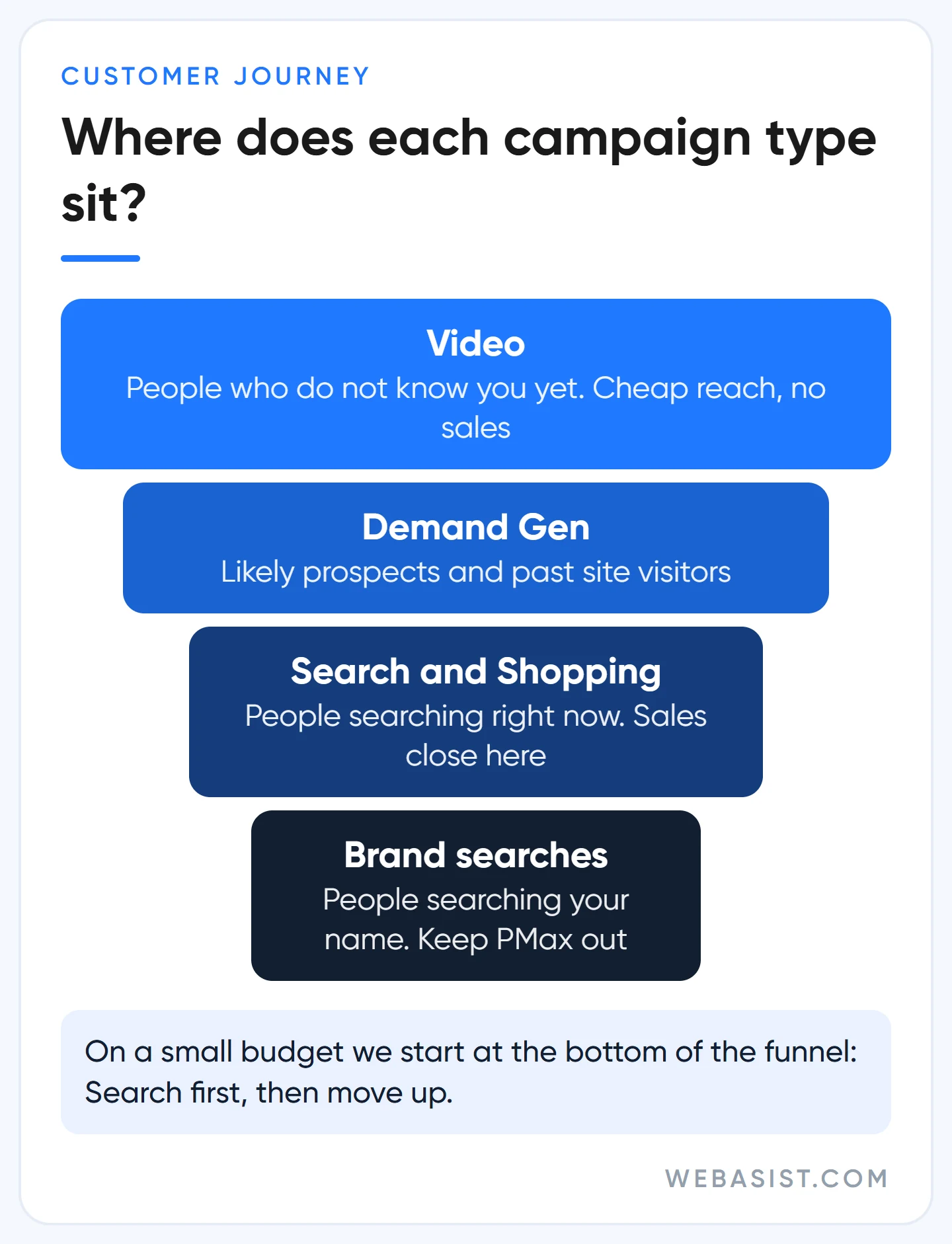
These three types reach people who are not searching for you yet. Their clicks are much cheaper than Search clicks, but buying intent is just as much lower. Businesses that confuse a cheap click with a cheap customer lose money fastest in these campaigns.
Worked example: for the same business, say a Display click costs 3 TL and a Search click 30 TL. On Display, 3,000 TL buys 1,000 clicks; if they bring 2 enquiries, each enquiry costs 1,500 TL. On Search, the same 3,000 TL buys 100 clicks; if they bring 5 enquiries, each costs 600 TL. The campaign that looks cheap in the dashboard is the expensive one on the books.
- Demand Gen: Image, carousel and video ads on YouTube (including Shorts), Discover, Gmail and the Display Network. We mostly use it to bring back people who visited your site but did not convert. How we build those audiences is in our remarketing article.
- Video: For reach, views and awareness. YouTube ads aimed at direct sales now run through Demand Gen; the old conversion-focused video campaigns were moved to Demand Gen in April 2026. Formats are in our YouTube ads article.
- Display: Google is folding Display campaigns into Demand Gen. Since June 2026 eligible accounts can move existing campaigns with a migration tool; in a later phase new display campaigns can only be created inside Demand Gen and the rest will move automatically. The current timeline is on Google's migration page, and image sizes are in our display ad sizes article.
Measured on last click, these campaigns always look like failures. We also judge them by growth in brand searches and in remarketing lists. And if your Search campaign is not profitable yet, we put no budget into any of the three.
Shopping and App campaigns: for businesses that need them
Shopping is the search campaign of e-commerce. You do not pick keywords; Google matches searches against the titles, descriptions and categories in the product feed you upload to Merchant Center. In other words, your product titles are your keyword list. A title that says "men's shoes" and one that says "brown leather men's boots size 43" do not show for the same searches.
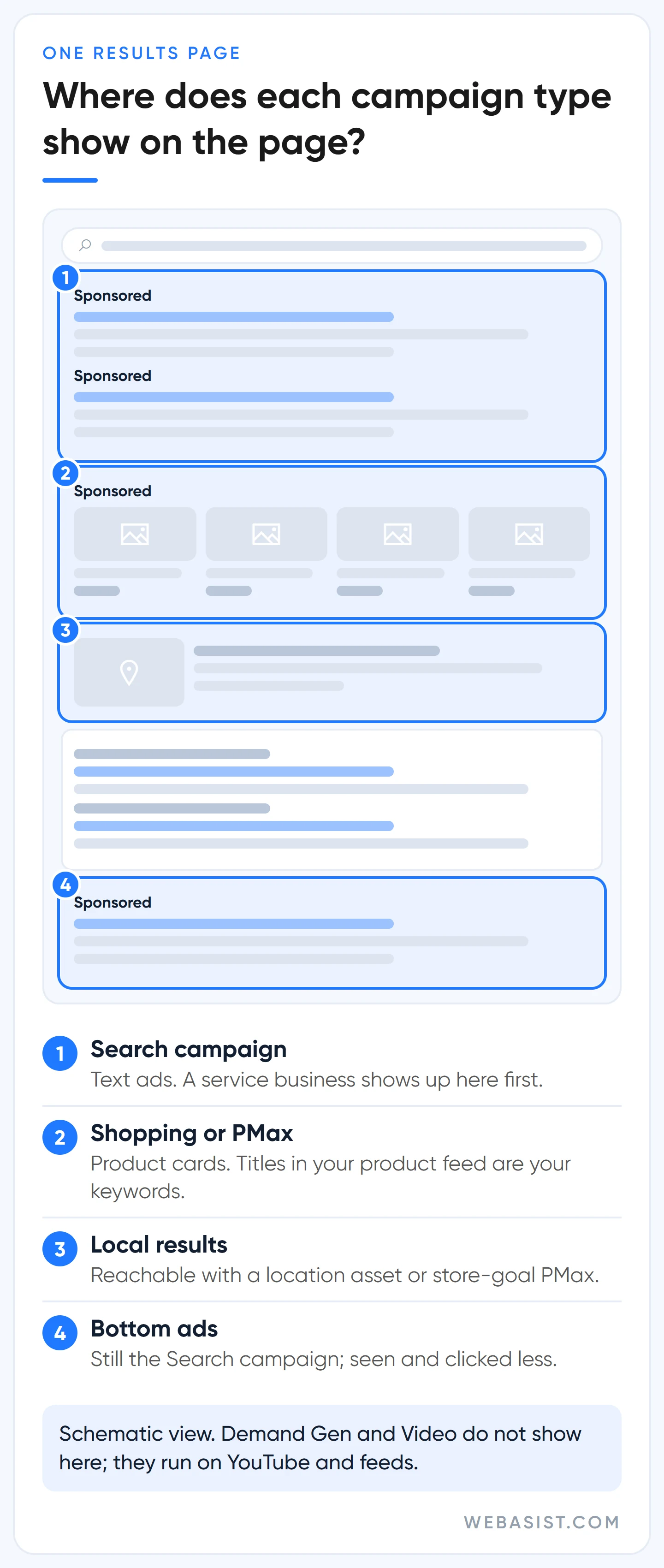
For a store with few products or a new store, we prefer to start with a standard Shopping campaign, where you can see which product shows for which search. Once sales data builds up, we test Performance Max with the product feed. How we prepare the feed is in our Merchant Center and Shopping ads article.
App campaigns are only for businesses with a mobile app. Google builds the ads from the text, images and videos you provide. Our one warning: measure the sign-up or purchase after the install, not the install itself. If you only count installs, the system learns to find cheap installs that never open the app.
Which campaigns to skip on a small budget, and the order we open them
If your monthly ad budget is below 15,000 TL, our rule is clear: one Search campaign. Splitting that budget across three campaign types gives each one too little money to produce a result. A business that splits 15,000 TL a month between Search, Demand Gen and Video has 5,000 TL in each and cannot even get through the learning period.
On that budget we skip Performance Max (no data), Video (no measurable sales), Display (cheap clicks without intent) and Smart campaigns (no control). These are not bad types; they just have no place in the first month of a small account.
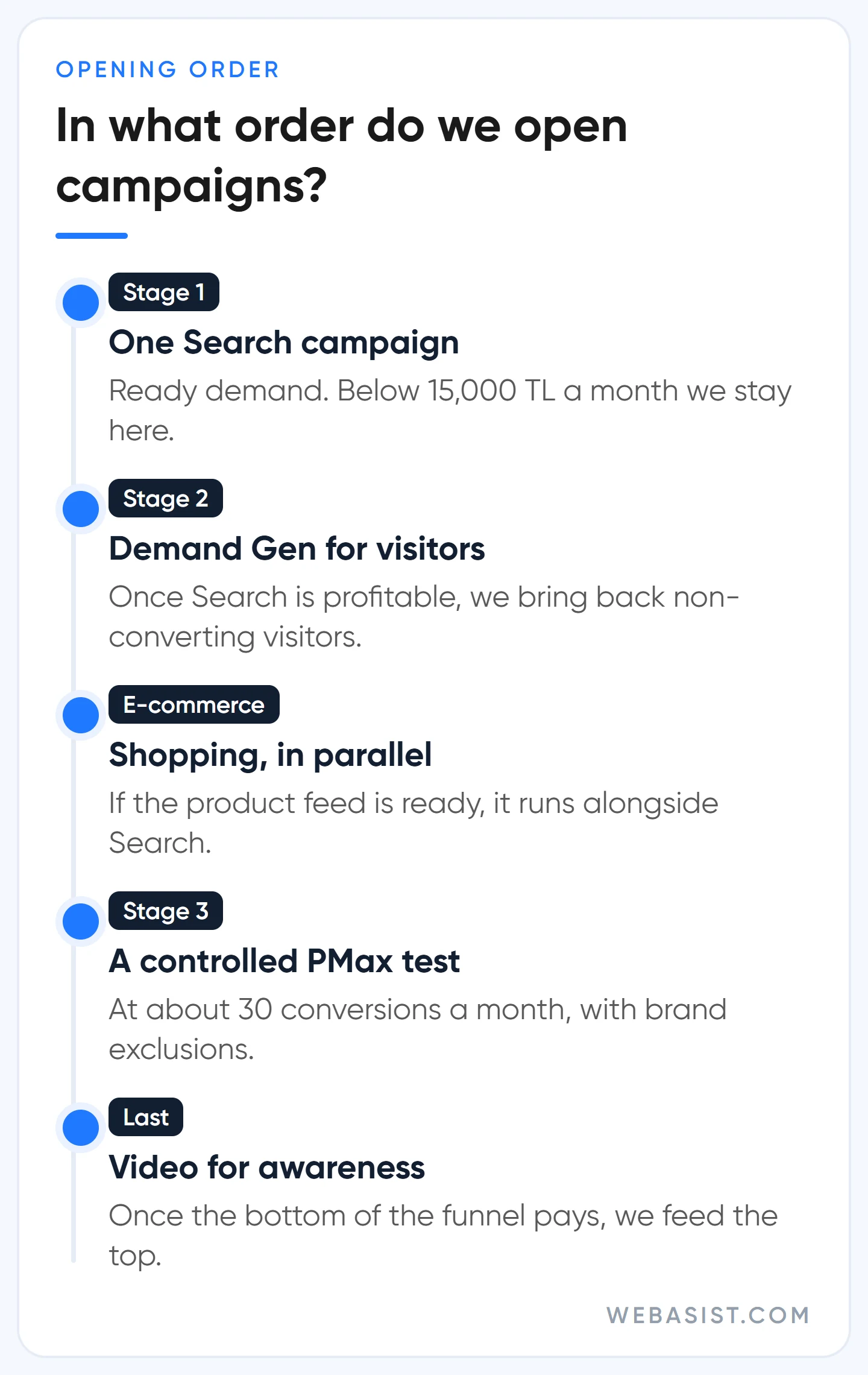
Our opening order: first Search for ready demand, then Demand Gen for site visitors once Search is profitable, Shopping in parallel for e-commerce, a controlled Performance Max test once conversion data settles, and Video for awareness last. If you want to hand over the management, the scope is on our Google Ads packages page.
Frequently Asked Questions
Can you change a campaign's type in Google Ads later?
No. A campaign's type is fixed once it is created; if you want a different type, you open a new campaign. The exceptions are Google's own migrations, such as Display campaigns moving to Demand Gen and Dynamic Search Ads moving to AI Max.
Can Performance Max and Search run at the same time?
Yes. If a query is identical to an exact match keyword in your Search campaign, Search takes priority; on other queries the two can compete. To reduce overlap, add brand exclusions and negative keywords to PMax and do not leave Search budget-limited.
Which campaign type do you use for Google Maps ads?
There is no separate Maps campaign. You can show on Maps through a location asset added to a Search campaign, a store-goal Performance Max campaign or Demand Gen. The setup for local businesses is in our Google Maps ads article.
Which campaign type is used for remarketing?
Remarketing is an audience method. You can add site visitor or customer lists to Demand Gen, Display, Video and Search campaigns, and give them to Performance Max as audience signals.
Conclusion
The right Google Ads campaign type is not the newest or the most recommended one; it is the one that matches what your customer is doing at that moment. On a small budget, one Search campaign almost always brings more customers than a budget split across three types.
Let us open your account together and look at which campaign types are running and what each one pays for a customer in lira; if money is going to the wrong type, we will tell you which one to switch off in the first meeting.














