

Advertising on Google: Does It Work, What It Costs, How to Start
Advertising on Google takes four steps: you open a Google Ads account, add your card, build a campaign with a daily budget, and your ad goes live once it is approved. There is no fixed fee or monthly subscription paid to Google; with search ads, money only leaves the account when someone clicks. A business that sets 300 TL a day pays at most 9,120 TL for clicks in a month, plus the regulatory operating cost and VAT.
Does it work? The short answer: yes if your customers search for what you do on Google, no if they do not. This article is a front door for business owners who are just starting: it gives you everything you need to decide, and leaves the details to our other guides. As an agency built around Google Ads, we will tell you what we tell our own clients, and in some cases that will be "not yet".
Does advertising on Google work? Yes, on three conditions
The power of Google ads is intent. Someone typing "locksmith in Ataşehir" has a clear and urgent need, and your ad shows up at that exact moment. On social media you interrupt someone's feed; on Google, the customer is the one knocking on your door. That is why Google ads work for anything people search for, from locksmiths to dental clinics, lawyers to spare parts.
But they need three conditions, and almost every failing account we take over is missing one of them:
- People must search for what you do. A brand-new product nobody has heard of has no searches, and ads cannot create demand that is not there.
- Your margin must carry the click. A customer has to leave you more than the clicks it took to bring them. Skip this calculation and at the end of the month you will say "Google is expensive".
- Enquiries must be handled. If nobody answers the phone, forms get a reply the next day, or the site does not load on a phone, your ads are just warming up customers for your competitor.
With all three in place, Google ads are the most measurable customer channel we work with: you see, line by line, which keyword brought how many customers for how many lira. If one is missing, fix that first. Ad spend does not complete a missing condition; it only makes it visible.
Example scenario: a boiler repair business in Kartal wants to show up for "kartal boiler repair" and "boiler fault" searches in winter. A job leaves around 1,500 TL profit, and a click costs 25 TL. If 6 in 100 clicks call and half of those become jobs, one customer takes about 33 clicks, or 833 TL. For this business Google ads are profitable; the same numbers would lose money on every customer in a business making 500 TL per sale.
Where can your ad appear on Google?
When people say "advertising on Google" they usually mean the sponsored links in search results, but the same account can place ads in six different places. Each does a different job, and jumping into all of them at once is the most expensive beginner mistake.
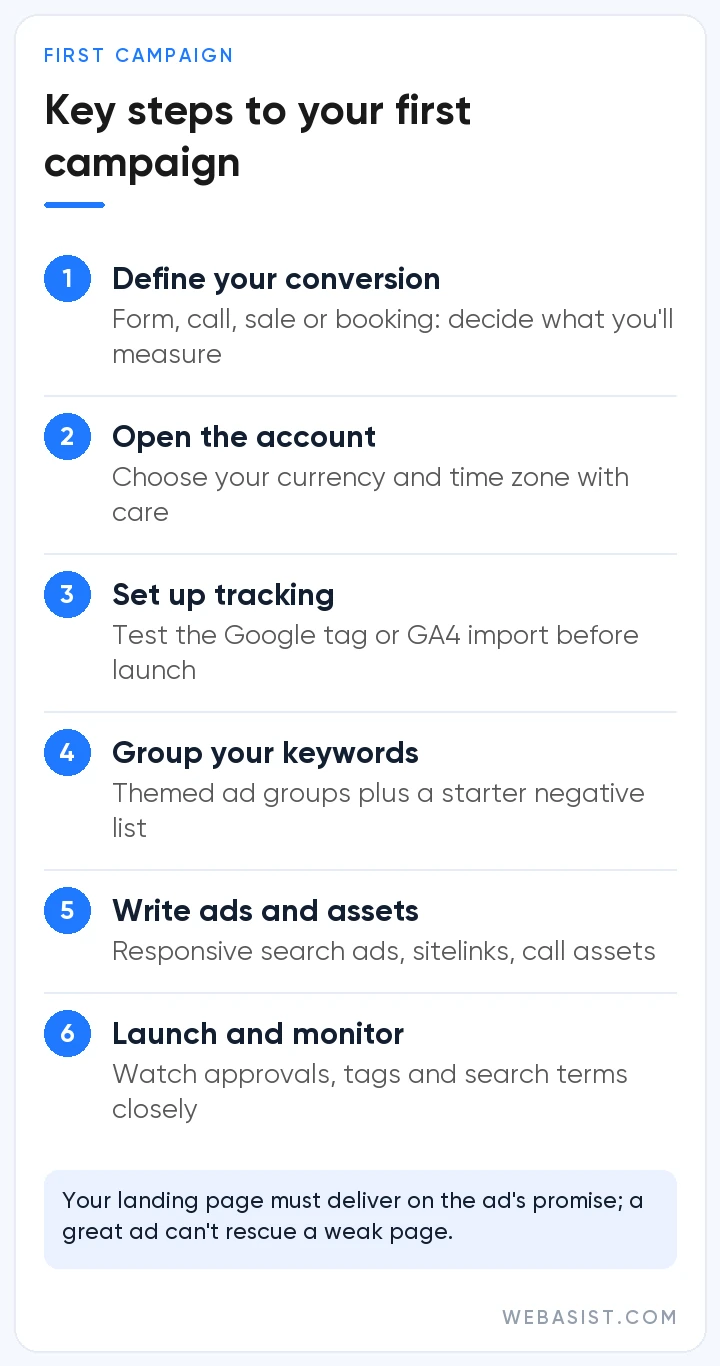
- Search results: Sponsored text ads. They catch ready demand, and they are our first campaign for almost every service business. We explain how they work in our search ads article.
- Maps: You appear with your address and directions to people looking for a business nearby.
- Shopping results: Product cards with price and image, for e-commerce.
- YouTube: Video ads, for awareness and creating demand.
- Gmail and Discover: Image ads inside the feed.
- Display Network: Banner space on news sites and apps, mostly used to bring back people who already visited your site.
You reach these through campaign types. Which type we recommend for which business, and which ones we avoid on small budgets, is in our campaign types article. The short version: if your monthly budget is small, start with search only.
If you are a local business, do one more thing before running ads: complete your Google Business Profile. Most visibility in Maps is free, and a profile with wrong opening hours, no photos and unanswered reviews turns away the customers your ads bring in too. We check this for every new client before we spend a lira on ads.
How much does it cost to advertise on Google? The first month
What you pay Google has three parts: clicks, a 4.5% regulatory operating cost on ads shown in Turkey, and VAT. You set the ceiling for clicks. Worked example: with a daily budget of 300 TL, clicks cost at most 300 × 30.4 = 9,120 TL in a month. The regulatory cost adds roughly 410 TL on top, and VAT is calculated on the total.
The price of a single click depends on your industry and district; the same keyword can be priced differently in Kadıköy and in Esenyurt. How to find your keyword's price without running ads and how to work out your own maximum per click are calculated in lira in our Google Ads pricing article, which also covers how agencies set their fees.
If you hire us to manage the account, our management fee does not include ad spend; the ad money goes straight from your own card to Google. Our honest advice: if your monthly ad budget is smaller than the management fee, do not hire an agency. Open the account yourself and start with the steps below.
How to advertise on Google: getting started in 4 steps
This is the order we recommend for a service business advertising for the first time. Each step has its own detailed article; here we explain why we do them in this order.
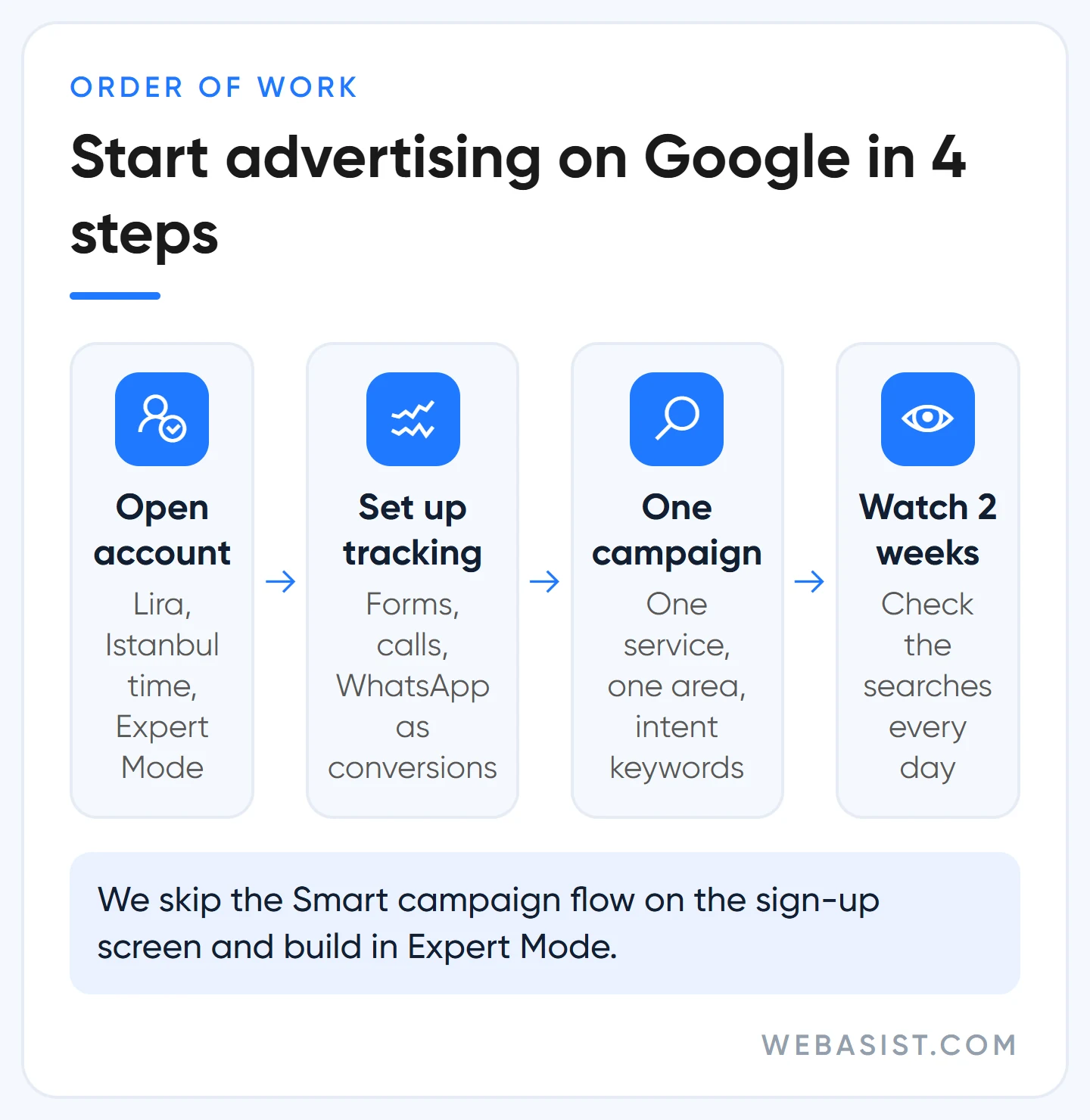
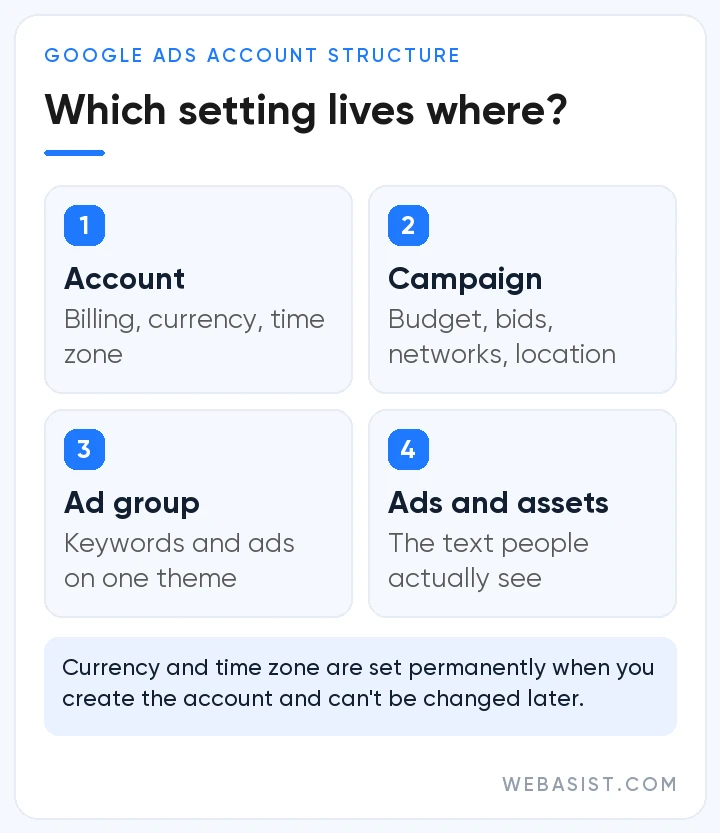
- Open the account and switch to Expert Mode. When you sign up at ads.google.com, choose Turkish lira as the currency, because it cannot be changed later, and set the time zone to Istanbul, since reports and ad schedules follow it. The full setup is in our Google Ads account setup article.
- Set up tracking. Define form submissions, phone calls and WhatsApp clicks as conversions. Anything you do without seeing which keyword brings customers is guesswork. Setup is in our conversion tracking guide.
- Build a single Search campaign. Start with your most profitable service, the area you actually serve and a small set of high-intent keywords. We show which boxes to switch off on the setup screen in our guide to creating a Google Ads campaign.
- Watch the first two weeks. Check which searches you appear for every day, block irrelevant ones and note whether the phone rings.
The trap on Google's sign-up screen: Smart campaigns
When you open an account, Google sends you straight into a simplified flow and gets you to build a Smart campaign in a few questions. Google recommends this to beginners because it is easy. But this campaign type uses "keyword themes" instead of keywords, does not let you choose match types or bids, and keeps most of the control inside the system.
We do not use that flow for new accounts; we switch to Expert Mode during sign-up and build a regular Search campaign. When a business comes to us having started with a Smart campaign, saying "we get clicks but the phone does not ring", our first job is usually to open up which searches the campaign has been showing for.
What to expect in the first 90 days
Your ads start showing shortly after approval; Google reviews most ads within one business day. The first click often arrives the same day. But "is it working?" cannot be answered on day one; it needs data.
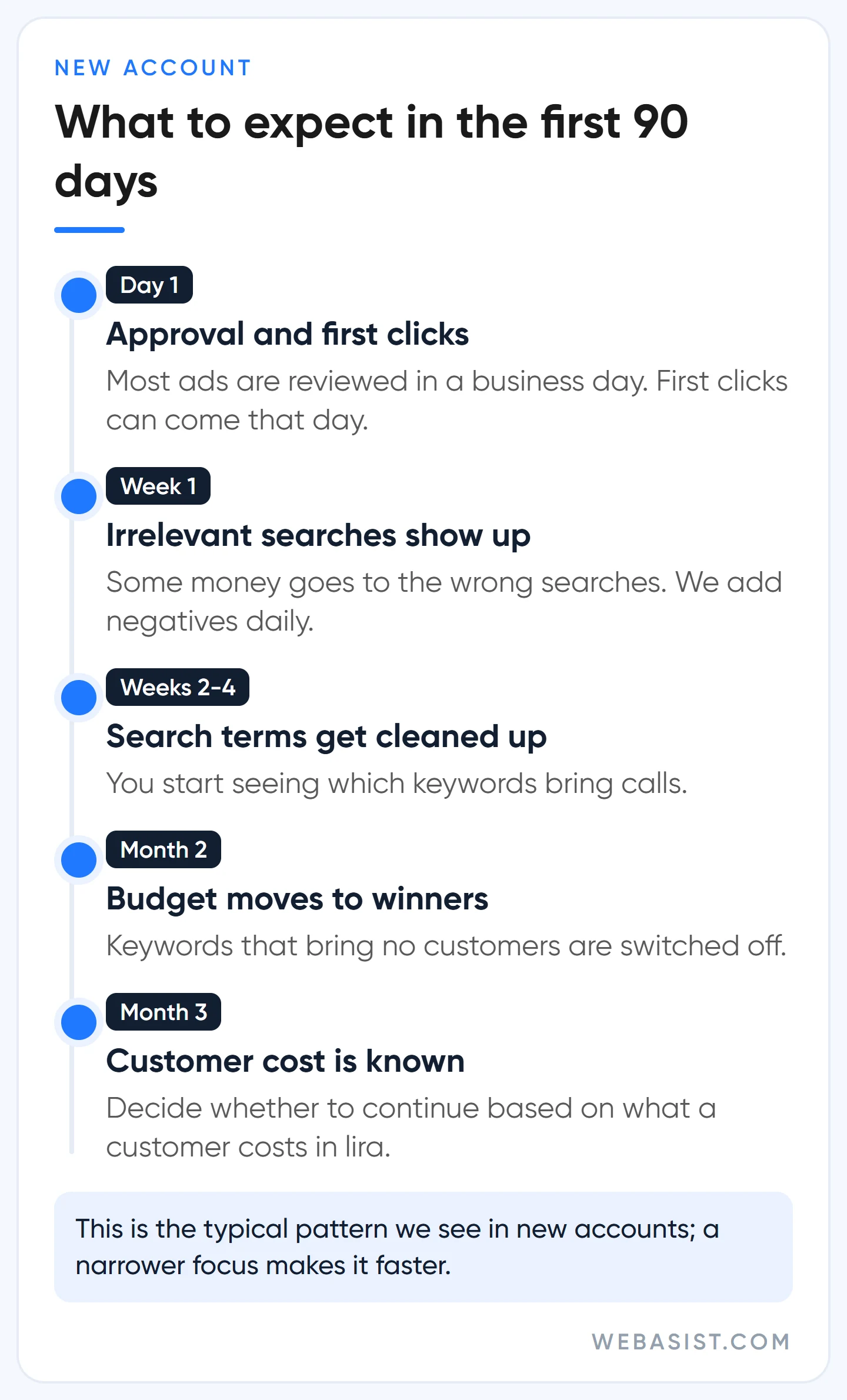
Here is what we typically see in new accounts. In the first week some of the money always goes to irrelevant searches; that is normal and fixable. Between weeks two and four the search terms get cleaned up and you start seeing which keywords bring calls. In month two the keywords that do not earn are switched off and budget moves to the ones that do. By the end of month three you know what a customer costs you in lira, and you decide whether to continue based on that number.
The only way to shorten this is to narrow the focus, not to raise the budget. A business that starts with one service instead of advertising five at once gets the answer it would have had in three months much sooner.
There are also things not to do in this period. Do not change the bid strategy in the first weeks, do not move the budget every day, and do not say yes straight away to the "raise your budget" recommendation in the account; Google makes it to win more impressions, without knowing what a customer costs you. The system relearns after every big change, and an account tweaked daily never settles. In the first month we only add negative keywords and fix the ad copy and the landing page.
Should you run it yourself or hire an agency?
We are writing this as an agency, so we are not neutral. Even so, our answer is not "agency" for everyone.
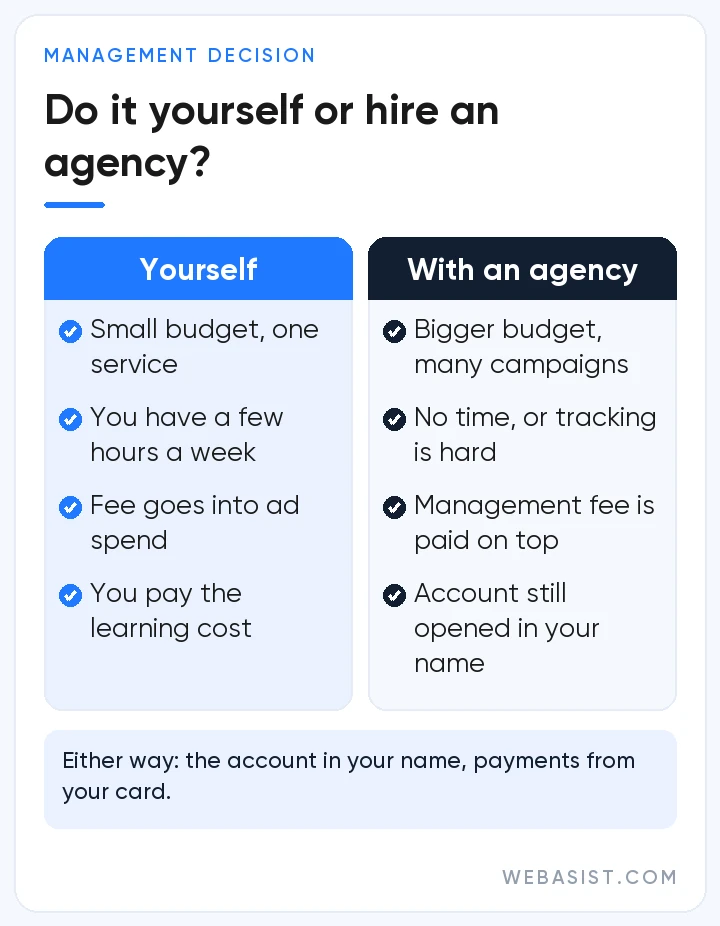
If your monthly ad budget is small, you are advertising one service and you can spare a few hours a week, manage the account yourself. Learning to read the search terms report and add negative keywords takes a few weeks, and you get to put the management fee into ad spend instead.
Expert help starts to make sense when the budget grows, when more than one campaign type is involved, or when tracking setup is beyond you. Whoever you work with, we have three conditions: the account is opened in your name, ad payments go from your card to Google, and you stay on the account as an administrator. The questions to ask an agency are in our guide to choosing a Google Ads agency; ask us the same questions.
Who should not advertise on Google?
We do not recommend Google ads to every business. If any of these describes you, keep the money in your pocket for now:
- Your product is a new category and nobody searches for it. You need to create demand first, and Meta ads or YouTube are a better start.
- You have no website, or it does not load on a phone. If the person who clicks cannot find what they want, you pay for nothing. Until the site is ready, get visible with a free Business Profile.
- A sale leaves you a few hundred lira and competition is high. In a market where clicks cost 15-20 TL, that margin cannot carry the cost of a customer.
- You want to "try it for a month" without setting up tracking. At the end of the month you will have an invoice, not the data to make a decision.
Frequently Asked Questions
Can you advertise on Google for free?
Ads are paid, but there are free ways to show up on Google: a Google Business Profile gives you free visibility in Maps and local search, and your products can be listed for free through Merchant Center. What each one is worth is covered in our article on free Google visibility.
How long until Google ads go live?
Ads are usually reviewed within one business day and start showing after approval. Delivery can take a few days to settle, so do not judge on the first week's numbers.
Are Google AdWords and Google Ads the same thing?
Yes. Google renamed its ad platform from AdWords to Google Ads in 2018. What older sources call "ad extensions" are now called "assets".
Do you need a website to advertise on Google?
A Search campaign needs a page for people to land on. We do not run search campaigns without one; if you have no site, we first build a one-page landing page that loads fast on phones, and until it is ready we suggest relying on the free visibility of a Business Profile.
Conclusion
Advertising on Google is the most direct way to catch a customer searching for what you do at that exact moment; for a business nobody searches for, no amount of money will make it grow. Check the three conditions before you start, then begin with one service and proper tracking.
Let us spend 20 minutes working out which service, which area and which budget you should start with; if the numbers do not add up, we will say so. If you would rather hand the management to us, the scope is on our Google Ads packages page.