


Google Ads Account Setup in Turkey: Step by Step, Without the Traps
Google Ads account setup takes about ten minutes, and Google charges nothing to open an account; money only leaves when your ads are clicked. The right order: sign in at ads.google.com with your business's own email, skip the campaign the sign-up screen offers and choose to create the account without a campaign, then on the billing screen set the country to Turkey, the time zone to Istanbul and the currency to Turkish lira, and add your account type and card. Currency and time zone can never be changed later; if you get them wrong, the only fix is a new account.
We are not going to walk you through every screen; screens change. Instead, this is about which sign-up decisions cost you money, why you should never let anyone else open the account for you, and what we switch on and off on day one.
How to open a Google Ads account: the right 10-minute sequence
Have four things ready before you start: an email address the business controls, your website address, the company's full legal name and tax details, and a company card enabled for online and international payments. You need to be over 18 to use Google Ads.
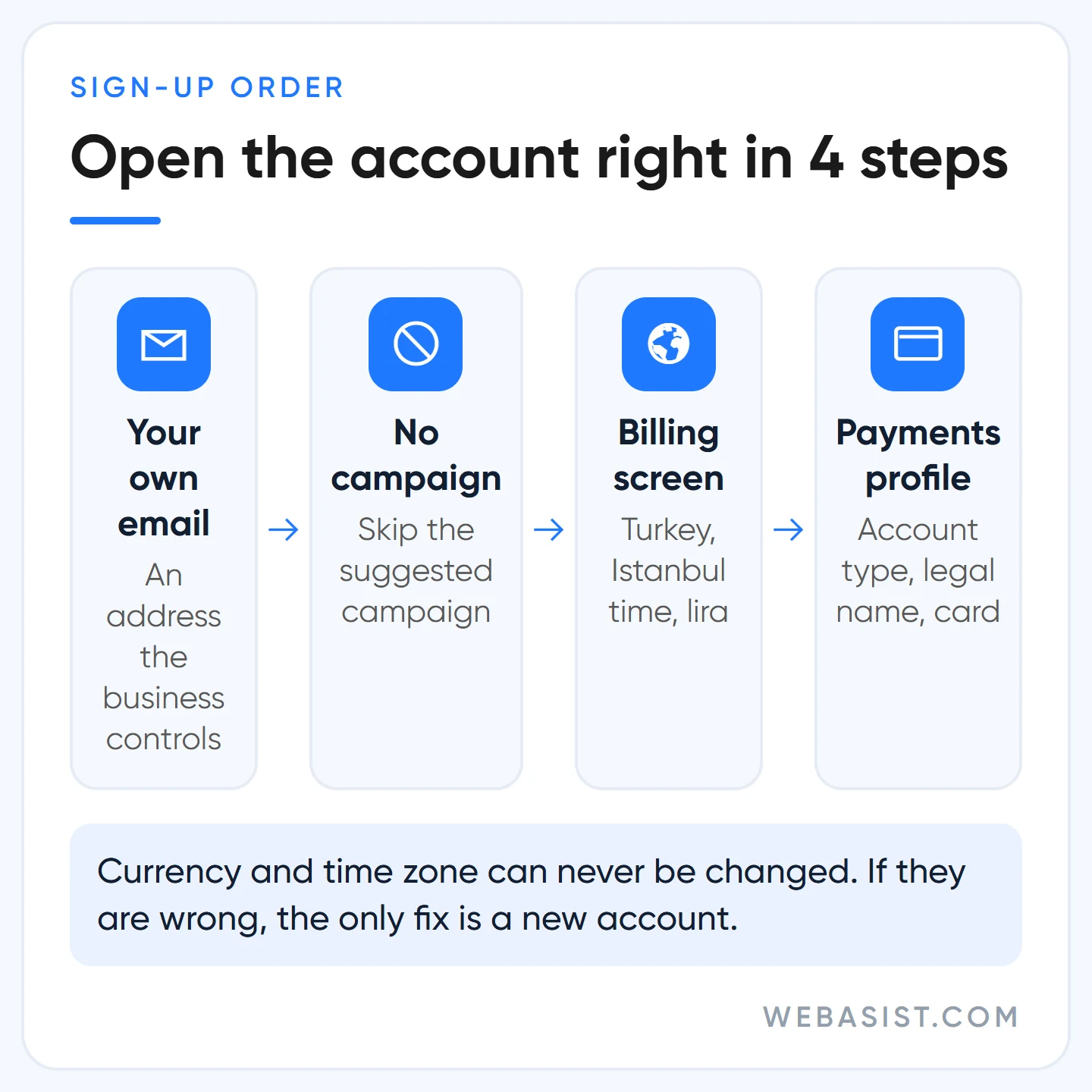
- Sign in with that email. Gmail is not required; you can create a Google Account with your existing business address, such as info@ or [email protected].
- Enter the business name and website. You may be asked to link your YouTube channel and Business Profile; this step is optional.
- Skip the campaign suggestions. The flow pushes you to build a campaign straight away, but the same screen offers to create the account without a campaign. Google's own sign-up guide recommends creating the account before the campaign, and on this point we agree.
- Choose country, time zone and currency on the billing screen. We look at these three separately below.
- If you have a promotional offer, enter it in the "Introductory offer" field. Which credits are on offer in Turkey today is covered in our Google Ads promo code guide.
- Create the payments profile: account type, legal name, address, card. Click Submit and the account is open.
When you add a card you may see a small temporary authorisation, which usually drops off within a week. Once the account is open, your 10-digit customer ID appears top right. Write it down; it is the first thing an agency asks for when you grant access and the first thing support asks for.
Open it with your own email: do not let an agency or employee do it
The most common problem in the accounts we take over is not technical; it is ownership. Either the account was created from the agency's own manager account, or it was set up on the personal Gmail of an employee who has since left. In both cases the business owner is a guest in their own ad account.
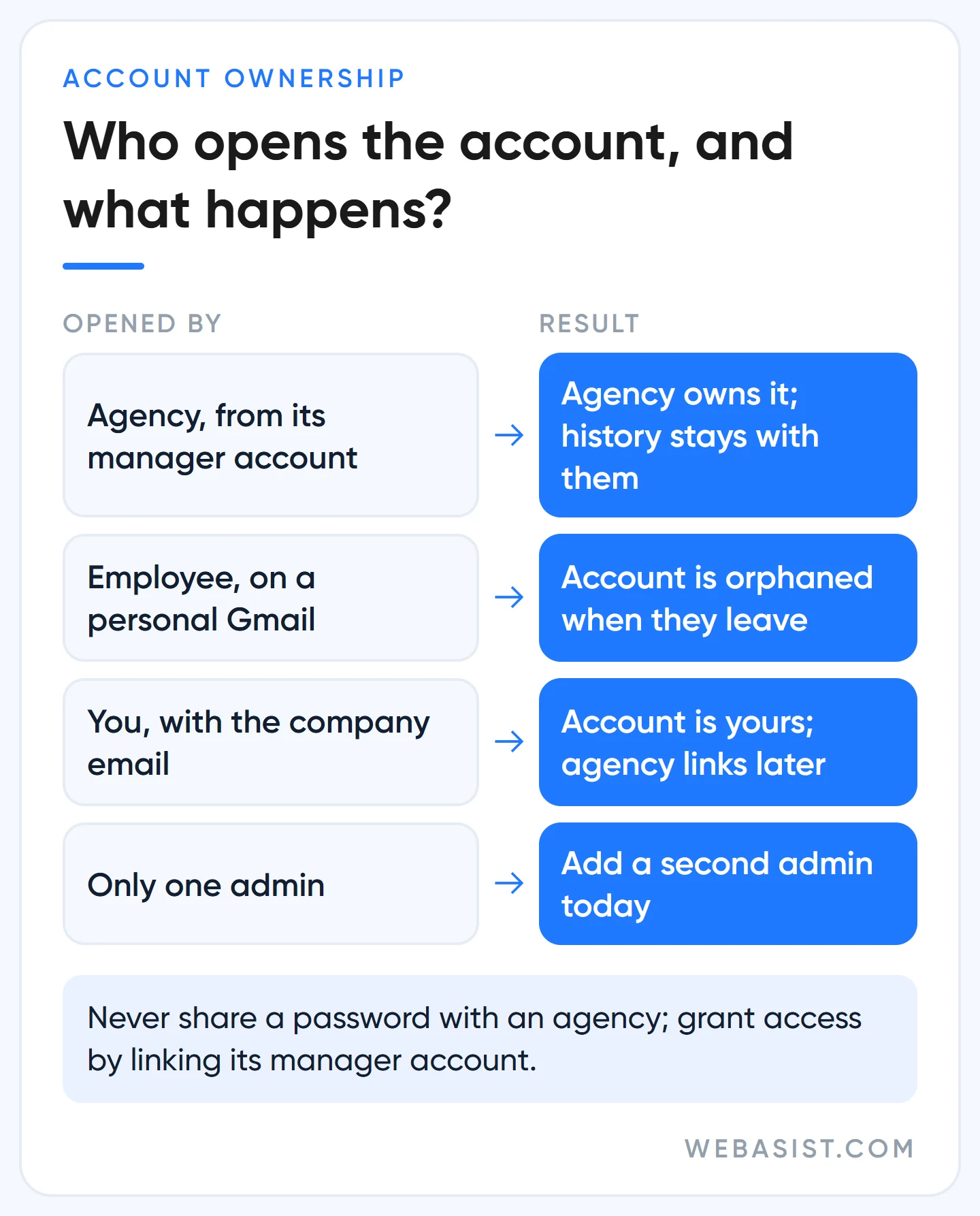
An account created from an agency's manager account starts with no users, and that manager account automatically becomes its administrative owner. It decides who gets in and who gets removed. When you part ways, the search terms, conversion history and negative keyword lists you paid for over the years stay on the other side.
Our rule: you open the account, you put your own company and card in the payments profile, and we connect afterwards. Keep at least two admins on the account: you and a second person you trust. Give an agency access by linking its manager account, never by sharing a password; the steps and which access level to give whom are in our agency selection and access guide.
One more note: a single email address can be linked to at most 20 Google Ads accounts, manager accounts included. One business needs one account. Opening a second or third account for the same business brings neither extra credit nor extra impressions; if anything, the system may read it as suspicious behaviour.
The Smart Mode trap: the 5-minute campaign on the sign-up screen
The sign-up flow exists to get you live as fast as possible. A business that follows the steps without questioning them often ends up in Smart Mode with a Smart campaign built in five minutes. Google recommends this quick setup as the "simple, low-maintenance" route. The price of low maintenance is low control.
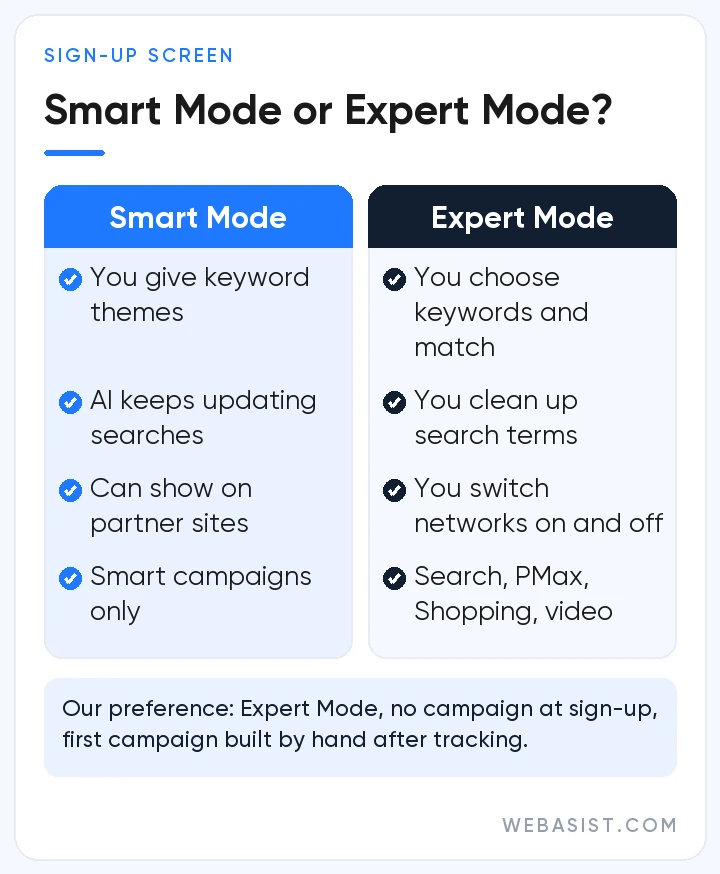
In a Smart campaign you do not choose keywords; you give a few "keyword themes", and Google's AI decides which searches you appear for and keeps updating them. Your ad can show on Maps, YouTube and Google partner sites as well as Search. The settings that protect your budget, such as match types, bid strategy and network selection, are not in your hands. That is why we so often see a Smart campaign for a boiler repair business spending its money on "how does a boiler work" searches.
Smart campaigns can only be created in Smart Mode; Search, Performance Max, Shopping and video campaigns need Expert Mode. If your account opened in Smart Mode, you can switch to Expert Mode from the settings menu at the top right. We open new accounts in Expert Mode from the start, without a campaign, and build the first campaign by hand once tracking is in place.
Who is Smart Mode good for? A very small business serving one district, with not even an hour a week to spare, wanting to test with a few thousand lira a month. Even then our preference is a plain Search campaign with five to ten keywords and one location. We walk through it in our search campaign setup guide.
Two settings you can never change: currency and time zone
The currency and time zone you choose on the billing screen stay for the life of the account. Google states plainly that neither can be updated because both underpin reporting and billing; details are on Google's settings page. If you searched for how to change your Google Ads currency, this is the bad news: you cannot.
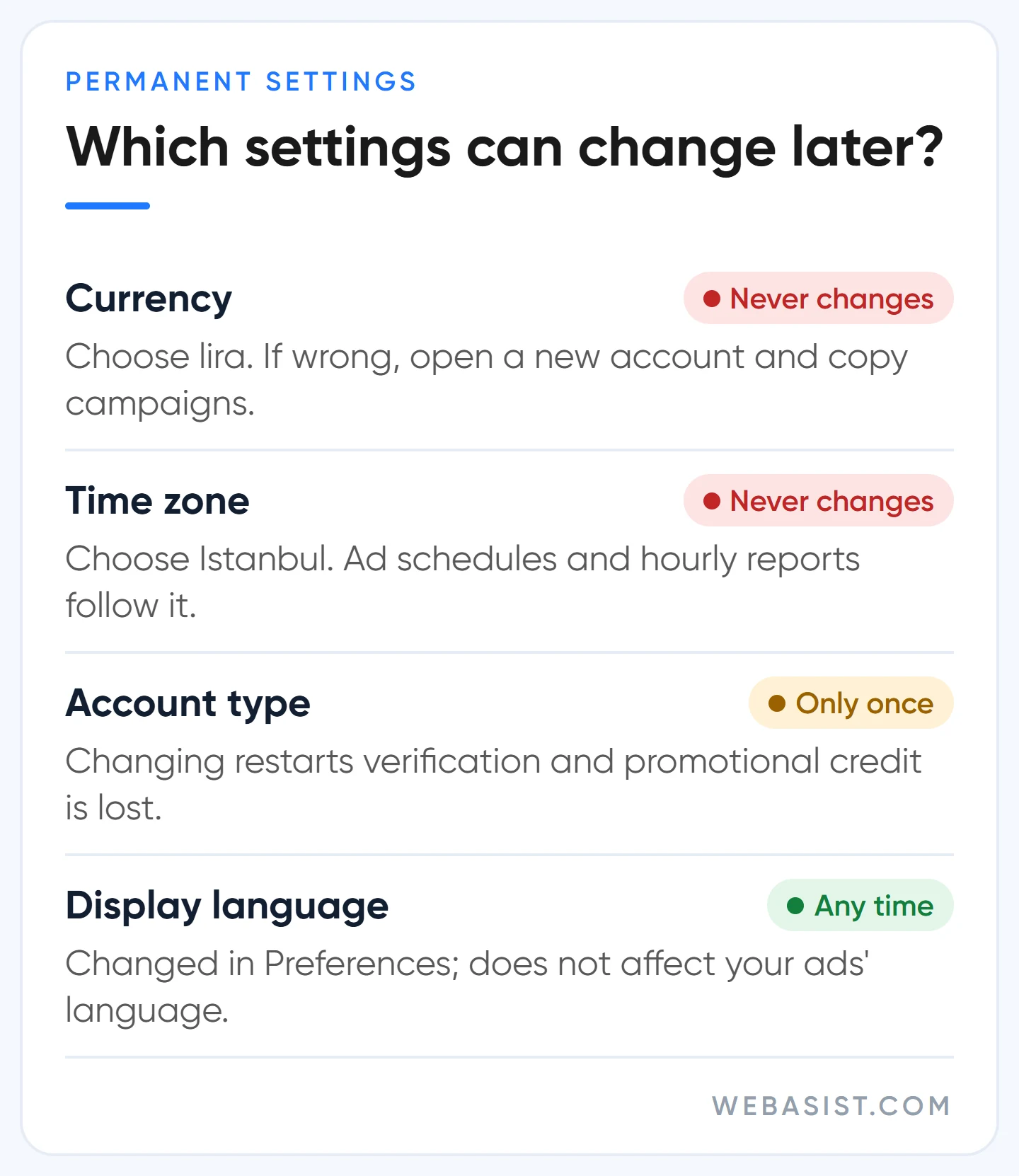
Choose Turkish lira. You think about budget, bids and reports in lira, your card sees lira charges and your accountant works with lira documents. A business running a dollar account has to track exchange differences and foreign currency card transactions every month, and recalculate a budget it thinks of as 500 TL a day every time the rate moves. Even if you plan to advertise abroad, currency does not get in the way; the countries you target and the currency you pay in are separate settings.
Choose the Istanbul time zone (GMT+03:00). It does not change where your ads appear, but ad scheduling and hourly reports follow it. In an account opened with the wrong time zone, an ad you set to run "09:00 to 18:00" goes live after your customer service has closed, and evening calls go unanswered. Billing pages, whatever time zone you choose, are shown in Pacific time; that is where month-end date shifts come from.
If you picked the wrong one, the fix is clear: open a new account with the right settings, copy the campaigns over with Google Ads Editor and close the old account. History does not transfer. That is why replacing a wrongly set account on day one is far cheaper than doing it after months of data have built up.
Individual or Organisation? Choosing the account type
The account type in the payments profile defaults to "Organisation". If you are a company or a sole trader operating under a registered trade name, stay on Organisation. "Individual" is only for freelancers not registered as a business and for personal advertising.
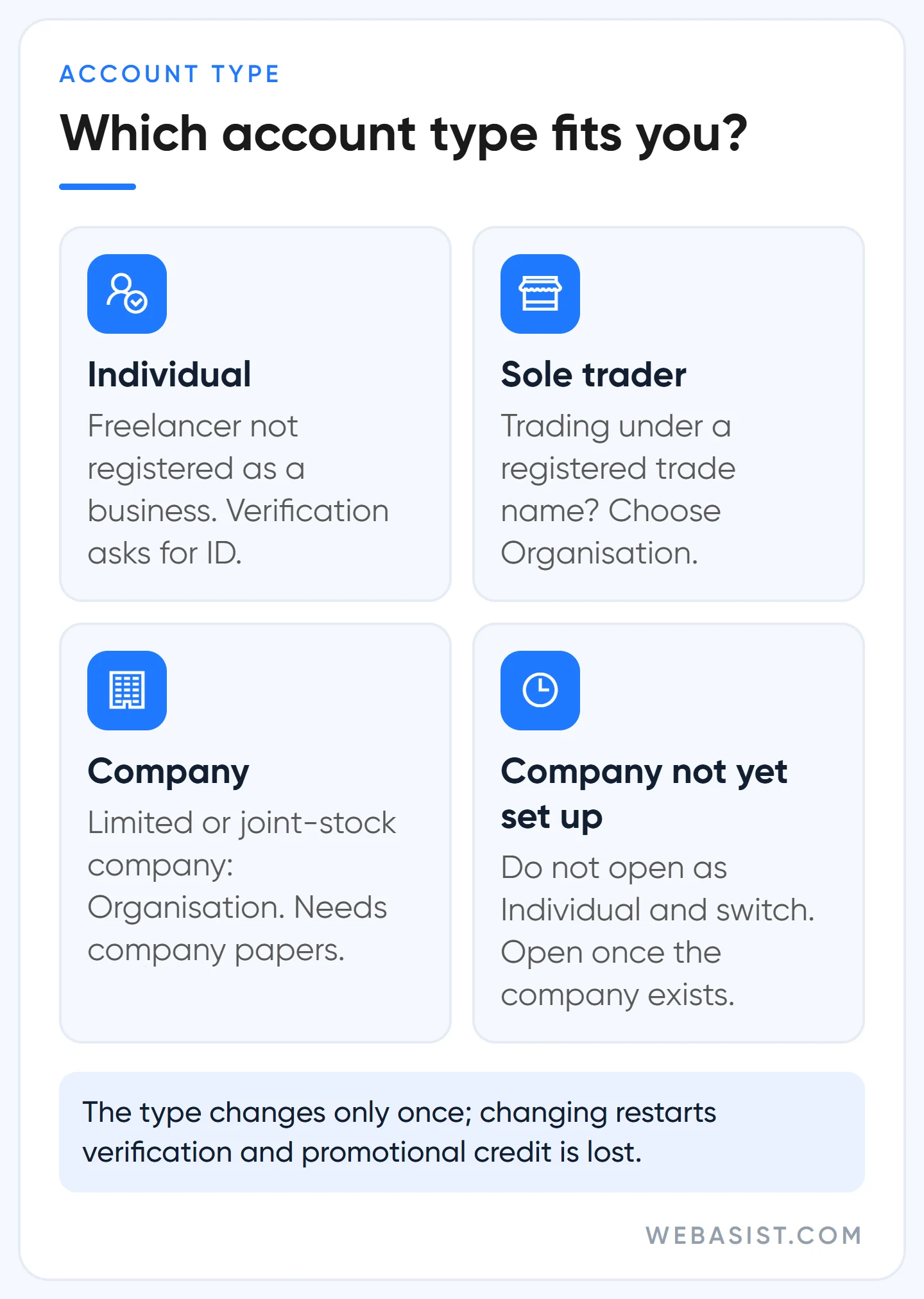
This choice comes back in two places. The first is the document: Google's monthly billing document is issued to the name in the profile, and your accountant works from it; we explain more in our Google Ads billing guide. The second is verification: when Google asks for advertiser verification, it wants ID for an Individual account and company documents for an Organisation, and the name in the profile must match the document. We cover that process in our advertiser verification guide.
You can change the account type only once. When you do, the account moves to a new payments profile, verification starts over even if you were already verified, and any promotional credit is not carried over. If your company is still being registered, we recommend waiting a few days and opening the account once it exists, rather than opening as Individual and switching later.
What to do on day one after opening the account
Do not rush into a campaign just because the account is open. What we do on day one is about security and stopping money from leaking; the campaign only comes after:
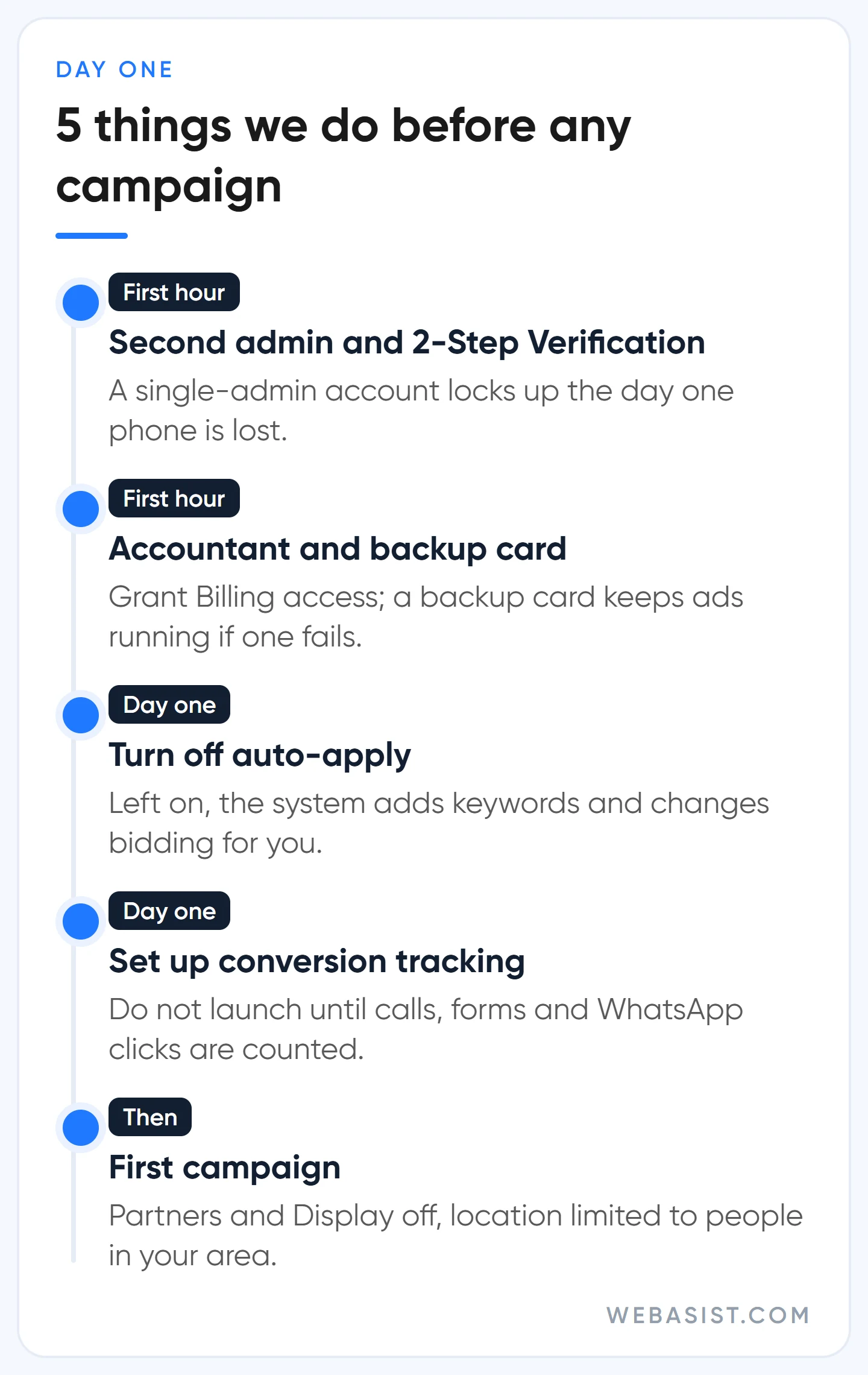
- Add a second admin and turn on 2-Step Verification. Path: Admin > Access and security. In a single-admin account, that person losing their phone means a locked account.
- Add your accountant with Billing access and set up a backup card. If the primary card is declined, ads continue on the backup.
- Check auto-applied recommendations. If they are on, turn them off; otherwise the system can add keywords and change your bid strategy on your behalf. Google recommends them as a time saver; we prefer to read recommendations one by one and apply them ourselves.
- Set up conversion tracking. A campaign launched without counting calls, forms and WhatsApp clicks will never tell you where its money went. We cover it step by step in our conversion tracking guide.
- When you build the first campaign, untick Search partners and the Display Network, restrict location to people in the area you serve, and work the daily budget backwards from your target. We show the maths in our budget planning guide.
Who should not open an account yet?
Opening an account is free, but that does not mean everyone should do it today. We recommend waiting if:
- You have a previously suspended account. A new account does not solve the problem; Google treats it as circumventing its systems and the new account can be suspended at setup. Follow the route in our suspended account guide for the existing account first.
- You are thinking of buying a "ready-made Google Ads account". An account opened in someone else's name, with a history you do not know, is a risk for both ownership and policy.
- Your budget cannot carry a one-month test. In a business where a click costs 30 TL, you need around 250 clicks a month to decide anything, which is 7,500 TL; an account opened with 2,000 TL a month leaves you with a loss, not information.
- Nobody will answer incoming calls or reply to forms the same day. Decide who will do that before you open the account.
Frequently Asked Questions
Does it cost anything to open a Google Ads account?
You pay Google nothing to open an account, and there is no monthly membership or subscription. Money only leaves when your ad is clicked or viewed, within the budget limits you set.
How many Google Ads accounts can one email have?
One email address can be associated with up to 20 Google Ads accounts, manager accounts included. Companies running several brands use a manager account to see their accounts in one place.
Is advertiser verification required at sign-up?
Not during sign-up. Google asks for verification later, by in-account notification and email, with a deadline; if the deadline passes, ads stop. So write the name in the payments profile exactly as it appears on your documents from the start.
Can I go back from Expert Mode to Smart Mode?
There is no need. In Expert Mode you can still see and edit your Smart campaigns; you just cannot create new ones. And we do not recommend opening new Smart campaigns anyway.
Conclusion
The hard part of opening an account is not the form; it is getting three irreversible decisions right: whose email the account is opened with, the currency and the time zone. Skip the five-minute campaign the sign-up screen offers. Before you open the account, write to us; we will check those three settings and the account type with you so the account is opened in your name. If you would rather leave setup and management to us, the scope is listed on our Google Ads advertising packages page.














