


Google Ads Conversion Tracking Setup: Forms, Calls and WhatsApp

Without Google Ads conversion tracking you don't know which keyword brings customers, and neither does Google. The short setup: create a conversion action in Google Ads, connect it through Google Tag Manager (GTM) to your form, your phone number and your WhatsApp button, then test it with Tag Assistant. If your site already runs GTM, this is an hour or two of work. Our rule is simple: we don't scale campaigns in an account where conversion tracking isn't working.
In Turkey the tricky part is phone and WhatsApp. In the service businesses we manage, a large share of enquiries arrives through those two channels, yet most setups we inherit count only the form. Below we cover what to count, why phone calls are only half-measurable in Turkey, how we choose between GA4 import and the Google Ads tag, and the setup step by step.
Why does advertising without conversion tracking burn money?
Google Ads spends money on whatever its bidding system learns. With no conversions, the only thing it can learn is clicks, so the budget drifts towards the cheapest clicks. The cheapest clicks usually come from people looking for information. Someone searching "why is my boiler leaking" is cheaper than someone searching "boiler repair", and leaves you nothing.
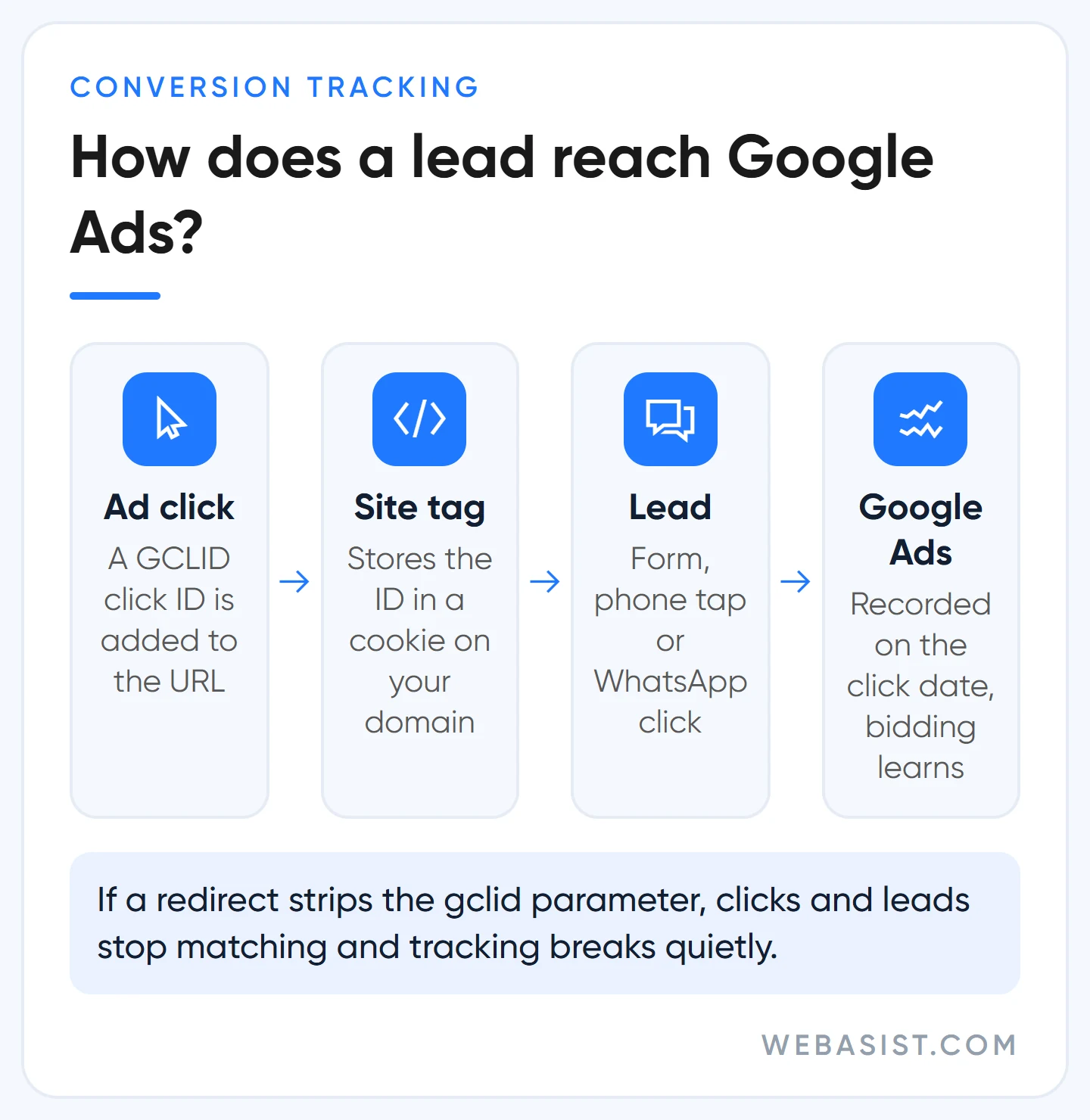
Example scenario: a boiler repair firm spends 15,000 TL a month and buys 750 clicks at 20 TL each. Without tracking it can't see which 30 of those 750 clicks turned into phone calls. It can't pause the bad keyword or move budget to the good one; at the end of the month all it knows is that 15,000 TL is gone. That is why, in accounts we take over, the first screen we open is Goals, not Campaigns.
Tracking isn't just for reports. Smart bidding strategies such as Target CPA or Maximize conversions learn whom to bid on, and how much, from this data; a miscounted conversion means the system chasing the wrong thing. When to switch to which strategy is covered in our bidding strategies guide; this article lays the foundation.
What should count as a conversion? Forms, calls and WhatsApp
Before touching any code, write down three things: which action counts, what it's worth in lira, and whether the bidding system should chase it (primary) or just observe it (secondary). Primary actions feed the Conversions column and bidding. Secondary actions appear under All conversions and stay out of bidding.
| Action | How it's captured | Count | Our choice |
|---|---|---|---|
| Quote or contact form | Successful submission (thank-you page or event) | One | Primary |
| Tap on phone number (mobile) | Click on a tel: link | One | Primary for businesses that sell by phone |
| Click on WhatsApp button | Click on a wa.me link | One | Primary, valued below a form |
| Online sale | Order confirmation page with order ID | Every | Primary, with basket value |
| Add to cart, page views | Event | Every | Secondary |
The count setting is the one people skip most. If the same person submits a form twice, it's still one lead; for forms, calls and WhatsApp we choose "One". In e-commerce each order is separate money, so you choose "Every" and send the order ID (transaction_id) as well, so a refreshed thank-you page doesn't count the same order twice.
What value should you enter?
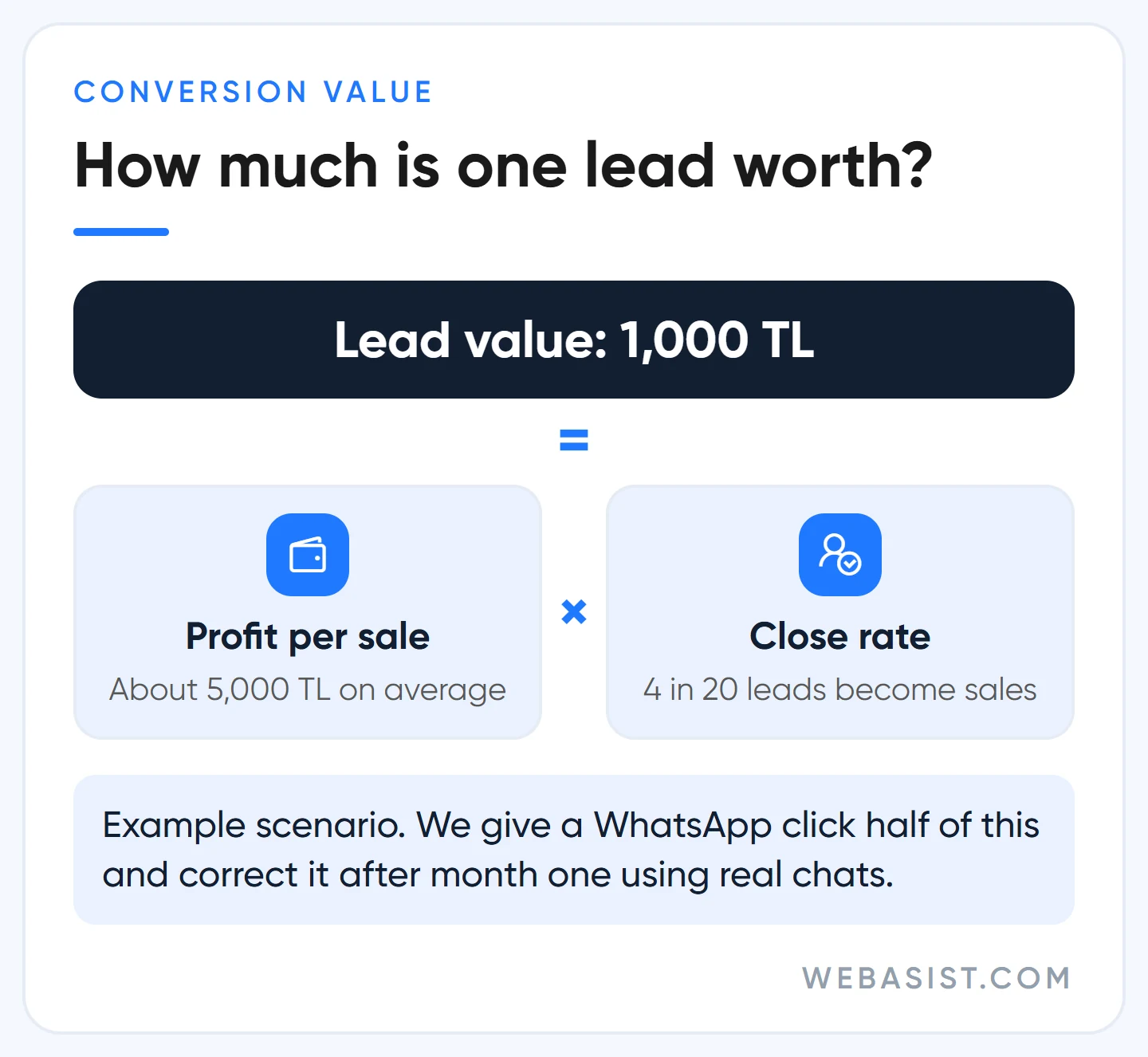
Don't leave the value empty and don't make it up. A form's value is what an average lead is worth to you. Example scenario: a kitchen cabinet workshop turns 4 out of 20 quotes into sales, and each sale leaves about 5,000 TL profit. One lead is worth 5,000 × 4 / 20 = 1,000 TL.
Not every WhatsApp click becomes a message. We start it at half the form's value, 500 TL in this example, and correct it at the end of the first month against the real number of chats. As long as the values are in the right proportion, the system can tell which channel brings more money.
Google Ads phone call conversions: why are they only half-measured in Turkey?
Google Ads can measure phone calls in five ways, but the three solid ones rely on Google forwarding numbers: timing calls from ads, swapping the number on your site for a per-visitor number, and importing calls. Google forwarding numbers aren't offered in Turkey. So a business in Istanbul can't set up a conversion such as "a call lasting at least 60 seconds".
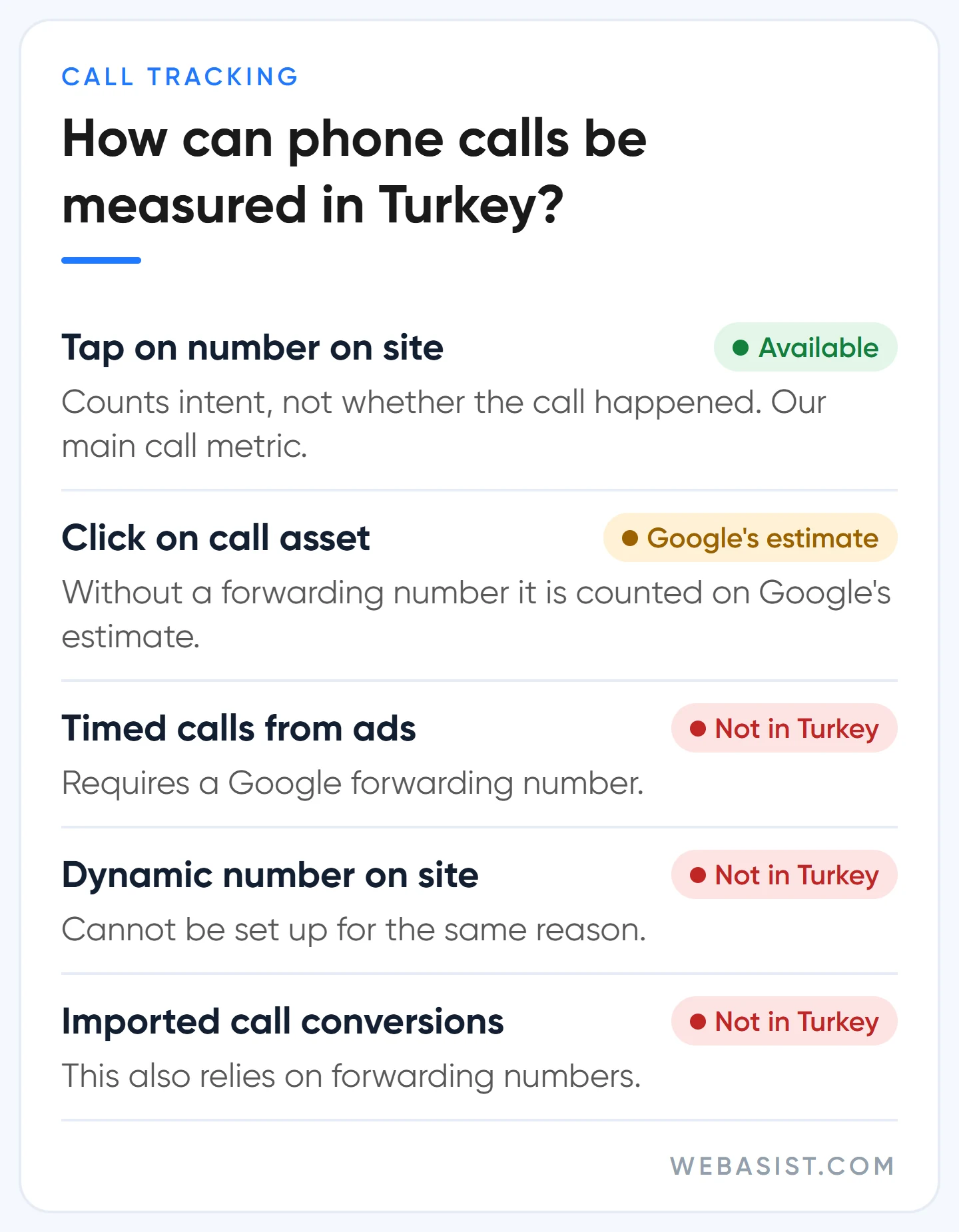
That leaves two options. The first is a tap on the number on your mobile site: the person taps, the dialler opens. It doesn't know whether a call happened, it counts intent. The second is a click on the call asset in your ad: without a forwarding number, this click is counted as a conversion based on Google's estimate of whether a meaningful call took place.
The second option is easy to switch on, so new accounts often have it. Our reservation is simple: the party counting the conversion is the same party billing the click. We keep call asset clicks as secondary and feed bidding with events we can see on our own site. If almost all calls come from the call button in the ad, we make it primary, but we cross-check it every week.
The cross-check is done by whoever answers the phone. Once a week, compare the phone conversions in Google Ads with the number of calls that week where the caller said they found you on Google. If the panel shows twice reality, either the count setting is wrong or the same click is counted in two actions.
How do you track WhatsApp clicks as conversions?
Google Ads has no ready-made WhatsApp conversion type; we capture the button click as a link click in GTM. The WhatsApp button on most sites points to wa.me or api.whatsapp.com, and the trigger fires on clicks to that address.
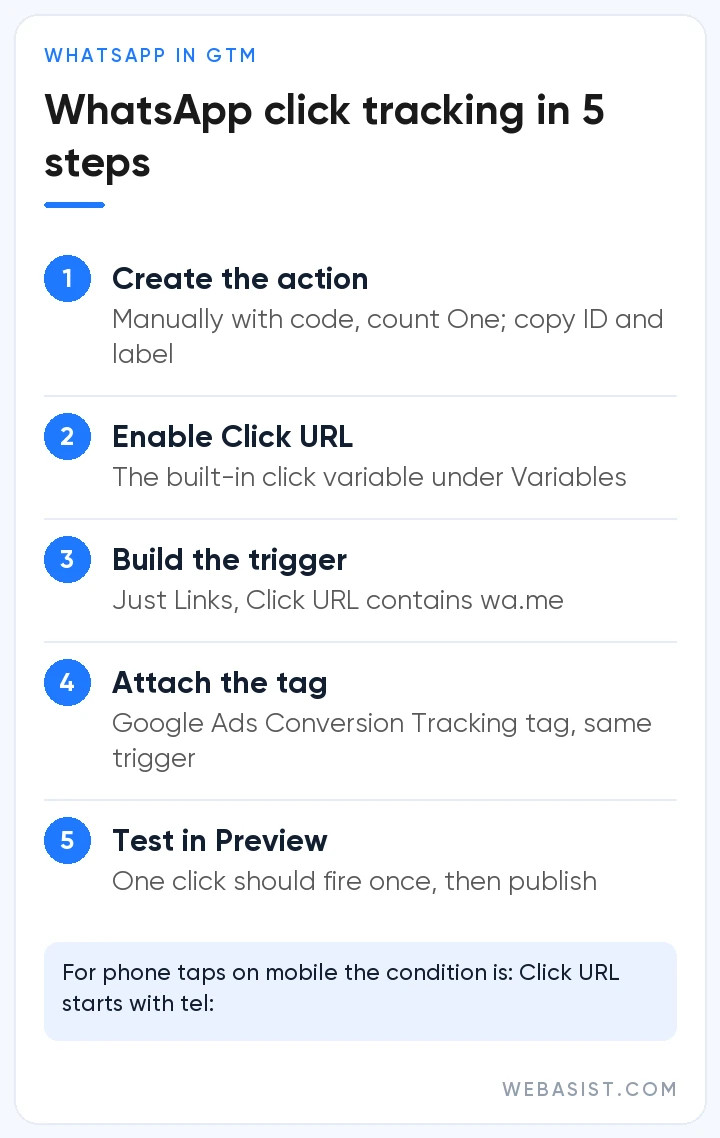
- In Google Ads, go to Goals > Summary and create a new website conversion action, choose "Manually with code" and set the count to "One". Note the conversion ID and conversion label.
- In GTM, enable the built-in Click URL variable under Variables.
- Create a trigger: "Click - Just Links", condition "Click URL contains wa.me". If your site uses api.whatsapp.com, add that too.
- Create a tag of type Google Ads Conversion Tracking, enter the ID and label, and attach it to that trigger. Check that the Conversion Linker tag fires on all pages.
- In Preview mode, press the button, confirm the tag fires once, then publish the workspace.
The phone logic applies here too: this is a click, not a message. People open WhatsApp and change their mind. So we keep the value below a form and, at the end of the first month, compare it with the number of new chats in WhatsApp Business for that period. Tracking taps on your mobile phone number works the same way; the condition becomes "Click URL starts with tel:".
Google's message assets, which put a WhatsApp button directly under the ad, are still in beta and not open to every account. Even when they are, you still need to track the button on your site, because people who visit the site first move to WhatsApp from there.
GA4 import or the Google Ads tag?
Our short answer: primary conversions that feed bidding come from the Google Ads tag (via GTM), and GA4 imports stay secondary. Three differences explain why:
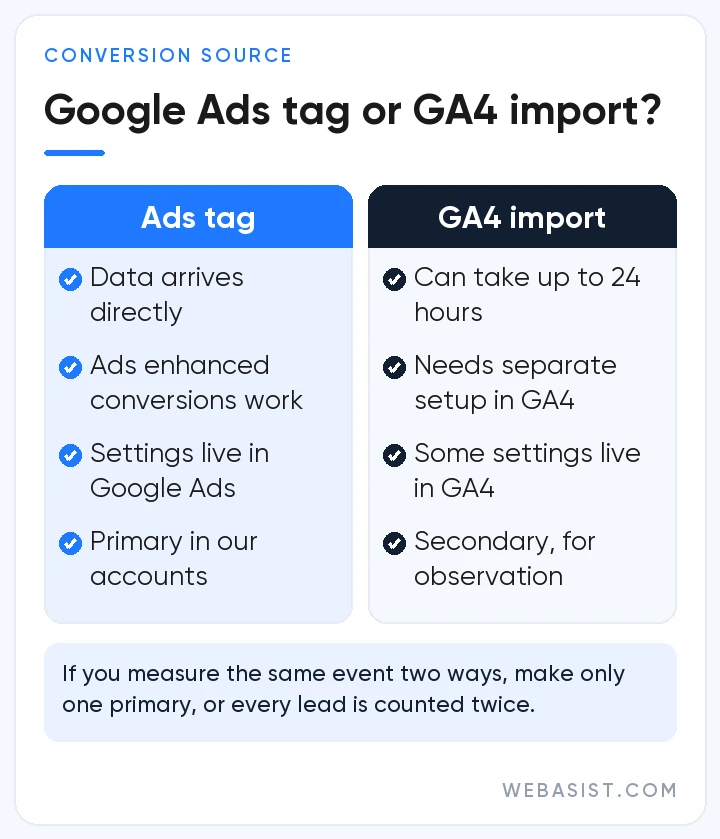
- Speed: the Google Ads tag sends data directly; a conversion imported from GA4 can take up to 24 hours. For smart bidding, a signal that arrives a day late means a day of blind spending.
- Enhanced conversions: the enhanced conversions setting inside Google Ads doesn't work for conversions imported from GA4; to get the same benefit you have to set up user-provided data collection in GA4 separately. If you want to manage it in one place, the tag is less work.
- Control: with a tag-based action you manage count, window and value settings in Google Ads; with an action coming from GA4 some of these may not be editable.
GA4 import still has its place. If nobody can add code to your site and the form submission is already correctly marked as a "key event" in GA4, importing beats having nothing. One rule: if you measure the same event two ways, only one of them is primary.
This is the breakage we see most in inherited accounts: the same form counted as primary both by the tag and by GA4. The report shows 40 leads when there were 20; in a 15,000 TL month the cost per lead looks like 375 TL instead of 750 TL, and the system raises bids on that fake success. Google Ads and GA4 showing different numbers is not an error on its own; they attribute conversions to different dates and different channels.
Google Ads conversion setup step by step: the GTM route for forms
For forms, the cleanest approach is to capture the moment of a successful submission. If you have a thank-you page, it's easy. If not, ask your developer to push a dataLayer event on successful submission. Counting button clicks is the last resort; a form that was filled in wrongly and never sent also counts as a conversion.
- Go to Goals > Summary > + Create conversion action, scan your domain and pick the category that matches your lead form.
- If you'll work with GTM, choose "Manually with code". Actions created without code, and automatically created ones, don't give you the conversion label you enter in GTM, which is why such actions can show as "Misconfigured".
- Configure the settings: value from the calculation above, count "One", click-through conversion window at the default 30 days. If your customers take weeks to decide, extend it.
- In GTM, set up the Conversion Linker tag on all pages and the Google Ads Conversion Tracking tag triggered by the thank-you page or the dataLayer event.
- Test in Preview and publish. A workspace left unpublished is the quietest setup error we come across.
If you add the tag straight into the code (gtag.js), the logic is the same: the Google tag once on every page, the event snippet only at the moment of conversion. A theme and a plugin each firing their own tag is the classic cause of double counting. If the form itself is weak, tracking won't fix it; we cover the page side in our landing page guide.
"Conversion tracking setup is incomplete": testing and statuses
If you see this warning, or a "complete your conversion tracking setup" recommendation, Google either sees no active conversion action or isn't receiving data from the one you created. Check the action's status under Goals > Summary and test it.
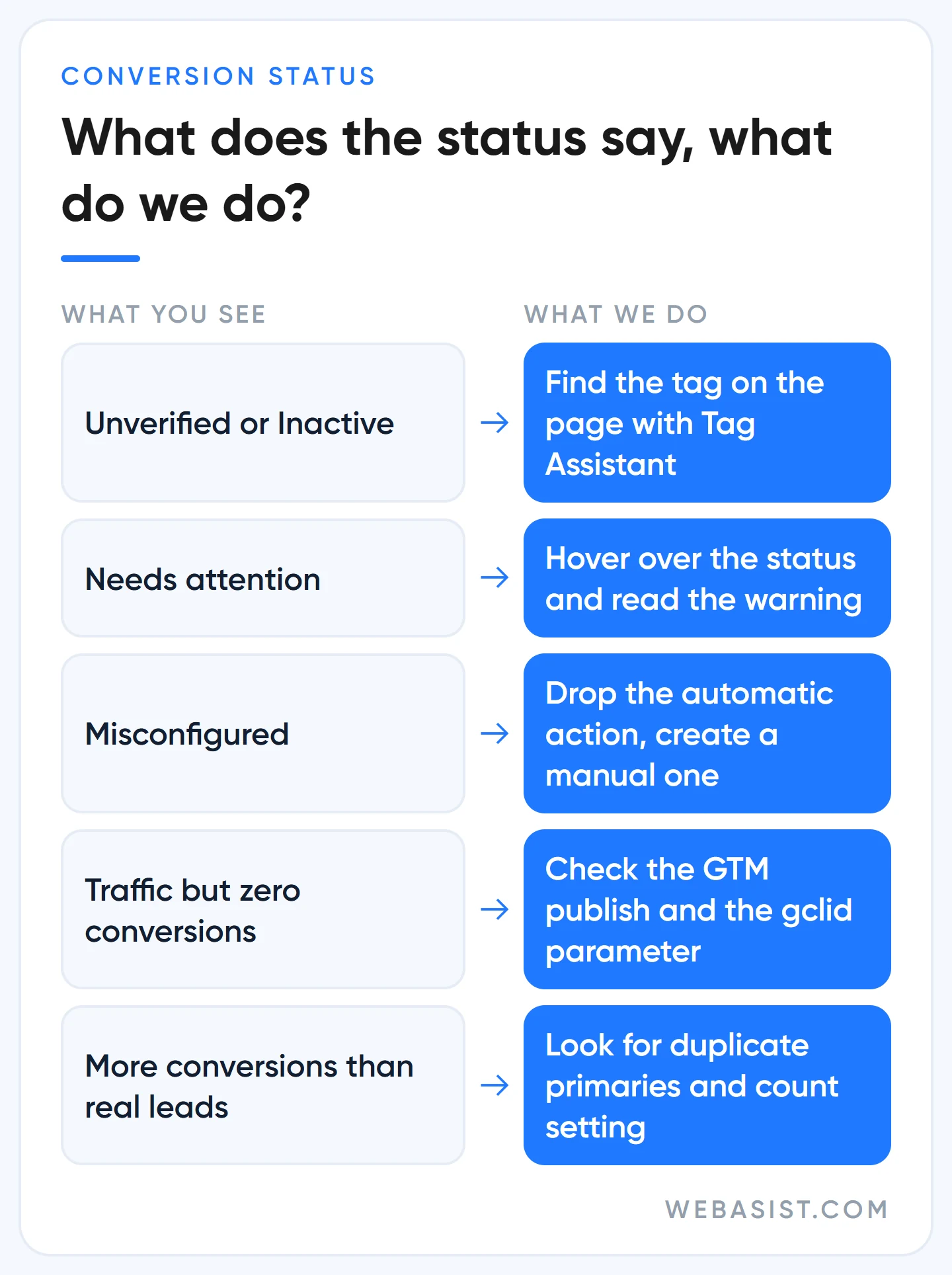
Hover over the status and choose Troubleshoot to open Tag Assistant. Enter your home page and connect, actually submit the form, press the WhatsApp button and the phone number. Check that each tag fires exactly once. A verified action's status can take up to 48 hours to update and reports lag by 3 to 24 hours, so leave the settings alone in the meantime.
One more thing: a conversion is recorded against the date of the ad click, not the day the action happened. A lead that came in today may appear on last week's row. Before you panic about "no conversions yesterday", look at the weekly view.
Google recommends it, we don't: automatic and micro conversions
Google Ads wants to make conversion setup easy: it scans your domain and suggests automatic goals based on page views, offers to import GA4 events, and nudges you to make small actions primary because "more data helps smart bidding". The intent is understandable; the result is often a campaign chasing whatever is easiest.
Example: if "contact page view" is a primary conversion, the system treats everyone who lands on that page as a success. You see 60 "conversions" a month, the phone doesn't ring, and next month the bid strategy pays more to find people who visit that page but never call. Our rule: primary is only for actions that bring money. Add to cart, page views and scroll depth stay secondary, and we review automatically created actions on day one, either making them secondary or removing them.
Don't launch Performance Max before tracking is clean. PMax runs entirely on conversion signals; feed it the wrong conversion and it searches for the wrong thing faster and across more places.
Enhanced conversions and offline imports: who needs them and who doesn't?
Enhanced conversions turn the email or phone number of a person who filled in your form into a one-way hash (SHA256) and send it to Google, so the conversion can still be tied to the ad when cookies are cleared or the person switches devices. Offline import tells Google Ads when a lead later became a sale, so the system learns to find buyers rather than form-fillers.
Both are powerful, but not for everyone. If you get fewer than 10 leads a month, don't bother with offline imports; uploading two or three sales teaches the bidding system nothing. If sales aren't kept in a CRM, or at least in an orderly spreadsheet, don't set it up either, because there's nothing to upload. Our order is: forms, calls and WhatsApp clean and primary first; then enhanced conversions; offline import once leads run into several dozen a month and sales are recorded.
One note: if your cookie banner lets visitors reject advertising cookies, these measurements are limited for those visitors. When setting up the banner, have someone check that Consent Mode sends the right signal to Google tags; for KVKK compliance of the wording, work with your lawyer. Visitors who decline also won't enter your remarketing lists.
Frequently Asked Questions
Where do I add the Google Ads conversion code?
The Google tag goes on every page of your site, right after the <head> element; the conversion event snippet goes only on the page or event where the conversion happens. If you use GTM you don't touch the code at all; tags are managed from the container.
Where are the Google Ads conversion ID and conversion label?
In the details of a conversion action you created manually, under the "Use Google Tag Manager" tab. There is one ID per account; the label is unique to each conversion action.
Why do Google Ads and GA4 show different conversion numbers?
Google Ads sees only ad interactions, filters invalid clicks and lets its cookies expire 90 days after the click; GA4 counts every channel and its cookie lasts up to 2 years. A small gap is normal. If Google Ads shows twice as many, look for double counting.
Does conversion tracking cost anything?
No. Google Ads conversion tracking, the Google tag, GTM and GA4 are free; the cost is the setup work. In the campaigns we manage, tracking setup is part of the job rather than a separate line item.
Conclusion
Conversion tracking comes before the campaign. If forms, phone taps and WhatsApp clicks are primary, valued in lira and checked weekly against real enquiries, your account is ready to learn. If not, don't raise the budget; fix the counter first.
If you have GTM, write to us; we'll set up the form, phone and WhatsApp conversions together and test them in Tag Assistant on your screen. If you'd rather hand over the whole account, you can see the scope in our Google Ads packages. Once setup is done, you can check how tracking fits with the rest of the account using the order in our account audit guide.
Sources
- About phone call conversion tracking: the five ways to measure calls.
- About call reporting: countries where Google forwarding numbers are available.
- Create conversions based on Google Analytics events: GA4 import delays and limits.
- Troubleshoot your conversion tracking status: statuses and "Misconfigured" actions.














