


How to Write Google Ads Copy: Headline Examples, Sitelinks, Call Assets
Most businesses approach Google Ads ad copy looking for one perfect sentence. That is not how search ads work anymore.
You write up to 15 headlines and 4 descriptions, and Google picks at most 3 headlines and 2 descriptions for each search. Good copy is a set that answers "why should I call you?" whichever three headlines end up side by side. The sitelinks, phone and location extensions under the ad (Google now calls them assets) cost nothing to add and make the ad bigger.
We write the ad copy in our management packages. Below is how we write it, how we split the headlines, before/after examples from three businesses and how we set up the assets. Which searches trigger the ad is a keyword question, not a copy question; we cover that in our keyword research guide.
What does a searcher actually see? The parts of a search ad
A search ad marked "Sponsored" is built from six parts: business name and logo, display URL, headlines, description, sitelinks and assets such as call or location. You write the headlines and descriptions; the rest is added separately. The limits are short:
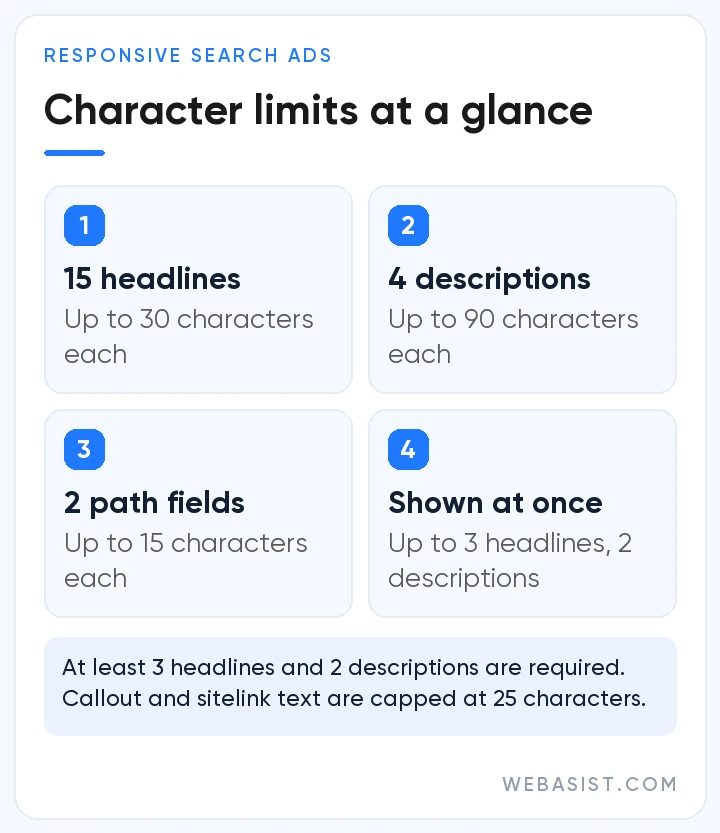
| Field | How many? | Character limit |
|---|---|---|
| Headline | Write 3 to 15, at most 3 show | 30 |
| Description | Write 2 to 4, at most 2 show | 90 |
| Display URL path | 2 optional fields | 15 each |
| Sitelink | At least 2 needed to show | 25, plus two 35-character lines |
| Callout | Up to 10 can show in one ad | 25 |
Turkish letters such as ç or ş count as one character. How the auction ranks your ad is explained in our search ads guide; here we only deal with the words on screen.
How to write Google Ads copy: how we split 15 headlines
We don't think of 15 headlines one by one. We split them into jobs, so whichever three Google picks, the ad still makes sense. Our default split:
- 4 headlines with the search term: "Boiler Repair Umraniye", "Umraniye Boiler Service". People click when they see what they typed. Four is enough; filling all fifteen with the keyword leaves Google nothing to test.
- 3 headlines on why you: speed, coverage, opening hours. Measurable ones, like "Same-Day Home Visits".
- 2 headlines of proof: warranty length, invoiced work, review rating. Only what you can document.
- 2 headlines on price or offer: "Free On-Site Quote" or "Service From 1,500 TL" (example).
- 2 calls to action: "Call Now, Open 24/7".
- 2 brand headlines: your business name and one line that positions you.
We care most about the price headline. You pay per click, so part of the copy's job is to stop the wrong person from clicking. If a click costs 25 TL (example), filtering out 40 wrong clicks a month saves 1,000 TL. If you don't serve bargain hunters, say the price or the quality level in the headline and let them scroll past.
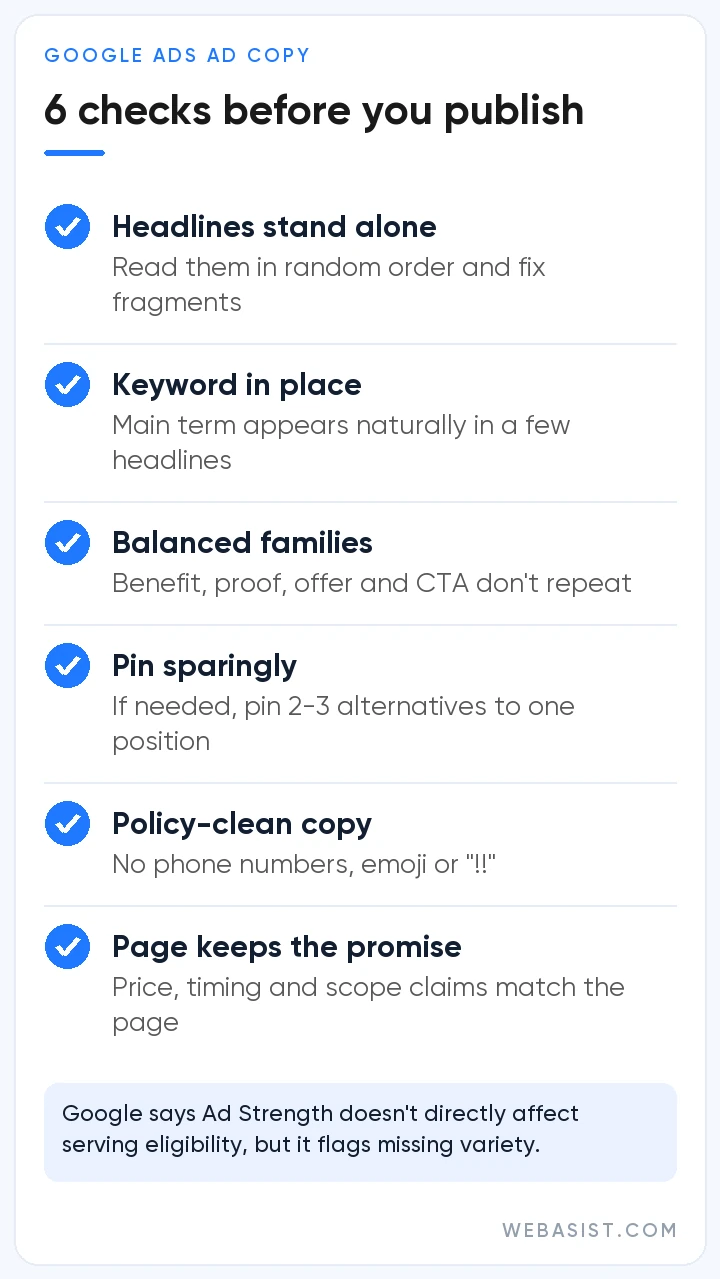
Then there is language. Headlines combine in random order, so none should lean on another. "And Much More" or "Don't Miss Out" says nothing on its own. After writing, read your 15 headlines in random groups of three; fix any trio that doesn't make sense.
Google Ads headline examples: before and after
In the accounts we take over, the most common headlines are "Quality Service", "Professional Team" and "Affordable Prices". Every competitor can write those, so they give the searcher no reason to pick you. The rows below are examples for made-up businesses, all within the 30-character limit.
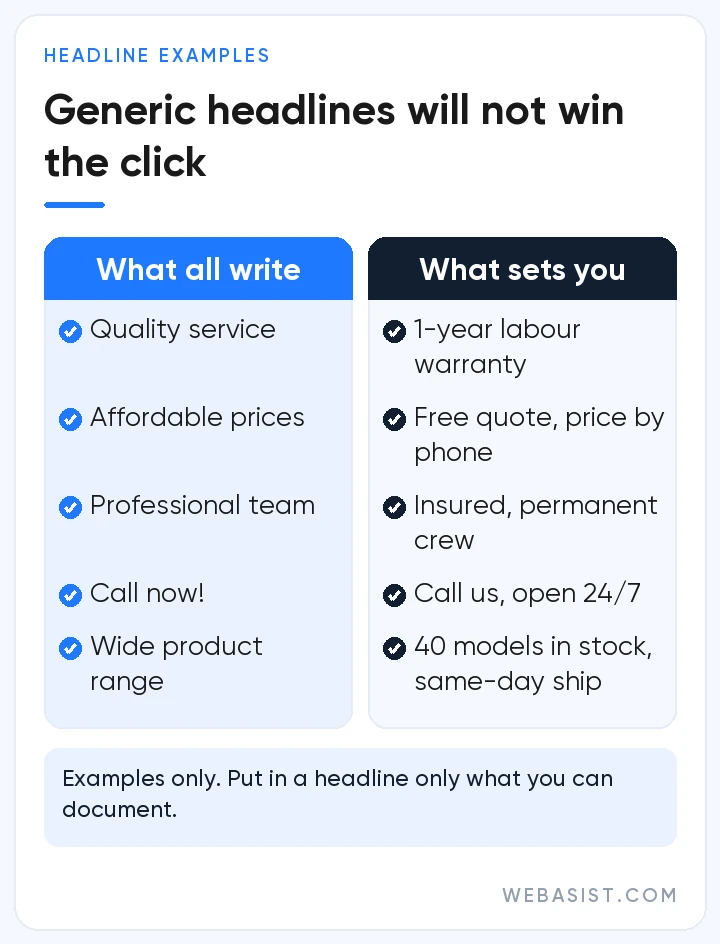
| Business (example) | Before | After | What changed? |
|---|---|---|---|
| Boiler service, Umraniye | Quality Boiler Service | Same-Day Service in Umraniye | District and speed added |
| Dental clinic, Kadikoy | Expert Dentists | Saturday Appointments Open | Answers people who can't come on weekdays |
| Stainless tank maker | Quality Manufacturing | Stainless Tanks Built to Size | Product and custom build stated, retail buyers filtered out |
| Online coffee machine shop | Best Prices | Free Shipping Over 2,000 TL | A concrete condition instead of a vague claim |
Descriptions show the same gap. The boiler service's "before" description read: "We offer quality, reliable service with our professional team. Contact us now!" What we wrote instead: "Same-day visits in Umraniye and Atasehir. Invoiced parts, 1-year labour warranty." The second tells the reader where, when and with what guarantee you come.
Leave out "the best" or "number one" unless you can prove it; it convinces nobody and is risky under Turkish advertising rules. Shouting capitals, repeated exclamation marks and emoji get disapproved outright. If your ad is stuck in review, see our guide on disapproved ads.
Descriptions: answer what the headline left open
Each of the four descriptions gets its own job: offer and call to action, scope of service, price and terms, trust. One or two show in the ad, so each must read as complete on its own. Don't repeat the headline; if it says "same-day service", the description should answer "which districts, at what cost".
A four-description example for the boiler service:
- Same-day service in Umraniye and Atasehir. Call and we quote before we come.
- Maintenance, repairs, radiator flushing and replacement. Original parts, any brand.
- Free inspection and fault finding. Parts and labour invoiced, card payment accepted.
- 1-year labour warranty. If the same fault comes back, the second visit is free.
Don't put a phone number in a description; it will be disapproved, and there is a call asset for that. Every promise in the description must also appear on the page the click lands on. Saying "we quote the price" and sending people to a page with nothing but a form wastes the click. The page side is covered in our Google Ads landing page guide.
Ad Strength says Poor? How much we listen to Google's score
Next to every ad there is an Ad Strength meter: Poor, Average, Good, Excellent. Google wants it higher and suggests more and more varied headlines, at least 6 sitelinks and turning on dynamic sitelinks. Ad Strength does not decide whether the ad can run. "Poor" is a suggestion, not an error.
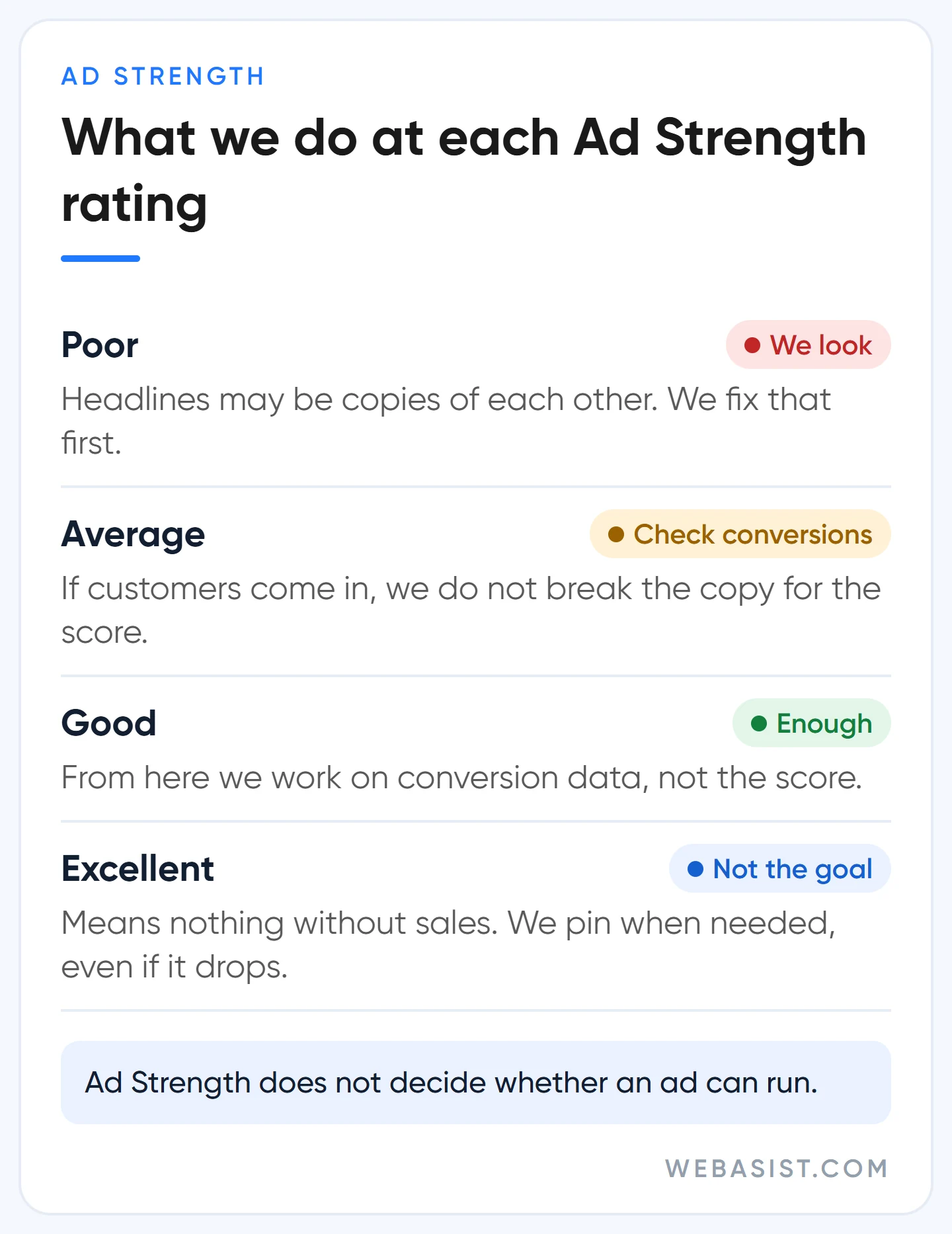
We use the score as a guide, not a target. In three places we do what we know works even if the score drops:
- Pinning. Google advises most advertisers not to pin, because it cuts the combinations it can test. We pin the brand name, or anything that must appear in every ad for regulatory reasons, to Headline 1, with two or three alternatives in the same slot. Text pinned to Headline 1, Headline 2 or Description 1 always shows; text pinned to Headline 3 or Description 2 may not.
- Dynamic sitelinks. Google picks these from your site, and sometimes they point to a blog post or a careers page. We start with sitelinks we chose; if we switch dynamic ones on, we check monthly where they lead.
- Text customization. In campaigns with AI Max on, Google can write new headlines and descriptions from your landing page. For businesses whose prices change often or where every word matters, we start with it off. Our view on AI Max is in the AI ad optimization guide.
Google's own data says advertisers who move from Poor to Excellent see 15% more conversions on average. We don't dispute that, but an average is not your account. We won't break an ad that brings customers more cheaply at "Average" just to please the meter.
How we tell which headline is winning
The assets report now shows impressions, clicks and conversions for every single headline and description. We judge on conversions, not click-through rate, and change two or three headlines at a time; change everything at once and you won't know what worked. In an ad group with a few hundred impressions a month this comparison takes weeks, and impatience is the most common mistake.
Adding Google Ads sitelinks: which pages to link
Sitelinks are the extra links under the ad. Adding them is free; a click on one costs the same as a click on the headline. At least two are needed for them to show. Up to 6 can appear on desktop and up to 8 in a swipeable row on mobile.
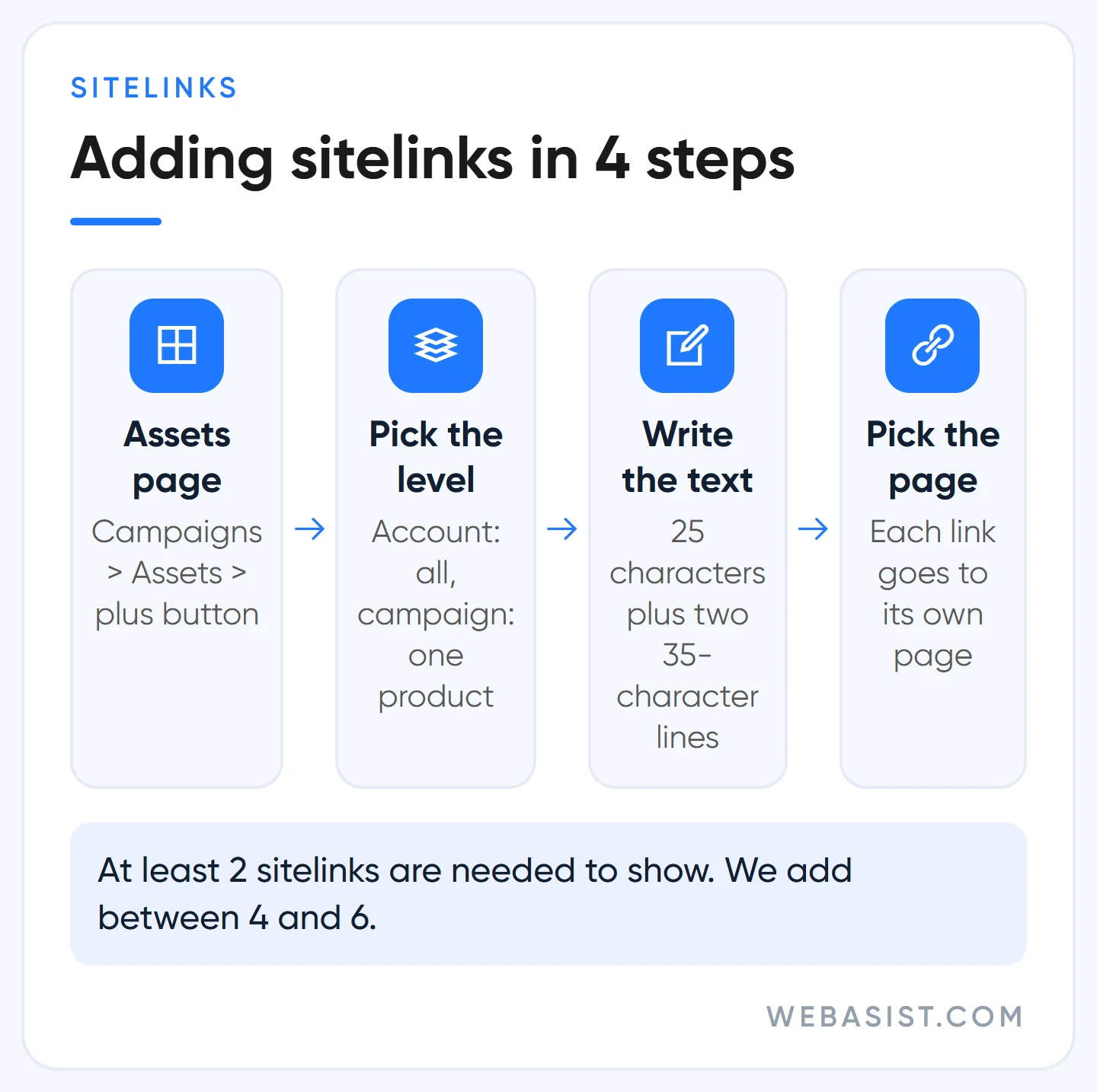
The path is one line: Campaigns > Assets > plus button > Sitelink. A sitelink added at account level runs in every campaign; one that belongs to a single product goes at campaign or ad group level.
The real work is choosing the pages. Our rule: each sitelink goes to a separate page that answers the searcher's next question. For a boiler service: "Prices", "Areas We Cover", "Warranty Terms", "Book Online". The most common mistake we see in inherited accounts is all four sitelinks pointing to the homepage or the "About" page.
Fill in the two 35-character description lines for each sitelink too; filled lines can make the ad appear larger. If you don't have separate pages, don't force sitelinks in, and reusing the same link text twice gets disapproved. Build the pages first, then the links.
Adding a call asset, and why it gets disapproved
A call asset adds a call button to the ad on mobile and a "Call us" button on desktop. A tap costs the same as a headline click. For businesses that live on the phone (locksmiths, boiler services, movers) this asset can matter more than the ad itself, because people call without visiting the site.
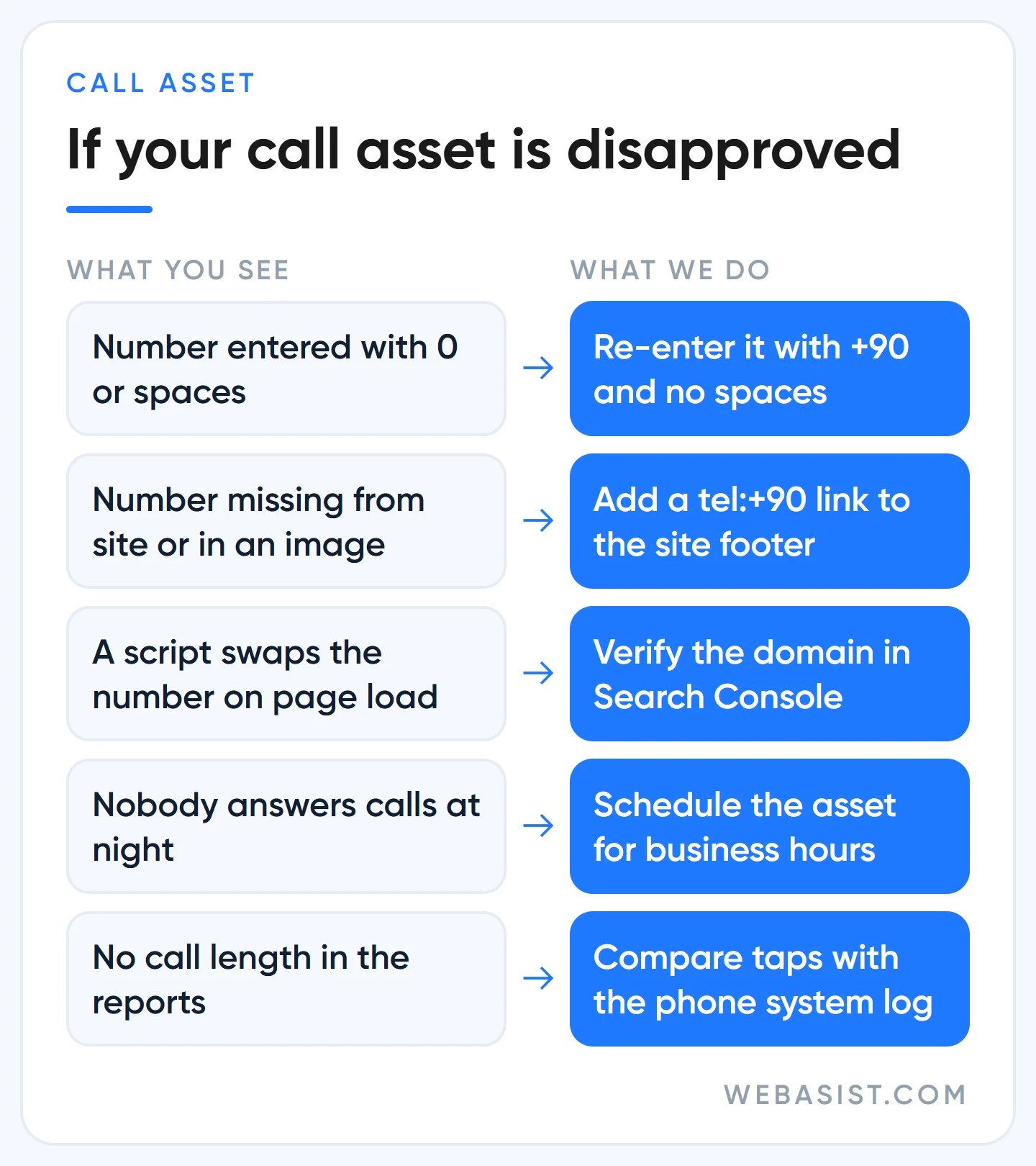
Adding it is easy: on the Assets page, choose Call from the plus button. The common problem is a disapproval for "Unverified phone number", and the cause is nearly always the same. Google checks that the number belongs to you by looking for it on your site. Enter it with +90 and no spaces; the same formatted number must appear in your site's source code, or your domain must be verified in Google Search Console.
Our practical fix: put the number in the site footer as a "tel:+90..." link. It becomes tappable on mobile and Google finds it in the code. If the number only appears inside an image, or a script swaps it after the page loads, verification fails.
We set two more things. We schedule the asset so the button doesn't show when nobody can answer.
On measurement: Google's forwarding numbers, which record call length, are not offered in Turkey. So we count button taps and compare them with the real calls in the phone system's log. The setup is in our conversion tracking guide.
Callouts and location assets: free space people leave empty
Callouts (once called callout extensions) are short, unclickable 25-character phrases: "Invoiced Work", "Open Saturdays", "Card Payment". Don't repeat what the headlines already say; put the guarantees that didn't fit there. We add the ones true for the whole business ("24/7 Support") at account level and service-specific ones to that ad group.
A location asset adds address, distance and directions, pulled from your Google Business Profile. For a shop, clinic or showroom it is one of the first assets we add. If you are a service that goes to the customer, it isn't essential. The Maps side is covered in our Google Maps ads guide.
The business name and logo at the top of the ad only appear after advertiser verification is complete; the process is in our advertiser verification guide. None of these assets cost extra. Every one you leave empty lets a competitor look bigger than you.
When not to bother rewriting your ad copy
New copy is not the cure for every problem. In these cases, look elsewhere before you touch the text:
- The ad gets no impressions. That is budget, bids or approval, not copy. Start with why your ad isn't showing.
- Clicks come in, calls and forms don't. Check the page first. Good copy doesn't save a bad page; it only sends more people to it.
- One ad group holds 40 different services. No copy will match those searches. Split the group first.
- The ad group gets a few hundred impressions a month. Don't set up a test with a second ad; it will never reach a result. Write one solid set and leave it for two months.
Frequently Asked Questions
Are ad extensions and ad assets the same thing?
Yes. Google renamed extensions as assets; sitelinks, callouts, call and location now appear as "assets" in the interface. They do the same job and are managed on the Assets page.
What is a responsive search ad?
The standard ad format in Search campaigns today. You write up to 15 headlines and 4 descriptions, and Google assembles a combination for each search. The old fixed-text ads can no longer be created.
Can I put a phone number in the ad text?
No. A headline or description containing a phone number is disapproved. Add the number with a call asset; it shows as a call button on mobile and you can schedule it.
How do I change the phone number in Google Ads?
Find the call asset on the Assets page and edit the number. The new number goes through review again, and it too must appear on your site in +90 format. Add the new number to the site before removing the old one, so the ad never runs without a number.
Conclusion
Good ad copy isn't a clever line; it's a set that answers the three questions every searcher has: where, when and with what guarantee. Ad Strength points the way, but conversions make the decision. Sitelinks, call and location assets are free, so don't leave them empty.
Send us the 15 headlines and descriptions of your current ad. We'll mark which ones repeat each other and which objection goes unanswered, and rewrite them. If you want this done every month, ad copywriting is part of our Google Ads packages.