


Google Ads Keyword Research: How to Use Keyword Planner Properly

Google Ads keyword research means finding the words your customers type into Google and deciding which ones to pay for and which ones to keep out. The short answer: use Keyword Planner for intent and price bands, not for chasing volume. Pick the districts you serve, start with 15 to 30 high-intent keywords on narrow match types, and build the negative list before you launch.
In most accounts we take over, the problem isn't too few keywords but too many. Hundreds of Planner ideas went in with "add all", and money flows to people looking for information or for jobs. Here we explain how we pick keywords, how we read Planner's numbers and how Turkish suffixes punch holes in negative keywords.
How to do keyword research: our four steps
We follow the same order for a new campaign or when cleaning up an existing account. First we collect seed keywords in the customer's language, then expand them in Keyword Planner and check the price band. Next we tag each keyword by intent and split them into ad groups. The last step comes after launch: every week we grow and clean the list using the search terms report.
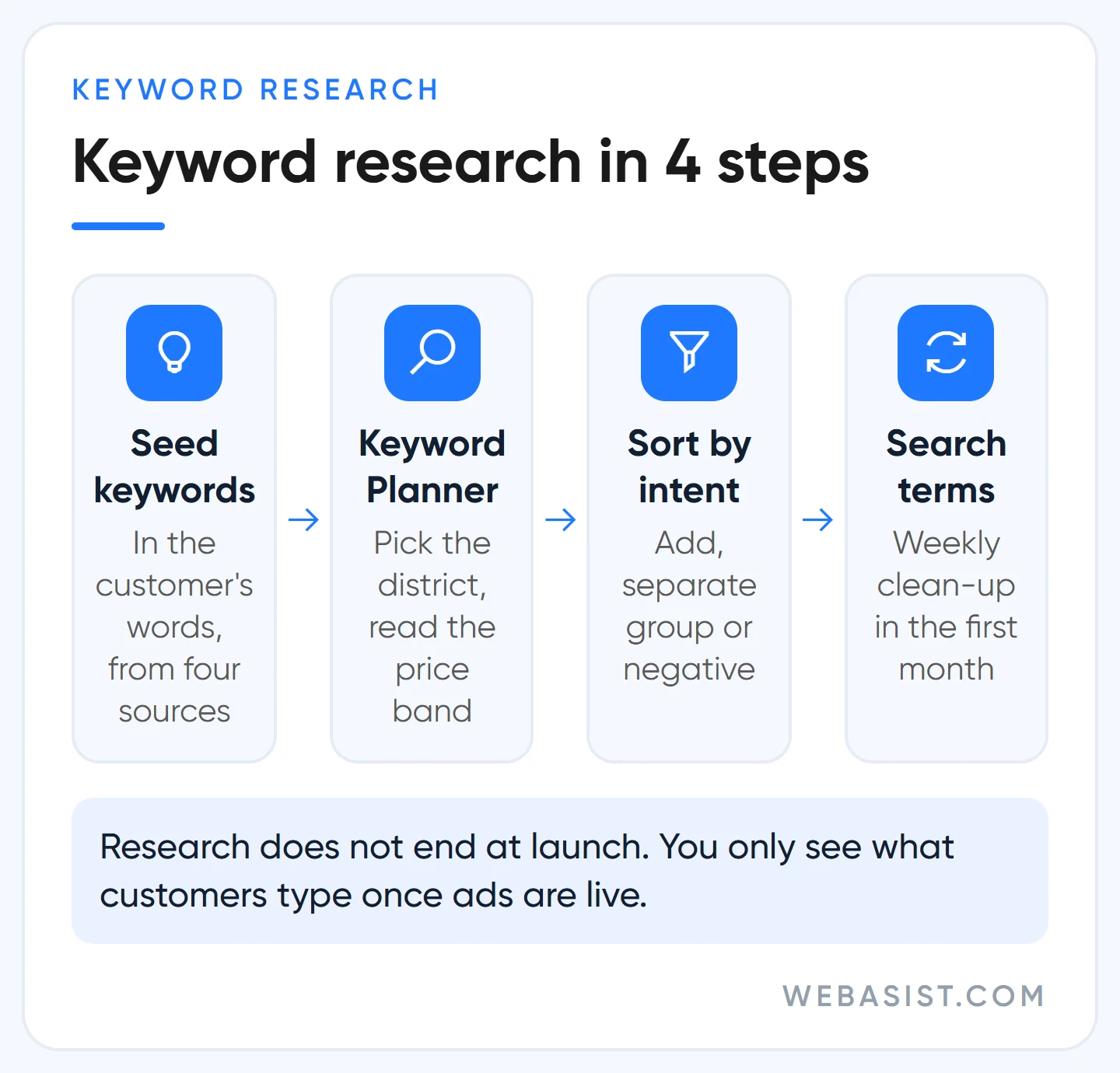
The step most people skip is the last one. Research doesn't end on launch day; you only see what customers really type once the ads are live.
Seed keywords: start with the customer's own words
A seed keyword is a short phrase that describes your product or service the way a customer would. "Boiler service" is a good seed; "boiler" alone is too broad, "most reliable boiler service near me" too narrow. Businesses often speak a different language from their customers: you say "heating system maintenance", the customer types "radiator not heating up".
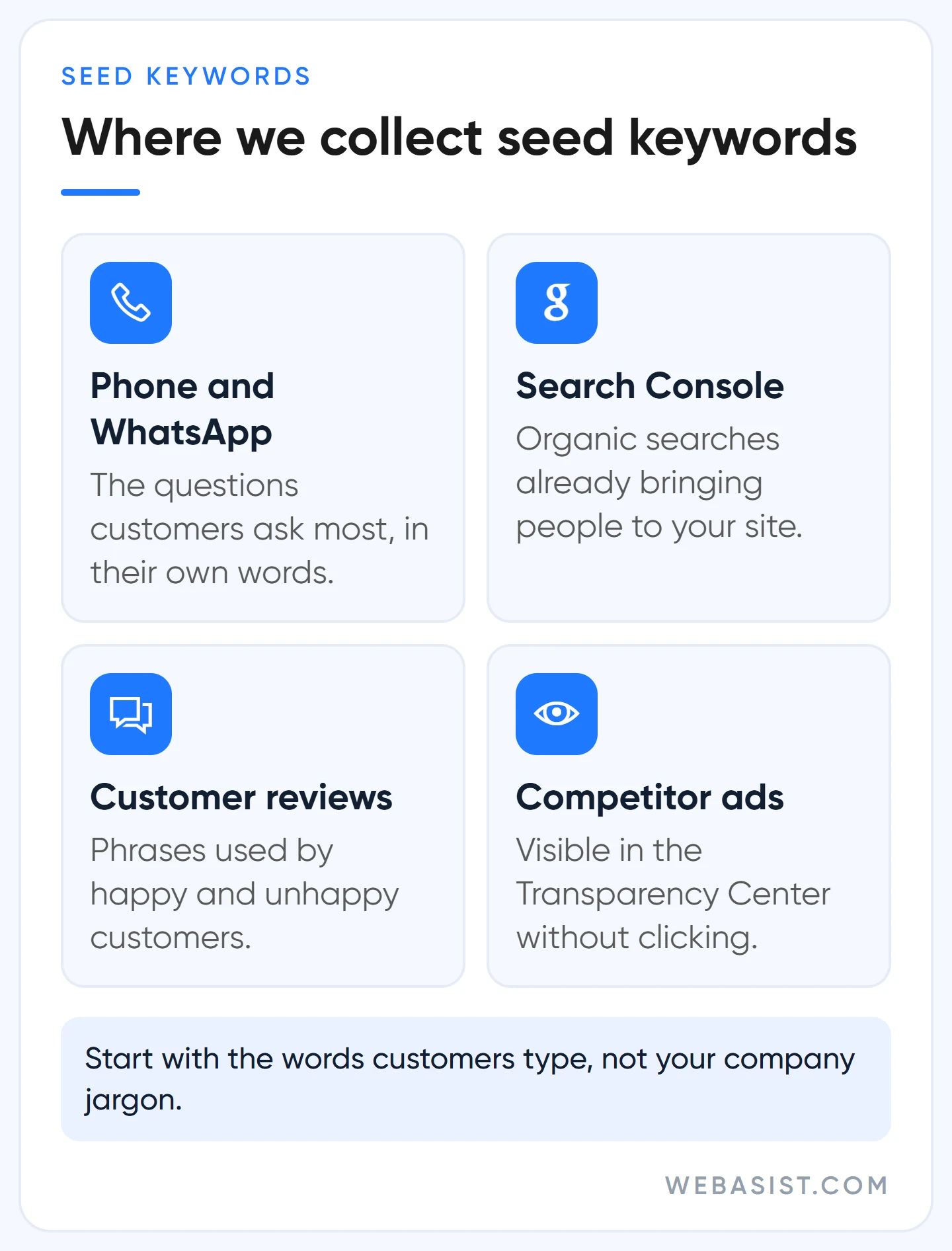
Our most productive sources for seeds:
- The questions asked most often by phone and on WhatsApp.
- Your site's service page names and the organic queries in Search Console.
- Phrases from customer reviews.
- Competitors' ads; you can see them without clicking in the Google Ads Transparency Center.
How to use Google Keyword Planner
Keyword Planner is a free tool inside your Google Ads account. Path: Tools > Planning > Keyword Planner. You don't have to run a campaign to use it, but you must complete account setup with billing information to access the basic features. If the account is in Smart Mode, switch to Expert Mode.
There are two entry points. "Discover new keywords" generates ideas from your seeds; "Get search volume and forecasts" measures a list you already have. Whichever you use, we change three settings before looking at results:
- Location: not all of Turkey, but the province or districts you serve. For a business serving Umraniye, national volume is meaningless.
- Language: Turkish. In tech and B2B, if customers also search with English terms, run a second query.
- Network: Google only. We start campaigns with search partners off, so we leave them out of forecasts too.
In the ideas list, the "Refine keywords" panel groups keywords into categories such as brand or product type. Unticking an irrelevant category clears hundreds of rows in one go; the categories you remove are the first candidates for your negative list.
What Keyword Planner's numbers do and don't tell you
Planner's columns look clear, but each measures something different from what people assume. Misread them and the budget goes to the wrong keyword. Our reading rules:
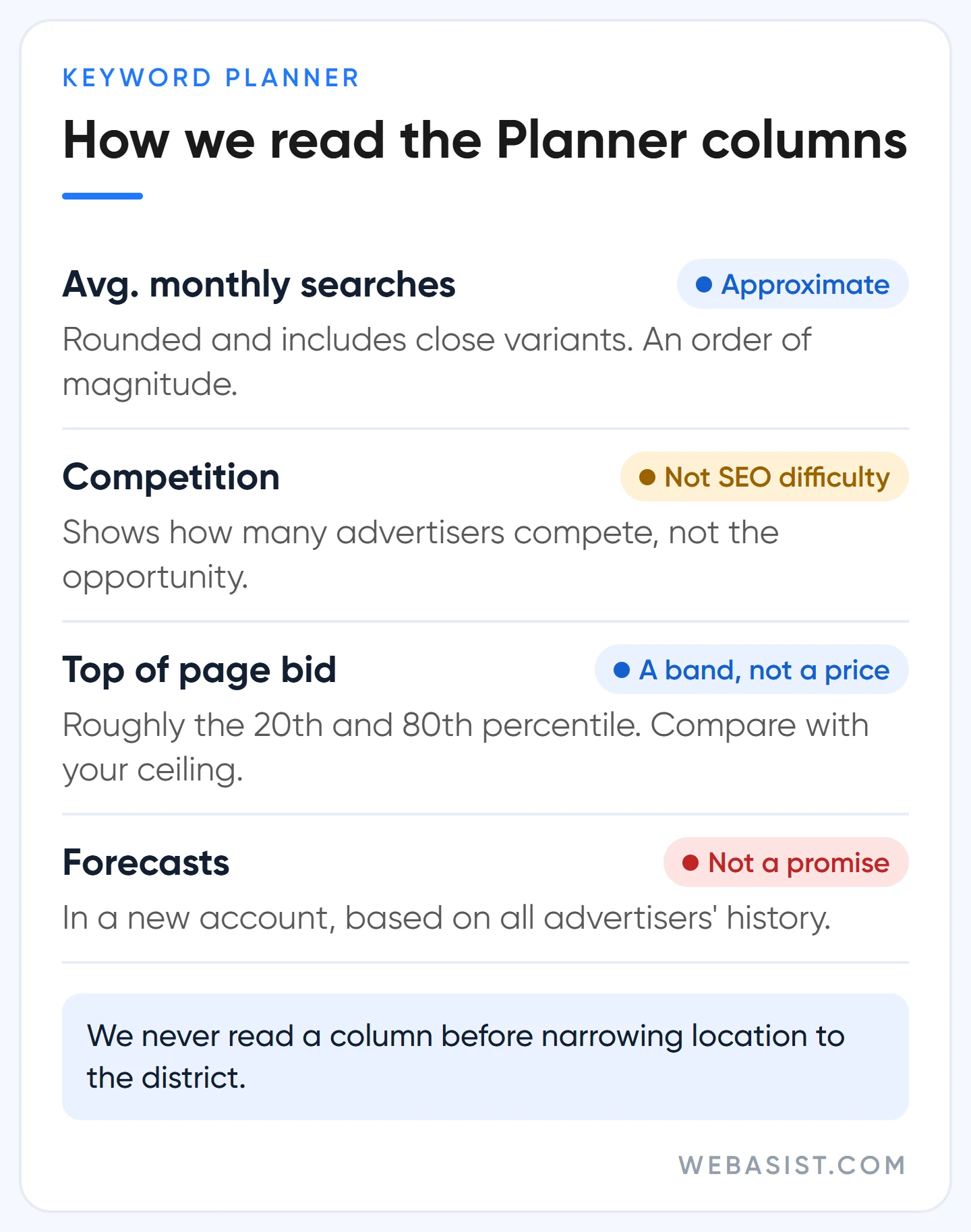
- Average monthly searches is the average number of searches for the keyword and its close variants over your chosen period, and it is rounded. It's an order of magnitude, not an exact count. Don't add up "boiler service" and "boiler services" separately.
- Competition shows how many advertisers compete on the keyword. It isn't SEO difficulty, and "low competition" doesn't automatically mean opportunity; often it's a keyword nobody makes money on.
- Top of page bid (low and high range) is roughly the 20th and 80th percentile of recent top-of-page bids. It's a band, not a price quote. How to compare it with your own maximum cost per click is shown in lira in our Google Ads pricing guide.
- Forecast clicks and costs are not a promise. In a new account the forecast is based on all advertisers' history, not yours.
We use Planner more to rule keywords out than to pick them. If the top of the band sits far above your maximum cost per click, we don't enter that keyword at all; high-volume keywords with vague intent stay off the list in the first month too. In our view the first list's job isn't to gather traffic but to learn cheaply which searches bring customers.
Don't dismiss low-volume keywords. Keywords combining a district and a service, like "Umraniye boiler service", searched a few dozen times a month in Planner, turn out to be the cheapest source of customers in our accounts.
Sort keywords by intent: a boiler service example
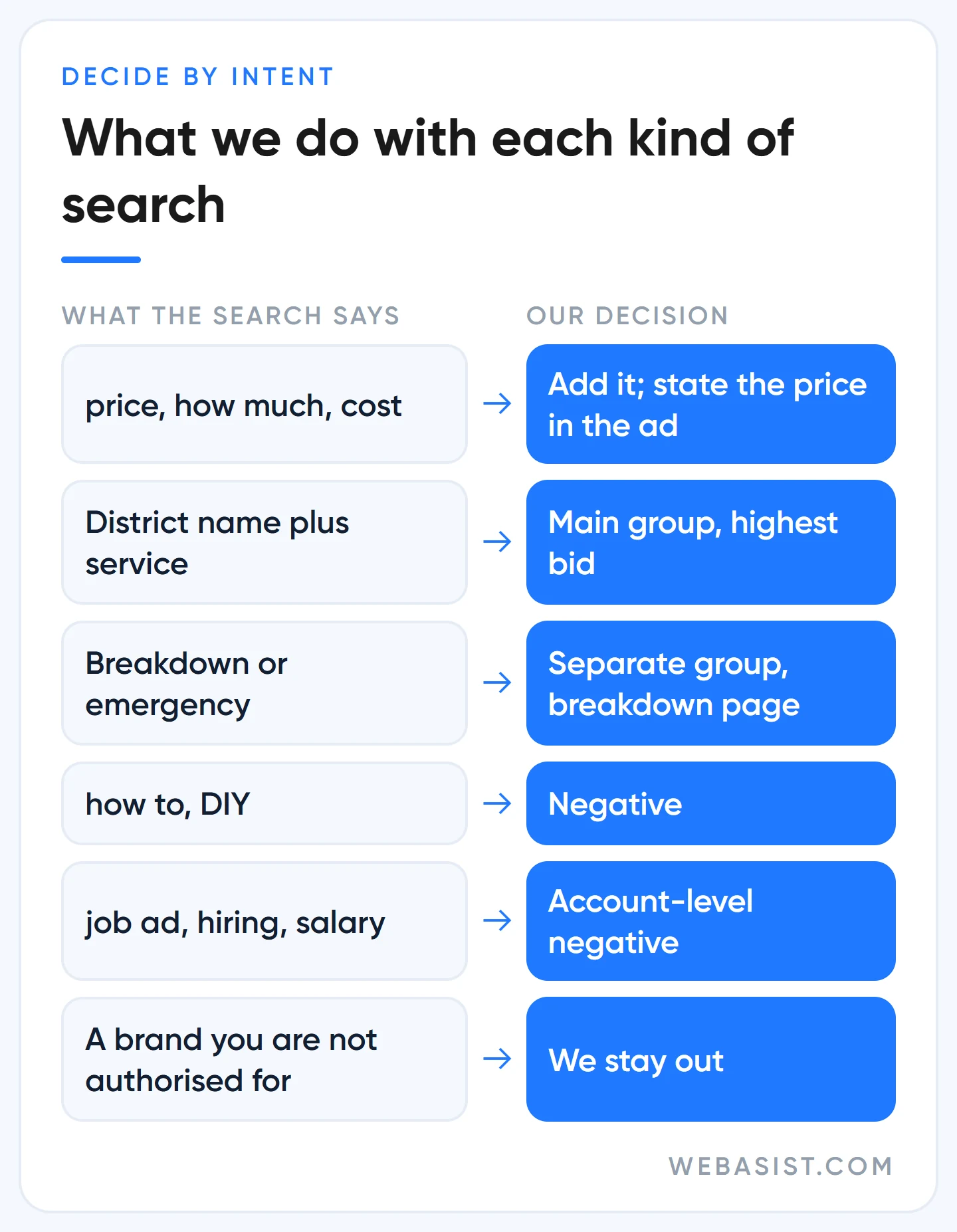
Two searches on the same topic can carry completely different expectations. So we tag the list by intent, not by volume. Example scenario, a boiler service in Umraniye (searches shown in Turkish, with meaning):
| Search (example) | Intent | Our decision |
|---|---|---|
| ümraniye kombi servisi (Umraniye boiler service) | Local, looking for a service | Main group, highest bid |
| kombi bakımı fiyatı, kaç tl (boiler service price, how much) | Asking price, a buyer | Add it; state the price in the ad |
| kombi su akıtıyor (boiler leaking) | Breakdown, urgent | Separate group, breakdown page |
| kombi nasıl temizlenir (how to clean a boiler) | Information, DIY | Negative |
| kombi servisi iş ilanı (boiler service job ad) | Looking for a job | Account-level negative |
| [brand] kombi servisi telefon | The brand's own service | Careful: skip unless authorised |
The last row matters. If you aren't a brand's authorised service, advertising under its name misleads customers, and if the brand owner complains, your use of the trademark in ad text can be restricted. When to bid on competitor and brand names is covered in our competitor brand bidding guide.
Don't fear expensive keywords, and don't be fooled by cheap ones.
A click on "kombi" might cost 15 TL and one on "ümraniye kombi servisi" 30 TL (example). If the first brings 1 lead per 100 clicks, a lead costs 1,500 TL; if the second brings 8, a lead costs 375 TL. Planner makes the first keyword look more attractive; the money is made on the second.
When grouping, we make sure each group can be served by one ad and one page; why that matters for Quality Score is in our Quality Score guide.
Searching in Turkish: suffixes, spelling and the negative keyword trap
Turkish builds words by adding suffixes, and that has two opposite effects in an ad account. For positive keywords, Google matches close variants itself: singular and plural, suffixed forms, misspellings. Add "kombi servisi" and you don't need separate keywords for "kombi servisleri" or "kombi servisine".
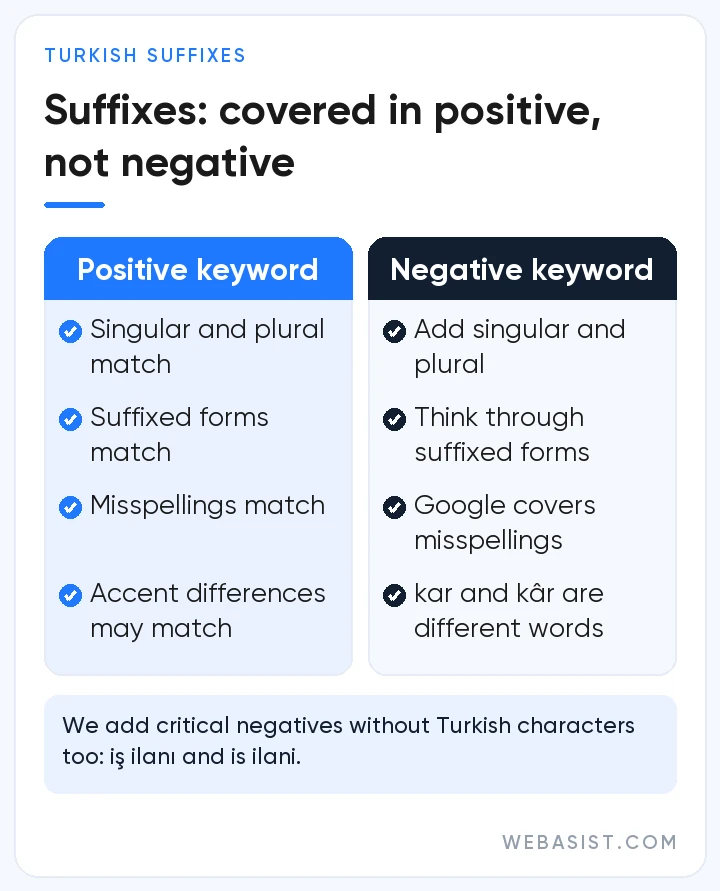
Negatives work the other way. Negative keywords don't match close variants; you have to add singular and plural forms and synonyms separately. A negative "ilan" (ad, listing) may not block a search for "ilanları". Google does account for capitalisation and misspellings in negatives automatically, but treats accent differences ("kar" and "kâr") as different words.
Google doesn't say which of these rules covers Turkish typed without Turkish characters ("cilingir" for "çilingir", "sisli" for "şişli"). We add critical negatives in both spellings: "iş ilanı" and "is ilani", "ücretsiz" and "ucretsiz". We also decide whether to put the district in the keyword or leave it to location targeting. If customers aren't where you are (searching from another city for service in your district), writing the district into the keyword works better.
Google Ads match types: Google says broad, what do we say?
Match type decides which searches a keyword opens the door to. Exact match reaches searches with the same meaning or intent, phrase match searches that include the keyword's meaning, and broad match related searches. A keyword typed without symbols becomes broad match, because that's the default.
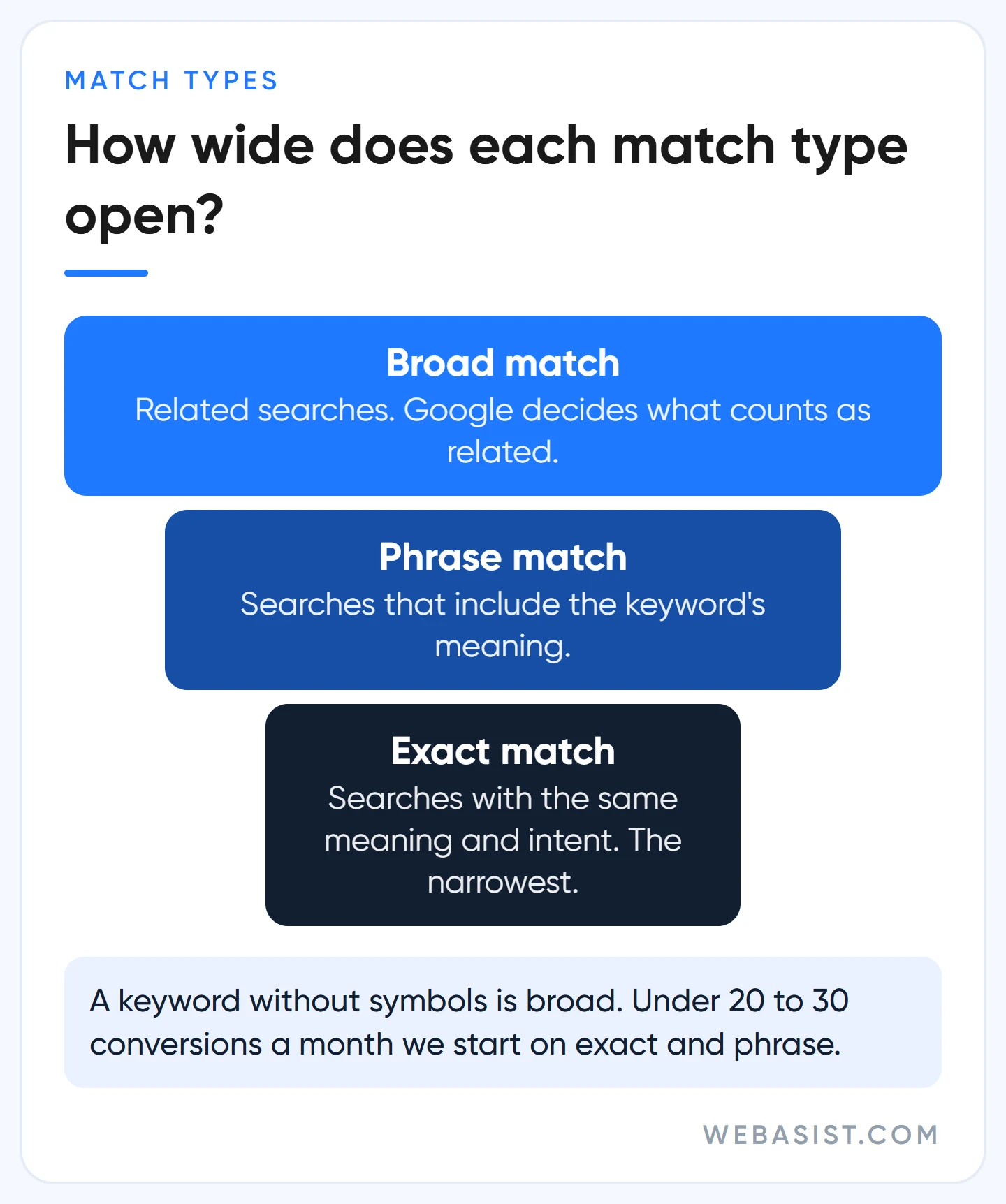
Google recommends using broad match together with Smart Bidding and points out that broad match covers every search the narrower types would catch. That's true; but Google decides what "related" means, and the system needs data to learn it. In accounts with fewer than 20 to 30 conversions a month, you pay for that learning: the "boiler service" budget drifts to searches like "boiler prices 2026" or "which boiler brand is best".
So with little data we start on exact and phrase match. Once conversion tracking is solid, the bid strategy is conversion-based and monthly conversions are high enough, we test broad match carefully in the best-performing groups. AI Max's keywordless matching should be handled with the same logic; our view is in the AI ad optimization guide.
The symbols for adding keywords are simple: [umraniye boiler service] is exact match, "boiler service" is phrase match, and no symbols means broad match.
After launch: search terms and the negative list
In the first month after launch we open the search terms report once a week. We sort by cost, add terms that convert but aren't keywords yet, and exclude those that spend money with clearly wrong intent. If a term shows up in the wrong ad group, we add it as a keyword to the right one.
The negative list we build before launch: jobs and careers, DIY, free, PDFs and homework, cities you don't serve. List types and limits are in our negative keywords guide. Note that some low-volume searches don't appear in the report; Google doesn't show them as separate rows for privacy reasons.
If a keyword sits in "Low search volume" status, you haven't made a mistake; Google holds it until there are enough searches. Leaving it in the account does no harm, but a more general keyword may already be catching the same search.
Who doesn't need this much research?
Not every business needs research this detailed. In these cases we suggest a shorter route:
- Your budget is small. With a few thousand lira a month, a 200-keyword list makes no sense. Start with the 10 highest-intent keywords and concentrate the money there.
- Nobody searches for your product. A new category or an unknown brand has no searches, so there are no keywords. Meta ads may be a better start.
- You run an online shop with hundreds of products. The real work is in product data; Shopping ads come before a keyword list.
Frequently Asked Questions
Is Google Keyword Planner free?
Yes, there's no separate charge. But you need a Google Ads account with billing information entered; you don't have to run ads.
How accurate is Keyword Planner's search volume?
Right in direction, approximate in number. Values are rounded and include a keyword's close variants. We use volume to rank keywords against each other, not to calculate budgets.
How many keywords should I start with?
For a local service business, 15 to 30 keywords split into a few ad groups is enough. Growing the list after launch from search terms is far cheaper than inflating it up front.
How do I add keywords in Google Ads?
On the Keywords page, press the plus button, choose the ad group and enter one keyword per line. Mark the match type with square brackets or quotation marks; a keyword without symbols is broad match.
Conclusion
A good keyword list isn't long, it's accurate. Read Planner at district level, choose keywords by intent and cost per lead rather than volume, write negatives with Turkish suffixes in mind and check search terms every week in the first month.
Tell us your services and the districts you cover. We'll draw up a first 30-keyword list with intent tags and starter negatives. Keyword analysis and weekly search term clean-up are included in our Google Ads packages.














