


Google Ads Advertiser Verification: Why Documents Fail and How to Pass
Google Ads advertiser verification looks like a ten-minute job: a few questions, one document, maybe a phone code. Most rejected submissions do not fail because the photo was blurry; they fail because the name does not match across three places: the payments profile, the legal name on the document and the name typed into the task. When those three match letter for letter, verification usually goes through on the first try.
The second rule is about time. If you were given a deadline, it cannot be extended, and review can take up to 5 business days, so start the week you see the notice. In client accounts we line up those three names, check the account type and use the attempt once, properly, before anything is uploaded. Below: which documents get rejected and why, how we prepare the file, and what to do when the deadline is close.
Why were you asked for advertiser verification, and is it optional?
Verification is how Google confirms who is behind an ad; once it is done, your name and location appear in the ad's information menu and in the Ads Transparency Center. Every advertiser will be asked eventually, but some accounts are pulled to the front of the queue: industries prone to abuse such as travel, tech support or financial services, accounts targeting other countries, advertisers showing ads on brand searches, content flagged as suspicious and suspended accounts.
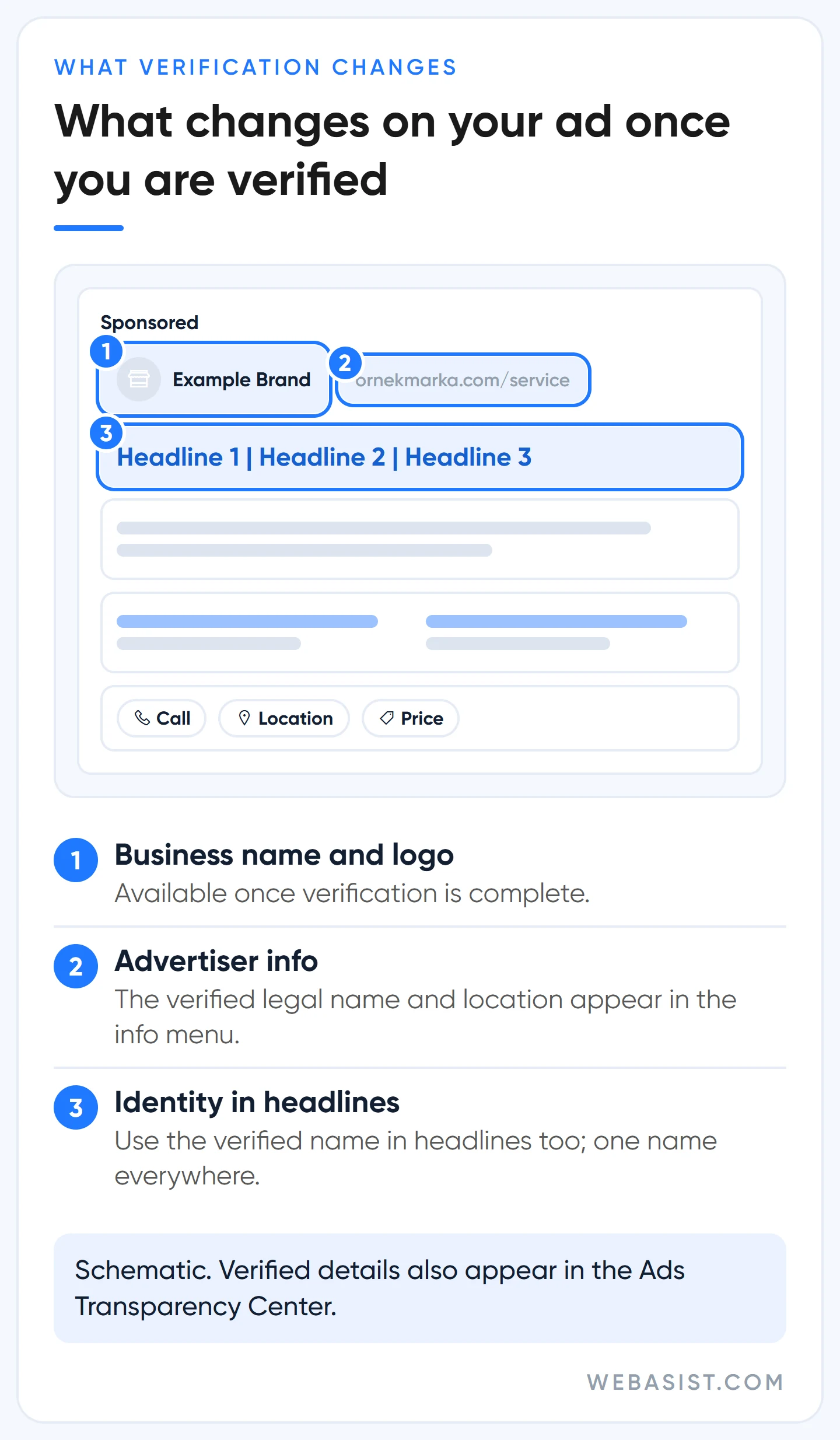
If the notice has a deadline, verification is mandatory: miss it and the account is paused. Without a deadline you can keep running ads unverified. We still do not wait, because an unverified account misses two things. First, the business name and logo formats in Search ads. Second, if the account has an ad serving limit, performance stays affected until verification is done; the details are in our limited ad serving guide.
Why do documents get rejected? The six most common reasons
An issue on the task means Google could not verify your information. You can resubmit, but attempts are limited. Reading the rejection reason correctly is the first job before a second attempt.
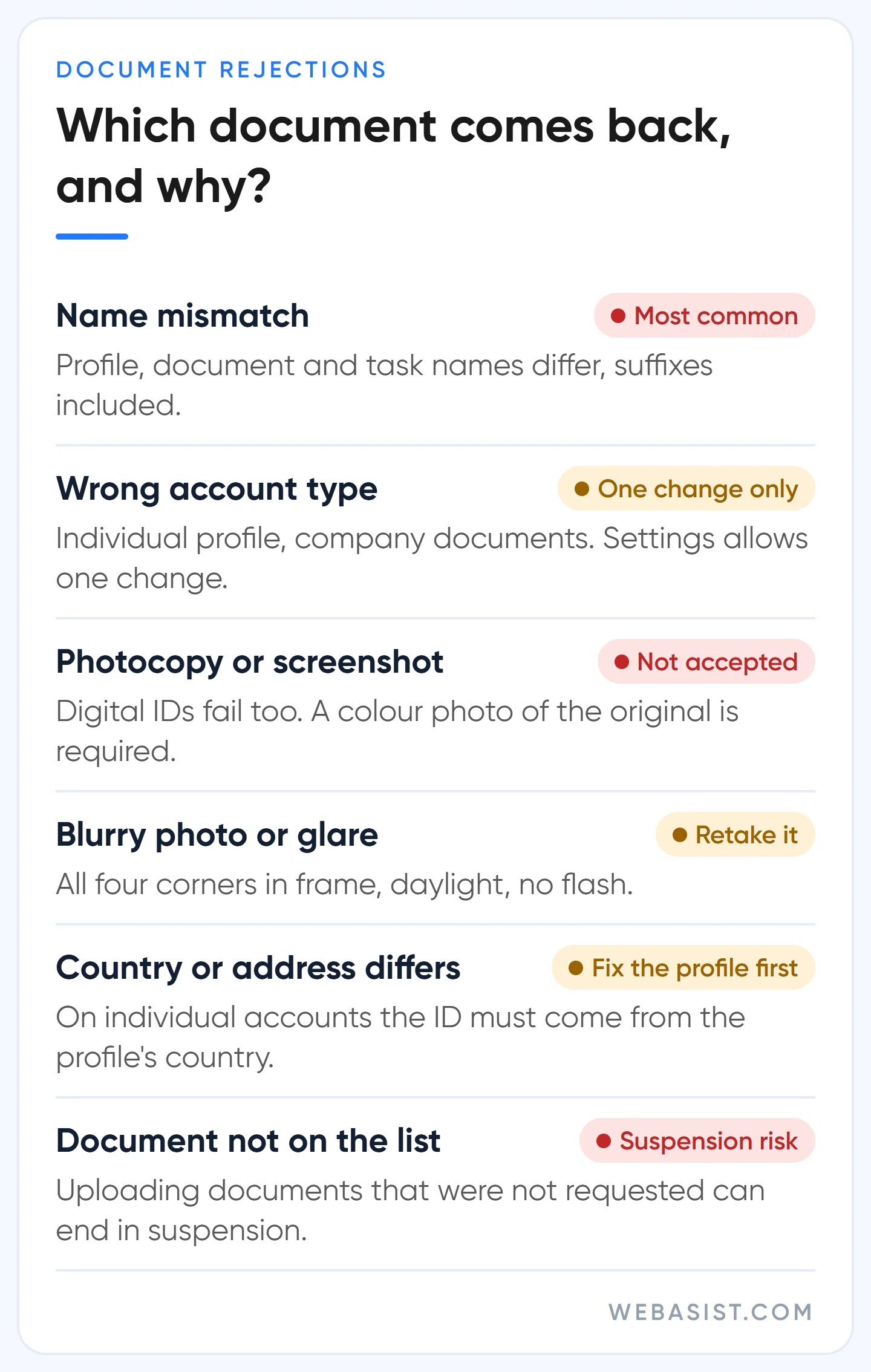
- Name mismatch. By far the most common. The payments profile says "Örnek Teknik", the tax certificate says "Örnek Teknik Isı Sistemleri Ltd. Şti." (a fictional example). For organisations the match includes suffixes like "Ltd. Şti." and punctuation. We copy the legal name from the document letter for letter and fix the profile name with the pencil icon during the task.
- Wrong account type. The payments profile was opened as "Individual" but the documents show a company, or the other way round. The account type can be changed only once, on the Settings page under Billing; if the option is not there, you need support. That is why it is the first thing we check before starting.
- A copy that is not accepted. Photocopies, screenshots, black and white photos and digital IDs on a phone are rejected. A colour photo of the original document is required.
- A bad photo. Blurry, dark, glare or a cropped corner. All four corners must be in the frame.
- Country and address mismatch. On individual accounts the document must be issued in the payments profile's country; a Turkey profile needs an ID issued in Turkey. If the address on the document differs from the profile, update the profile address first.
- An expired document or one not on the list. A document missing from the country list will not pass, however official it is.
A warning: uploading photos or documents other than those requested can lead to suspension. Giving false information during verification is treated as an egregious circumventing systems violation. Do not upload random files in a "let's try this one too" panic.
Which documents are accepted in Turkey?
The list splits by the account type on the payments profile. A company may need two documents: the organisation's registration document and a photo ID of an authorised representative. On the registration side, the list names a registration certificate issued by the chamber of commerce or a tax certificate; in Turkey the tax certificate is the "vergi levhası". The authorised representative is an admin of the Google Ads account or of the payments profile paying for the ads, and their ID can be issued in any country.
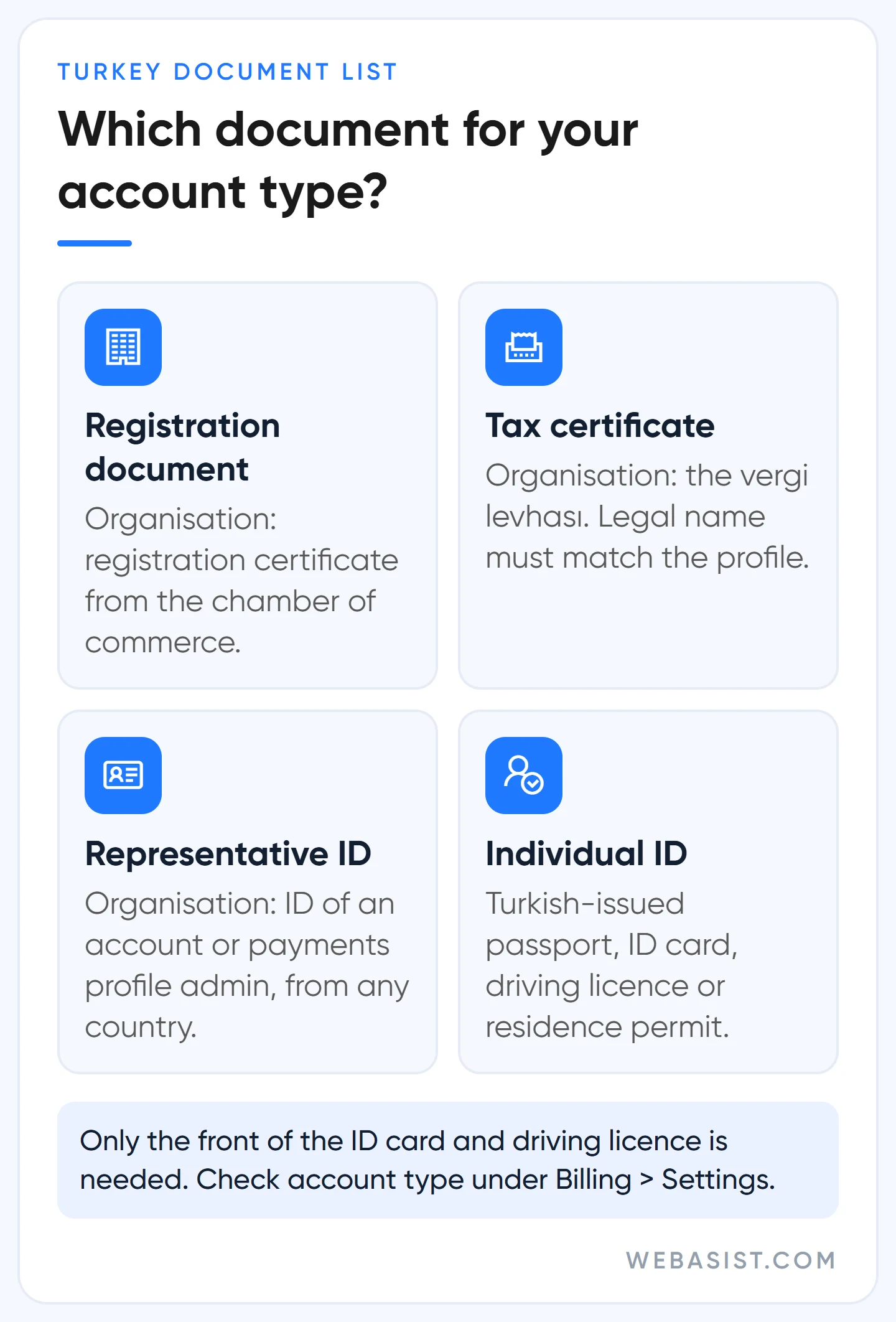
If you verify as an individual, the ID must be issued in Turkey: passport, national ID card, driving licence or residence permit. For the ID card and driving licence only the front side is required. Sole traders most often trip over whether the profile was opened as "Individual" or "Organisation"; we decide based on the document you can present and set the profile up to match. To get that choice right when opening the account, see our Google Ads account setup guide.
How do we prepare the verification?
We have seen plenty of businesses do verification alone in their own account, and many of them spent the first attempt on a name mismatch. Our order is:
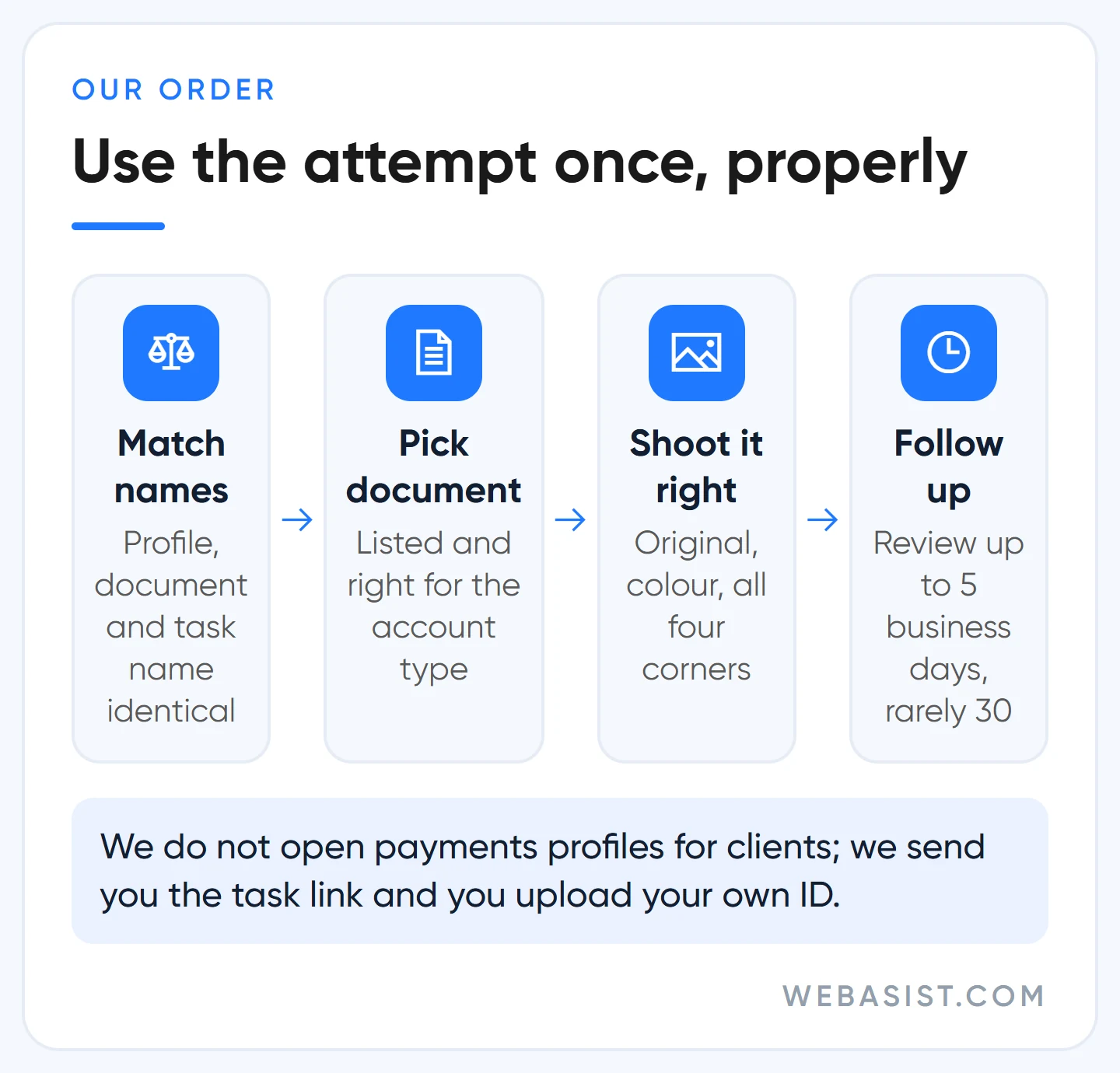
- Profile check. We open Settings under Billing, look at the account type, legal name and address, and put them next to the document. If anything differs, the profile gets fixed first.
- Document choice. We pick a listed document that matches the account type. We check that the person whose ID will be uploaded is an admin on the account or the payments profile; if a video selfie comes up, only an admin of the payments profile can record it.
- The photo. Original document, flat surface, daylight, no flash, all four corners in frame. A sharp phone photo beats a blurry scan.
- Organisation questions. When we verify a client's account as an agency, we answer Yes to "Is your organisation an agency?". Answering No can get the account paused or suspended.
- Follow-up. Review can take up to 5 business days and, rarely, up to 30 days. We watch the status under Admin > Policy > Account and reply the same day if more information is requested.
In the agency flow Google offers a shortcut: the agency can create a new payments profile for the client and complete the whole task itself. Fast, but it does not suit the business owner; the agency becomes the admin of that profile, and the day you part ways it becomes your problem. We do not open payments profiles on a client's behalf. We send you the task link and you upload your own ID; your ID photo does not travel around in email or messaging apps. The other questions to ask an agency are collected in our choosing a Google Ads agency article.
Deadline coming up: what to do under time pressure
The deadline cannot be extended and review can take up to 5 business days. Our rule is simple: the document should be uploaded at least a week before the deadline. If you submitted in time but the review runs past the last day, the account can stop for a while; the pause lifts once verification is approved.
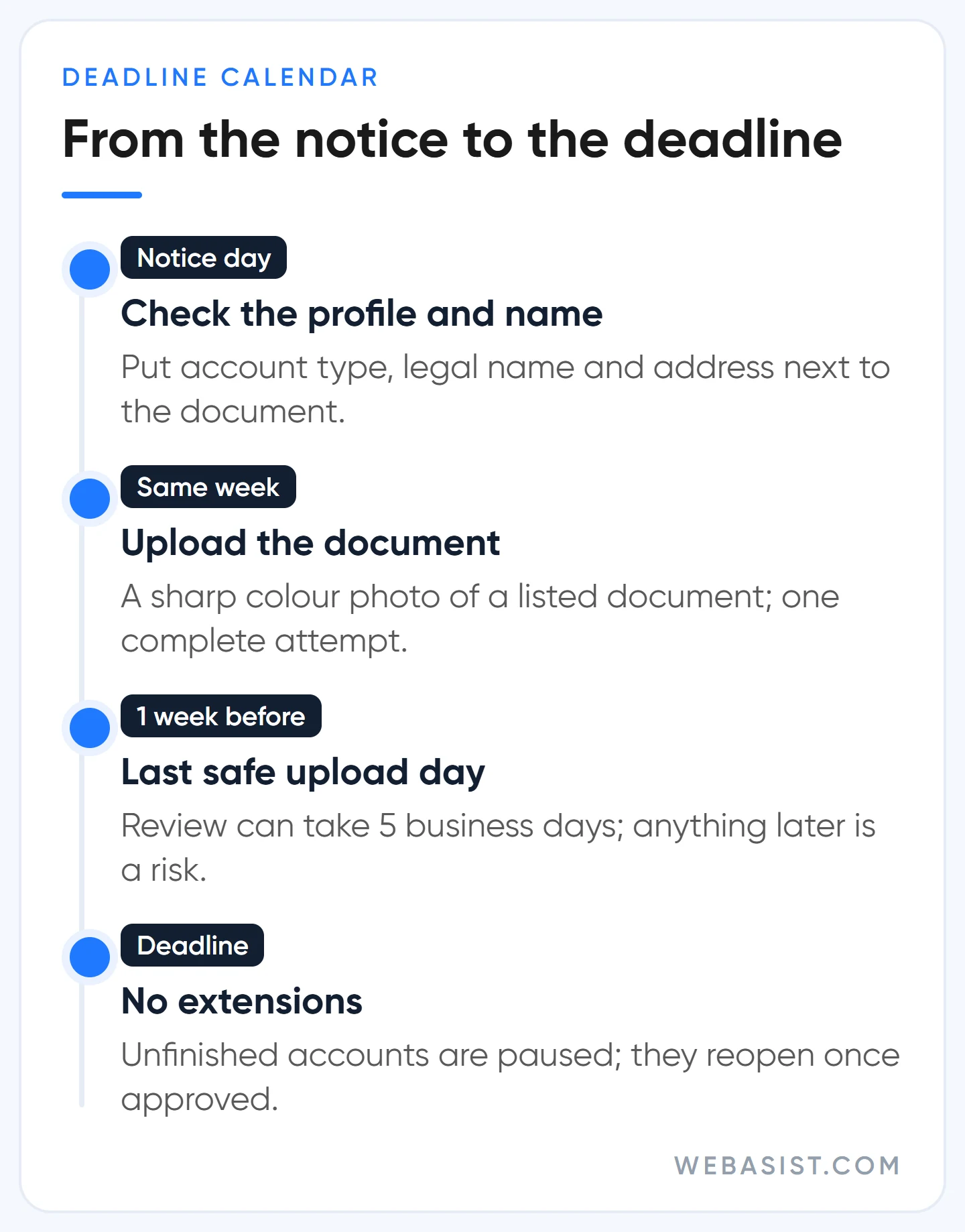
- More than a week left: do the profile check, take the photo calmly, upload this week.
- Less than a week left: upload today. If you are unsure which document to use, pick the listed one that matches most clearly; do not lose days hunting for a perfect one.
- Deadline day and the document is not in hand: the account will be paused; accept it. Do not upload an unlisted document in a panic; that attempt eats into your limit and carries a suspension risk. Get the document and restart the programme from the link in the email.
Make a budget decision too. Do not launch a big campaign while the deadline is close; move the launch to after approval.
What happens if the account is paused, and what does it cost?
A paused account serves no ads, though you can still see your reports. The real danger is the spread: other accounts using the same payment method, linked Merchant Center accounts and any new accounts you try to open can be paused too. So "we'll just open a new account and carry on" does not work here either.
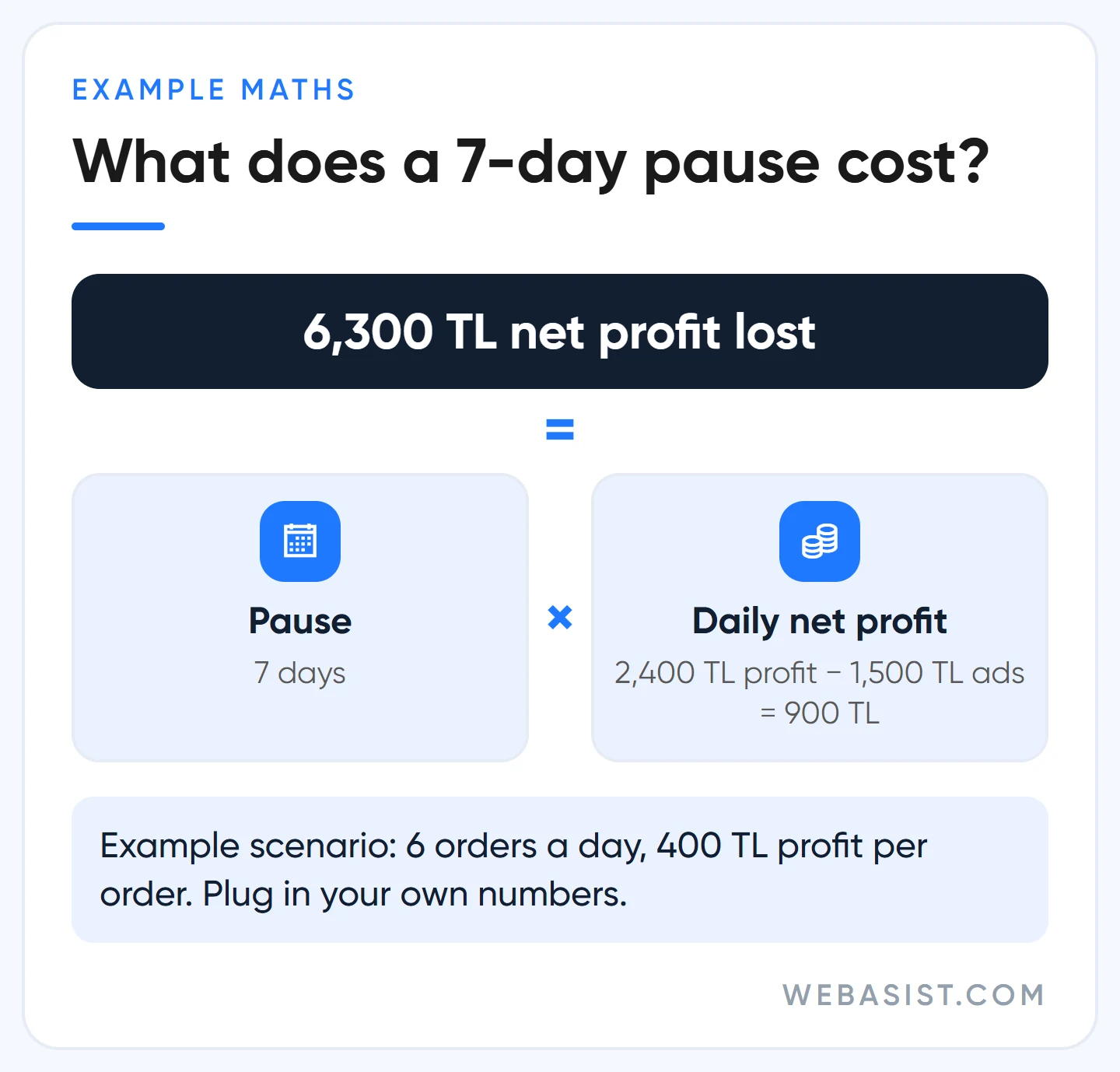
Example scenario: an online shop spends 1,500 TL a day on ads, gets 6 orders and makes 400 TL profit per order before ad costs. Daily gross profit is 6 × 400 = 2,400 TL, which leaves 900 TL net after ad spend. If the account is paused for 7 days, the 10,500 TL of unspent budget stays in your pocket, but 7 × 900 = 6,300 TL of net profit never arrives. On top of that, the customers who could not find you that week buy from a competitor.
If you were paused because the deadline passed, complete the document and restart the programme from the link in the email. If you were paused after too many failed attempts and believe it is a mistake, you can appeal; most appeals are reviewed within 5 to 7 business days. If your ads stopped for some other reason, follow the diagnosis order in our ads not showing article.
If verification fails: paused or suspended?
The two are very different. A pause is the result of missing or failed verification and lifts once verification is complete. Suspension follows false or fake information in verification and needs a separate appeal process. If your account is already suspended, in some cases you can only reach the appeal form after completing verification. How to write a suspension appeal is covered in our account suspended guide.
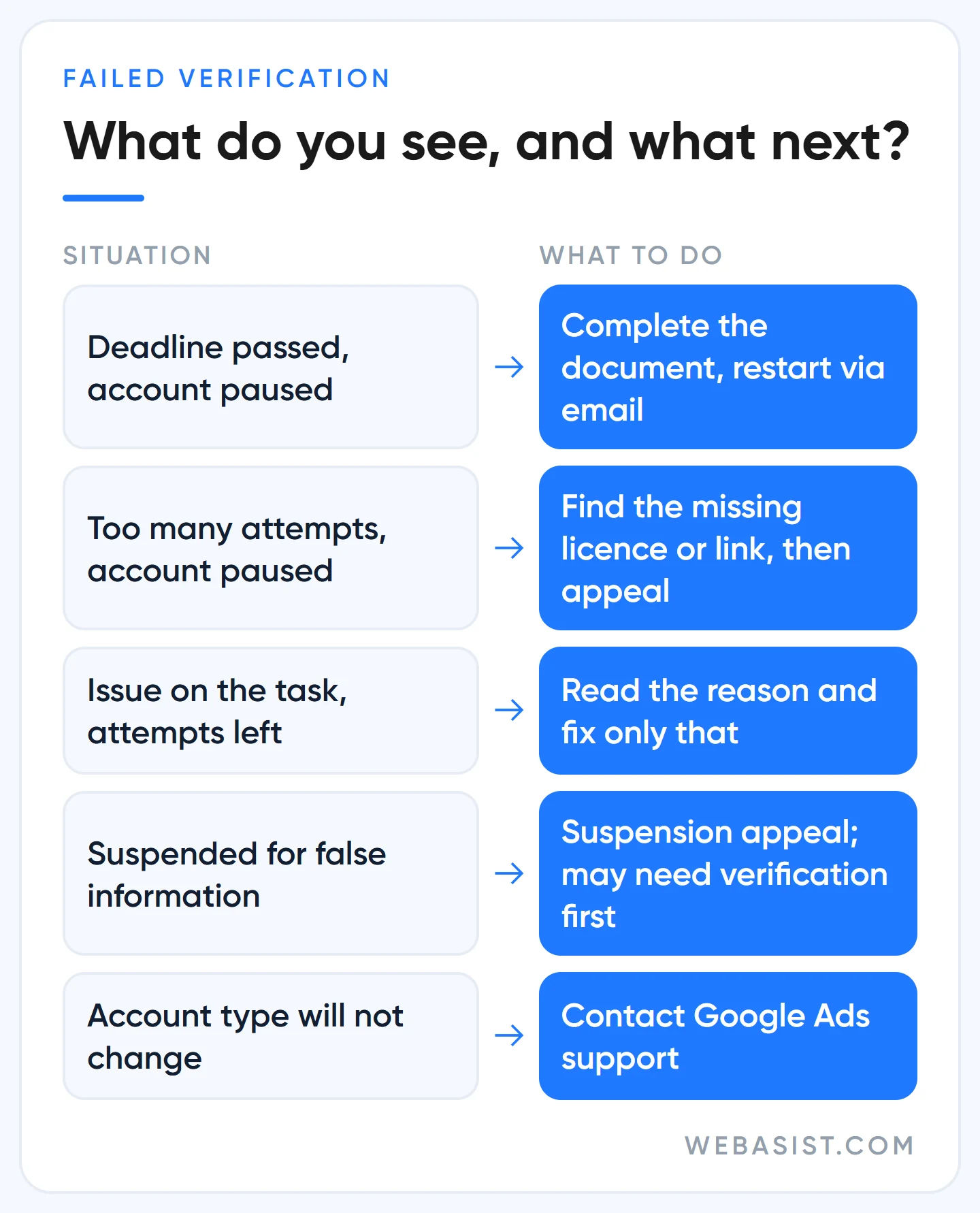
When accounts are paused after too many attempts, we see three reasons again and again: a local licence the industry requires was not provided, the relationship with brands named on the site was not disclosed, and the declared business type did not match the legal documents. Find out which one applies before you appeal; an appeal with the same gap comes back with the same answer.
What are business operations verification and G2 verification?
Business operations verification is an extra task most advertisers never see. It asks about your organisation, products, ads and relationships with other companies. Resellers and intermediaries get stuck most: who delivers the product, your relationship with brands named on the site and, where needed, your licence must be documented. Files must be PDF, JPG, JPEG or PNG; if you use a utility bill or bank statement as proof of address, it is generally expected to be issued within the last 90 days. You may black out trade secrets in the documents.
G2 verification is only for financial services. To advertise loans, investments or similar financial services in Turkey, you prove to G2, Google's compliance partner, that you are licensed by the relevant regulator or exempt, and then pass the code G2 gives you to Google through a separate form. It does not replace advertiser verification; it comes on top of it.
When to do it yourself, and when not to start yet
If you have one account, the profile was opened with the right type and your document is in hand, you do not need an agency; follow the order in this article yourself. Calling us or another specialist makes sense in narrower cases: the first attempt was rejected, the account type is wrong, your business needs a dealer agreement or licence, or the deadline runs out this week.
There is also a moment not to start. If your company's legal name is about to change or a merger is under way, you may verify under the old name and have to repeat it a few weeks later; updating the legal name on the payments profile triggers a new verification straight away. If you have no deadline, wait for the name change; if you do, complete it under the old name and verify again afterwards.
Frequently Asked Questions
Does Google Ads accept a Turkish tax certificate (vergi levhası)?
Yes. The Turkey list names a "tax certificate" for organisations, and the vergi levhası is that document. The name on it must match the payments profile letter for letter, and an ID of the authorised representative may also be requested.
When does a Google Ads identity verification problem need support?
Contact support if the option to change the account type is missing, if the payments profile country is wrong, or if your video selfie did not match your ID after 5 attempts. For the other rejection reasons, fixing and resubmitting the document is enough.
The wrong organisation was verified, or our name changed. What now?
An account admin can reset verification under Admin > Policy > Account. If the legal name changed, you need a document showing the legal entity stayed the same; the account stays verified until the new name is verified. If the tax number changed, that counts as a new legal entity and the name cannot be updated this way.
What appears on the ad once you are verified?
Your verified name and location appear in the ad's information menu and in the Ads Transparency Center with a "Verified" label. Competitors can see this too; how to use the same centre for competitor research is in our Google Ads Transparency Center article.
What to do today
Before touching the task, open the Settings page under Billing and put the account type and legal name next to your tax certificate or ID. If the name matches exactly and the deadline is more than a week away, upload this week; if it does not match, fix the profile first.
If anything is unclear, write to us before you spend an attempt: send the account type, the name on the profile and the type of document you have, and we will check the match together. If you are thinking of handing us the whole account, the scope is on our Google Ads packages page.
Sources
- Document requirements for advertiser verification (Turkey): accepted documents and photo rules.
- Advertiser Verification: Fix issues with your document: rejection reasons, account type change and the attempt limit.
- Timelines for Advertiser verification: deadlines, 5 business days and 30 days.
- About Google Ads account pausing: how far a pause spreads and appeal timing.
- Tasks required for Advertiser verification: the agency flow and task types.














