


Google Ads Transparency Center: How to See and Read Competitor Ads

The tool people look for as the "Google ads library" is officially the Google Ads Transparency Center, at adstransparency.google.com. It is free, needs no Google Ads account, and shows a competitor's live ads as soon as you type in their domain. Seeing competitor ads takes about five minutes.
What matters is what you will find there. You see what the competitor says, in which format and in which country. You do not see how much they spend, which keywords they bid on or whether the ad sells anything. So competitor analysis done with this tool is message analysis, not budget espionage.
We open it for every new client before setup and look again once a month. Below is where we look, which findings we take seriously, which we ignore, and what we use where the tool runs out. Examples are in Turkish lira, the market we manage accounts in.
How do you open the Google ads library and search a competitor?
Open the Ads Transparency Center in your browser and type the competitor's name or website into the search box. Then fix three settings:
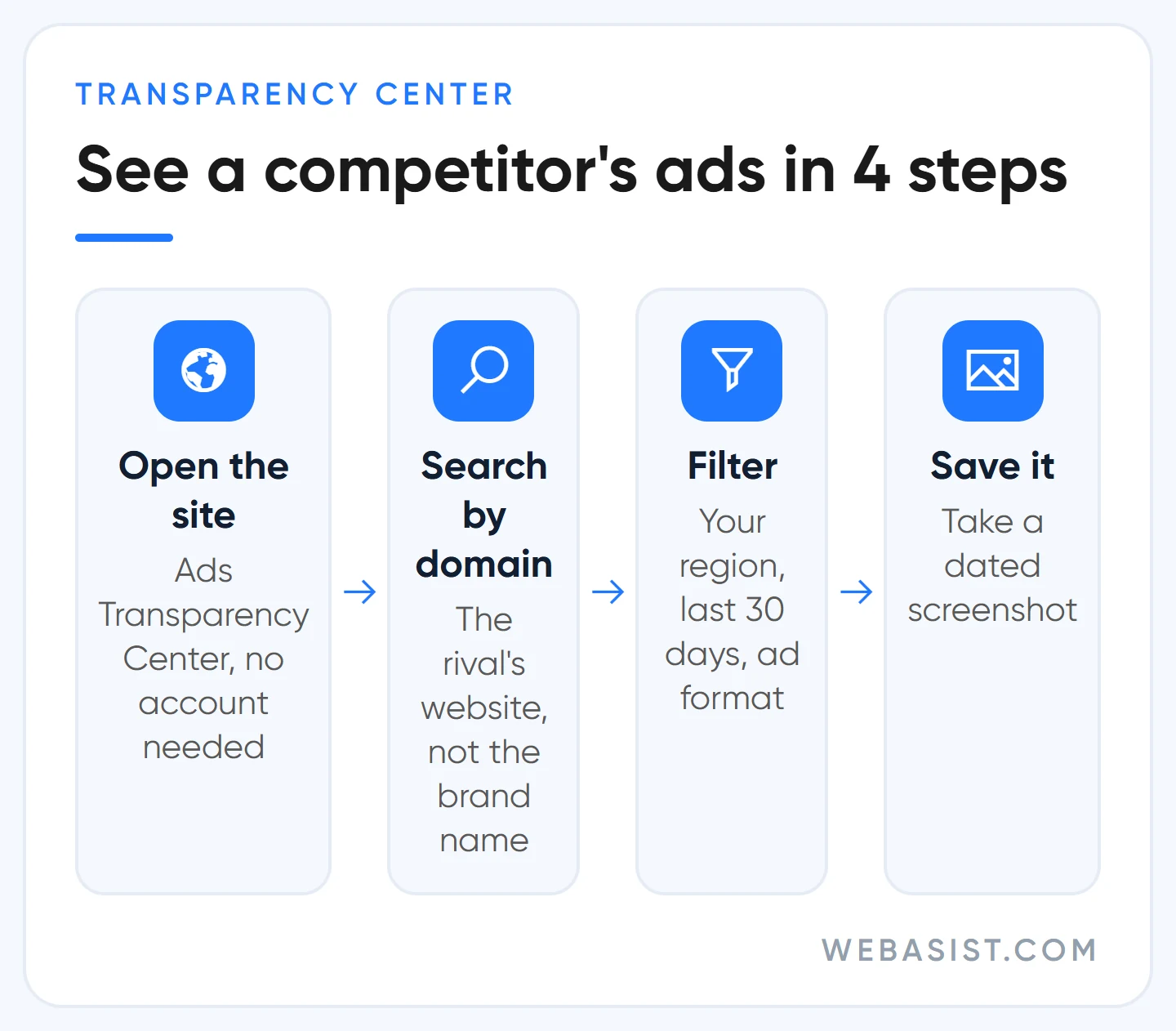
- Search by domain. The advertiser name is often the registered company name, not the brand on the shop sign. The firm you know as "Star Heating" may be listed under a completely different limited company. Typing the website takes you straight to the right record.
- Set the region to your market. The default region is not always the one you care about. If the competitor also advertises abroad, switch region and look at that messaging separately.
- Pick the date and format. The last 30 days show the current message. Choose last November and you see which discount they ran with back then. The format filter separates text, image and video ads.
Click an ad card and you see the ad itself, when it was last shown and the regions where it ran. Save what you find as a dated screenshot. The list is live, and once the competitor pulls an ad your archive may be the only trace.
You can reach the same information from an ad you see on Google: tap the three dots next to the ad and open the advertiser details. It is the shortest route when you just want to know who is behind one ad.
What you can and cannot see in competitor ads
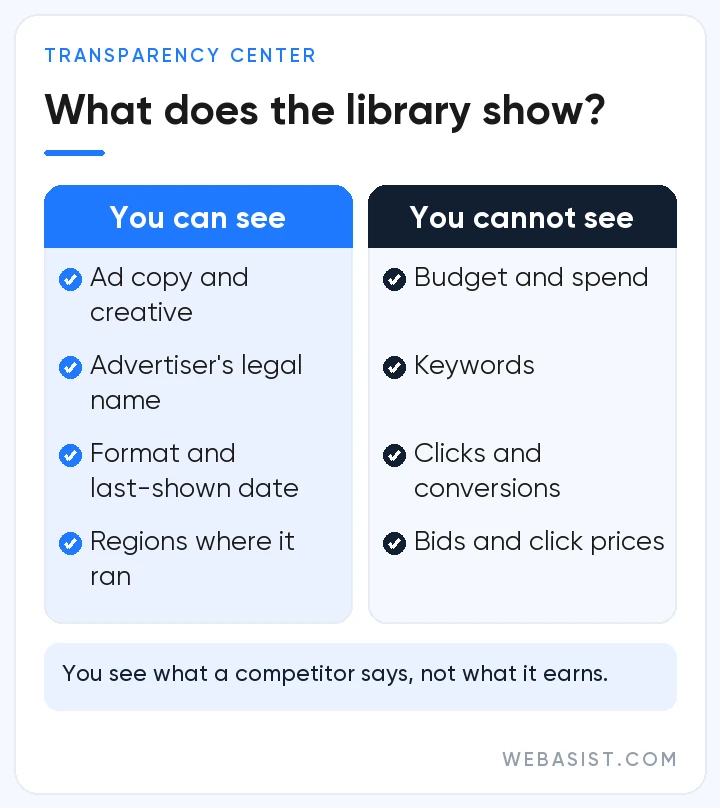
Expectations need setting early, because most people arrive with the question "how much is my competitor spending?" and leave without an answer.
| You can see | You cannot see |
|---|---|
| The advertiser's legal name, country and verification status | Ad budget and amount spent |
| The organisation paying for the ads | Targeted keywords and match types |
| Ads that ran in the period you select | Clicks, click-through rate, conversions |
| Ad format and the date last shown | Bid strategy and click prices |
| Regions where the ad was shown | How the landing page performs |
Two misreadings are common. The first is drawing a conclusion from an empty screen. No results does not mean the competitor is not advertising, more likely you searched the wrong name or the filter is too narrow. Try the domain first, then widen the date range.
The second is treating the number of ads as a sign of strength. A competitor with 200 ads listed is not spending 200 times more. Responsive search ads shuffle headlines automatically, so one campaign produces dozens of different looks. The repeated message matters, not the count.
What we look for when reading a competitor's ad
We are not there to copy the ad. We want to find what everyone in the market is saying and what nobody is saying. We ask the same five questions of each competitor so the answers can be compared:
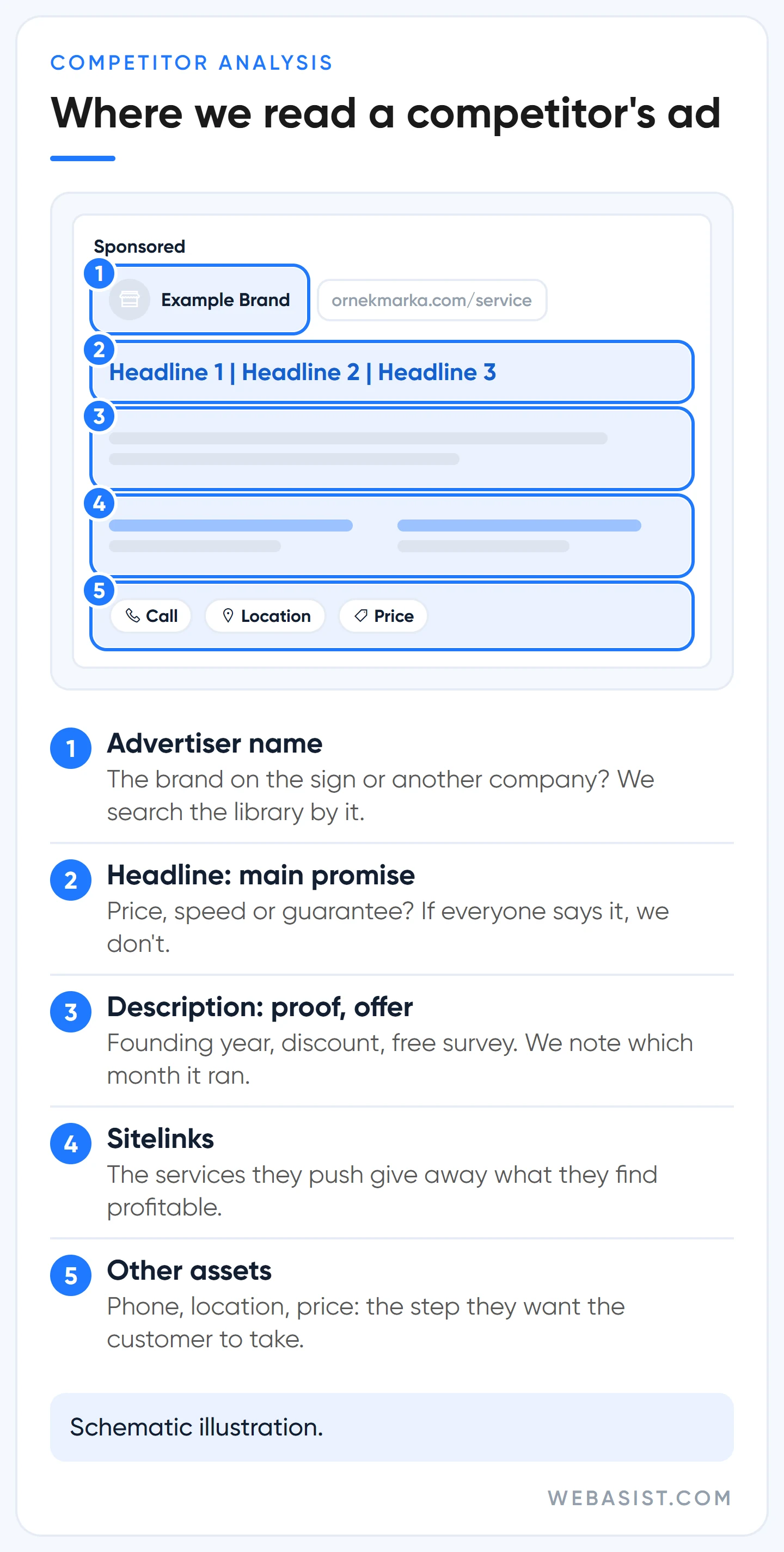
- What is the main promise? Price, speed, expertise or guarantee?
- What proof do they offer? Founding year, customer count, certification, rating.
- What is the offer? Discount, free survey, instalments, free shipping. In which months does it appear?
- What do they ask the user to do? Call, fill in a form, message on WhatsApp?
- Which formats do they pay for? Text ads only, or image and video as well?
An example scenario: picture a boiler repair business in Kadıköy, Istanbul. We check four competitors. All four write "24/7 service" in the headline, two say "affordable prices" and none gives a price.
Writing the fifth "24/7 service" ad is pointless. We would test a headline with a clear number nobody dares to print, such as "Boiler service 1,200 TL, call-out included".
Which findings do we take seriously?
The message that is still running when we look again months later. If a competitor has not changed its promise in six months, there are two possibilities: it works, or nobody is looking after the account. The library will not tell you which. So we record the finding as a guess to test in our own account, not as a result.
There is also something we ignore: the competitor's boldest line. Do not see "Turkey's number 1" in an ad and write the same. A superiority claim you cannot prove gets your ad disapproved or, worse, costs you the customer's trust.
Three real sources for competitor keywords and budgets
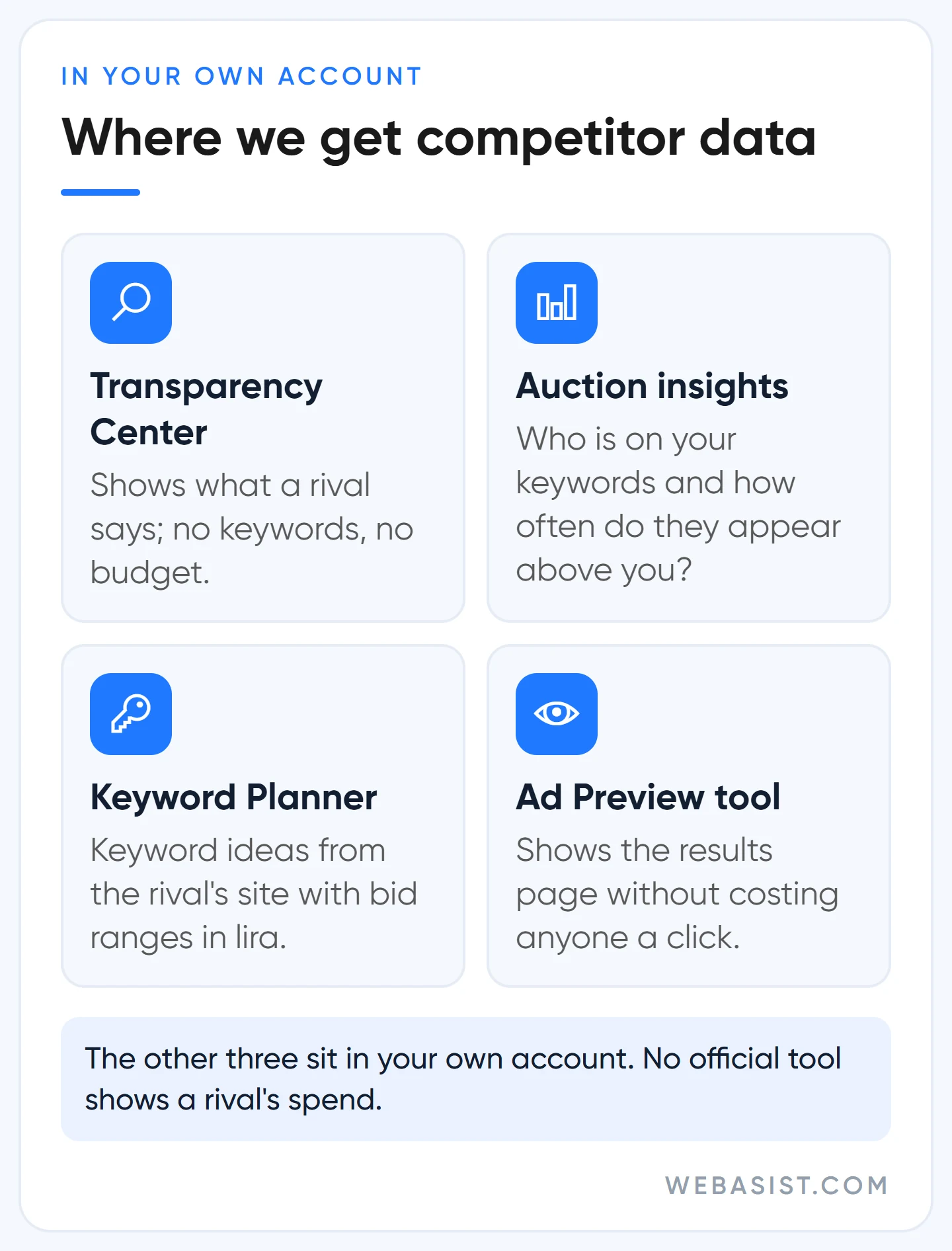
No official tool shows a competitor's keyword list or spend. The figures given by paid tools that promise this are estimates, and we do not use them to make decisions. There are three places with data you can trust, and all three are inside your own Google Ads account.
Auction insights
Select a campaign or a keyword and open Auction insights. The report lists the domains competing on the same searches, their impression share, how often they appear alongside you and how often above you. The Transparency Center shows what a competitor says, and this report shows how much room they take up on your keywords.
Know two limits. The impression share shown for a competitor is calculated only on auctions you also entered, so the number on their own screen is different. And when your own impression share is under 10 percent, the report comes back empty.
Keyword Planner
Enter the competitor's address under "Start with a website". Google pulls keyword ideas from that site's content and shows a top-of-page bid range in lira for each. These are not the keywords the competitor bids on, but they show which searches the site matches and roughly what those searches cost. We explain how to sort the list in our keyword research guide.
Ad Preview and Diagnosis tool
Do not keep searching on Google to look at a competitor. If your own ad shows too, you collect impressions with no clicks, and if you click the competitor's ad you make them pay for nothing. That is an invalid click, and you would not want it done to you.
We cover the subject in our fake clicks guide. The preview tool in the Tools menu shows the same results page at no cost to anyone.
Google uses this report to make you raise budgets; we look elsewhere first
When auction insights shows a competitor with a higher impression share than yours, the first reflex is to raise bids and budget. The Recommendations tab says the same thing: increase the budget, get more impressions. That makes sense for Google, because when two rivals raise bids while watching each other, the winner is whoever runs the auction.
Before raising anything we check where the loss comes from. Add two columns to the campaign table: impression share lost to budget and impression share lost to rank. If the loss comes from rank, the problem is not your money but the quality of your ad and page. Pouring money in just shows the same weak ad at a higher price.
Even when the loss comes from budget, we do not raise it straight away. Example: your daily budget is 400 TL and your ad stops at three in the afternoon. We first go through search terms and strip out irrelevant clicks.
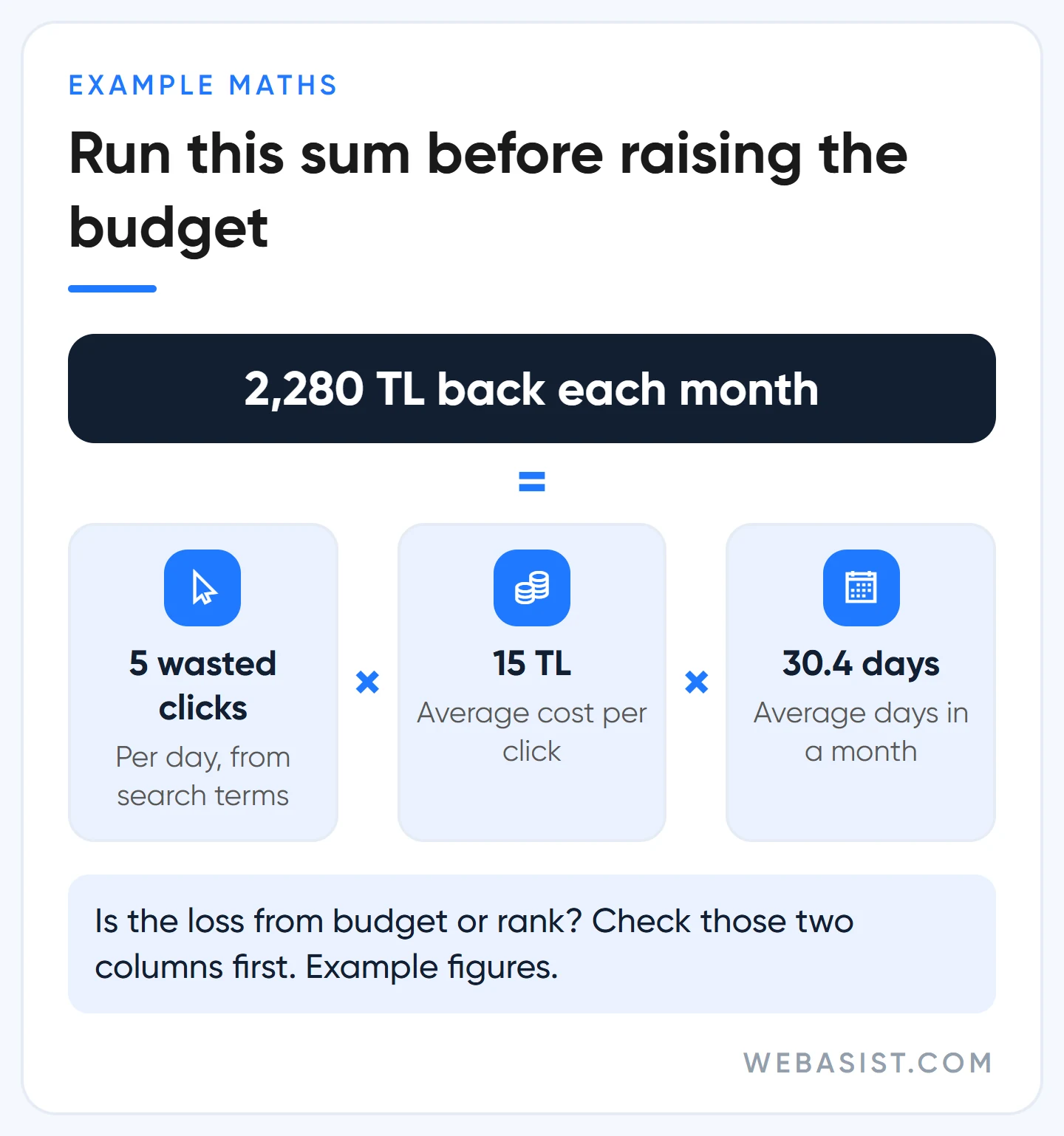
Five irrelevant clicks a day at 15 TL is 75 TL, or 75 × 30.4 = 2,280 TL a month. With that money back you may reach the evening hours without raising the budget at all. See our budget planning guide for how we calculate budgets.
You saw this in a competitor's ad: what should you do?
If what you collect does not turn into a change in your account, you looked for nothing. The to-do list we take from each analysis is short and always touches the same three places: ad copy, timing of the offer, landing page.
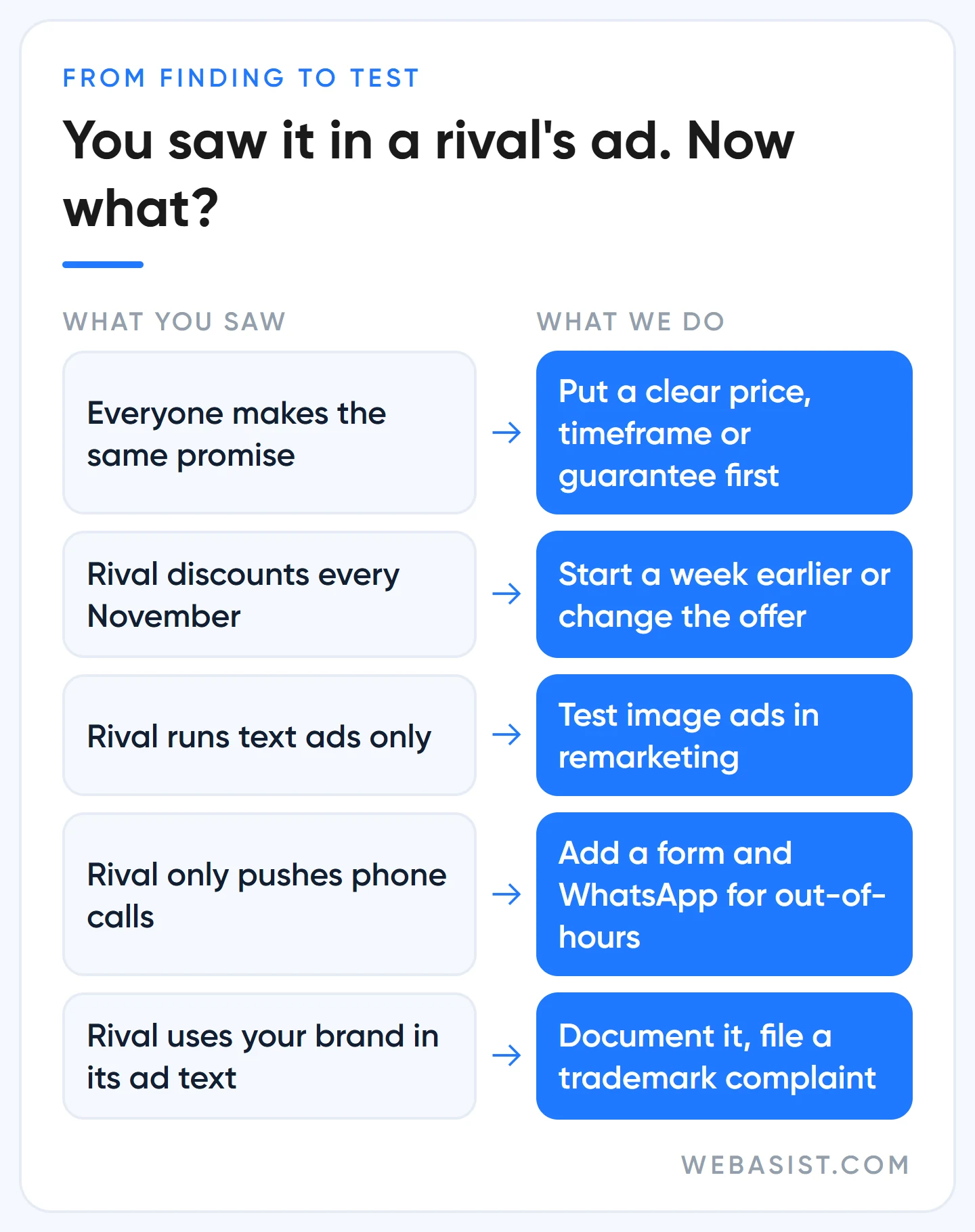
| What you saw | What we do |
|---|---|
| Everyone makes the same promise ("affordable", "24/7") | Put a concrete difference nobody else states in the headline: a clear price, a timeframe, a guarantee |
| The competitor runs a big discount every November | We do not fight the same discount in the same week; we start a week earlier or choose a different offer |
| The competitor only has text ads | Fill the gap with image ads in remarketing |
| The competitor pushes phone calls, no form | Add a form and WhatsApp for out-of-hours and take that demand |
| The competitor uses your brand name in its ad text | Document it and file a trademark complaint |
We show how to vary headlines in our ad copy guide and how to carry the promise onto the first screen of the page in our landing page guide. The last row is a subject of its own: what to do when a rival bids on your name, when a complaint works and whether you should advertise on your own brand are all set out step by step in our competitor brand bidding article.
When is competitor analysis a waste of time?
We do not tell every business to watch its competitors. In these cases, looking at a rival is a polite way of avoiding your own account:
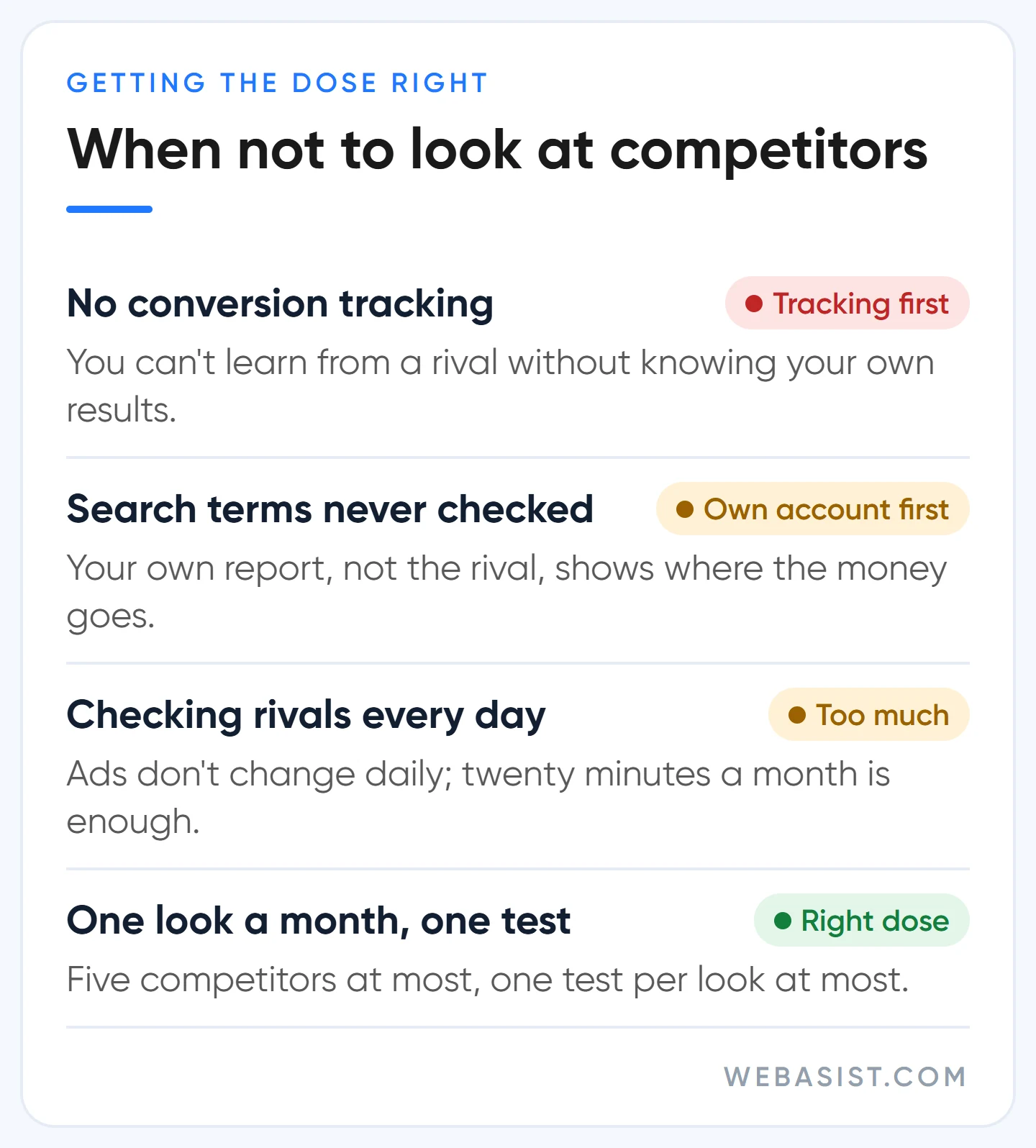
- You have no conversion tracking. Without knowing which of your own ads brings customers, you cannot learn from someone else's. Set up tracking first.
- Nobody has opened your search terms report in months. Your own report, not the competitor's ads, tells you where your money goes.
- You check every day. A competitor's ads do not change daily. Twenty minutes once a month is enough. Looking more often turns you into an advertiser who reacts to every move and has no plan of its own.
- You are looking in order to copy. Write the competitor's promise in the same words and you give customers no reason to choose you, while pushing up each other's prices in the same auction.
Our routine: five competitors per client at most, one look a month, one test per look at most. Industry and competitor analysis is part of all of our Google Ads packages. On a small budget the number of tests that come out of competitor analysis stays small, as it should.
How does your own brand look in the library?
Open the tool once for your own domain too. Your customers, your competitors and one day perhaps a journalist can all see your record. Check two things: is the advertiser name the right company, and is the name shown as the payer one you recognise?
Businesses working with an agency sometimes get a surprise here. If the account was opened in the agency's name, or the agency pays, the record shows the agency's company name instead of yours. That is not just a matter of appearance, it also tells you who the account really belongs to. Our advertiser verification guide explains how verification works and where the name is corrected.
Frequently Asked Questions
Is the Google ads library the same as the Meta Ad Library?
No. The Meta Ad Library shows Facebook and Instagram ads, while Google's tool shows Search, YouTube, Display and Gmail ads. If your competitor advertises on both sides, you need to check each separately.
Can a competitor see that I looked at their ads?
No. Viewing an ad in the Transparency Center sends no notification and is not counted as an impression or a click. What costs a competitor money is searching on Google and clicking the ad.
Why don't my own ads appear in the library?
Usually because you searched the wrong name. Search by your website and by the company name on your payments profile instead of your brand, and widen the region and date filters.
Can I report a competitor's ad?
From the menu on the ad card you can report an ad you believe breaks policy. This works for ads that impersonate you or give plainly false information. A report filed only because the advertiser is a rival goes nowhere.
Conclusion
The Google ads library shows what a competitor says, not what it earns. Give it twenty minutes a month, ask the five questions, take one test from it and read the rest from your own auction insights. Finding out why you lose impression share will bring you more customers than wondering about a rival's budget.
Send us the domains of the three competitors you meet most. We will lay their live ads side by side and put on a single page which promise is going unclaimed and what we would write in your headline.














