


Google Ads Remarketing: What It Is, and When It Is Worth It

Google Ads remarketing means showing ads again, over the following days on other websites, on YouTube and in Google search, to people who visited your site and left without buying or filling in a form. The interface now calls these lists "data segments"; the idea is the same. Our short answer: if your site gets fewer than 1,000 visitors a month, do not bother, the list will never fill. If you have a few thousand visitors a month and a product or service people take a few days to decide on, go ahead; the clicks are cheap and you are talking to someone who already knows you.
This article covers how remarketing works, which businesses it works for and which it does not, why the list never fills on a small site, and which lists we build and for how many days. We only explain Google's terms such as "your data", "audience signal" and "optimized targeting" where they affect your money.
What remarketing is, and how you show ads to people who visited your site
The mechanism has three steps. The Google tag on your site records which pages a visitor saw. Google Ads adds people who match your rule ("saw the pricing page, did not submit the form") to a list and keeps them there for the duration you set, 30 days by default. You attach that list to a campaign, and the person sees your ad on another site, on YouTube, or when searching Google again.
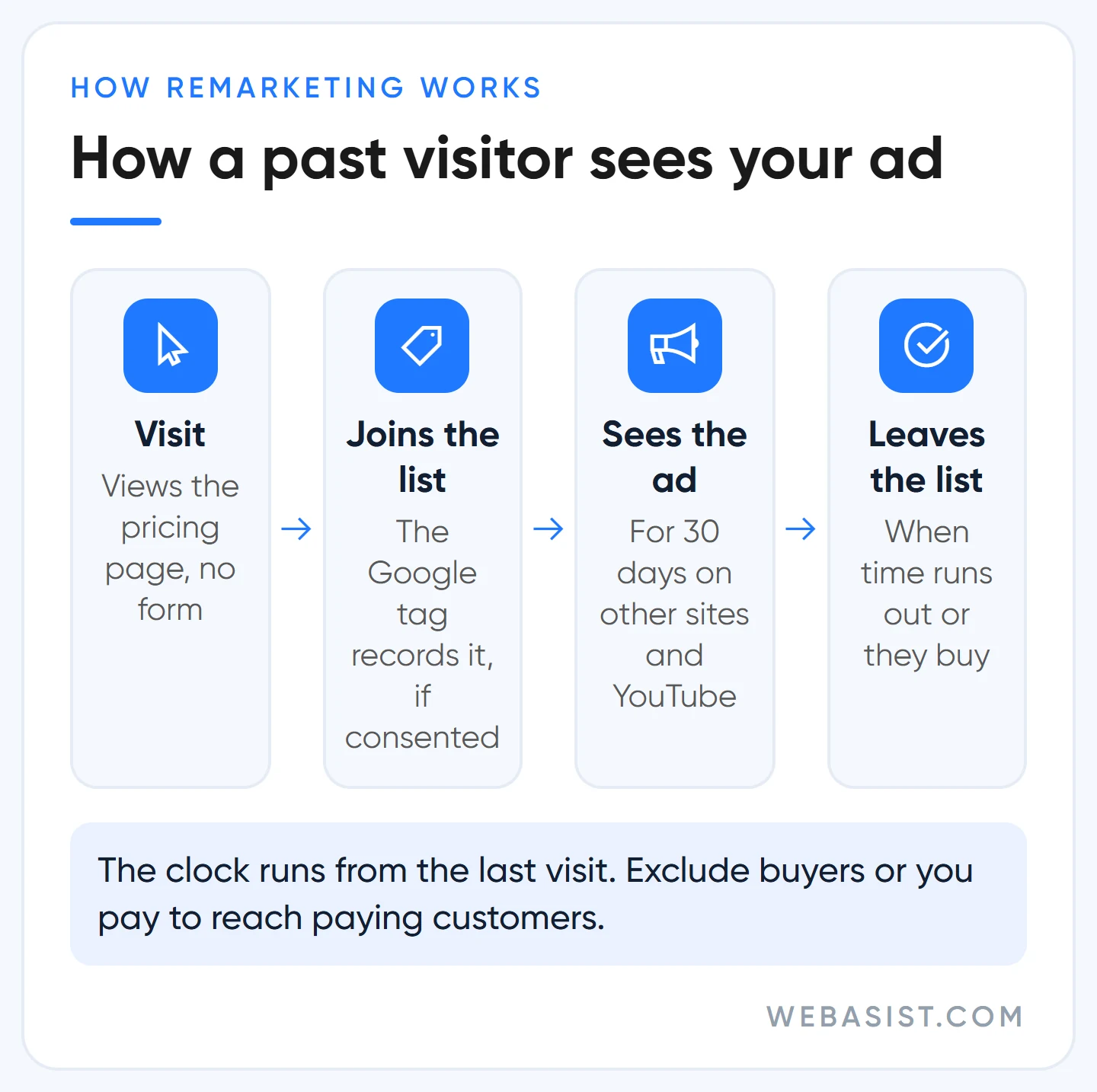
The clock runs from the last visit, not the first. Someone on a 30-day list who returns to the site resets the counter. Because the person already knows you, the click is cheap; for the same reason, some of the customers you credit to remarketing would have come anyway. Do not believe in the campaign's success until you have measured that; we explain how below.
Does remarketing work? Which businesses yes, which no
Remarketing works in businesses where the customer spends time deciding: furniture, appliances, language courses, private schools, software, B2B machinery, holidays. The person looks at three sites and thinks for a week; being in front of them during that week moves the sale. Example scenario: a furniture site with 8,000 visitors a month shows the same product for 30 days to people who viewed it without adding to cart. At 2 TL a click and 1,500 clicks a month, that is 3,000 TL; if those clicks bring 15 sales, the ad cost per sale is 200 TL. If the same site pays 600 TL per sale on Search, remarketing is the cheapest channel in the account.
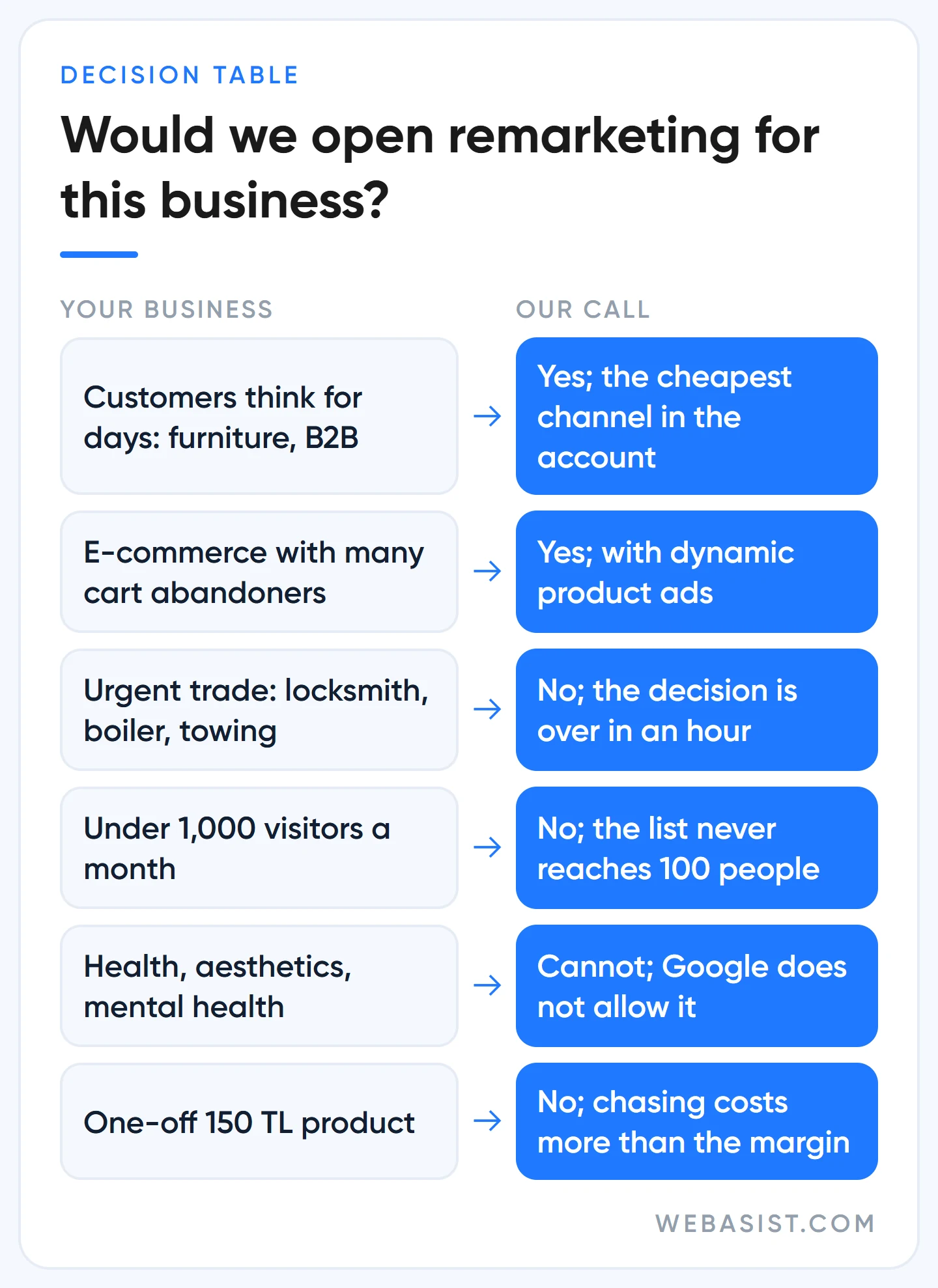
We do not open it for these businesses:
- Urgent needs: locksmiths, boiler breakdowns, tow trucks, pharmacies on duty. The decision is over within the hour; an ad shown three days later burns money. In these businesses the whole budget goes to search ads.
- Low-traffic sites: under 1,000 visitors a month. The list never clears the 100-person threshold and the campaign never serves. The sum is below.
- One-off, cheap products: chasing someone for 30 days over a 150 TL product costs more than the margin.
- Sensitive categories: health clinics, aesthetics, mental health, some financial products. Google does not allow lists built from site visitors in these categories; an agency promising a dental clinic "ads to everyone who visited the site" is not telling you the truth.
- Sites that cannot separate buyers: without an order confirmation page or a conversion tag you cannot exclude buyers, and you spend on customers who have already paid.
The list never fills on a small site: the 100-user threshold and what we do
A list needs at least 100 active users in the last 30 days before it can serve; the threshold is the same for the Display Network, Search and YouTube, and it applies to customer lists too. On small sites most lists never reach it and the campaign sits at "not ready to serve". Do the sum: 2,000 visitors a month, 30% consent on the cookie banner, 5% of them reach the cart page. The list collects 2,000 × 0.30 × 0.05 = 30 people a month, a third of the threshold.
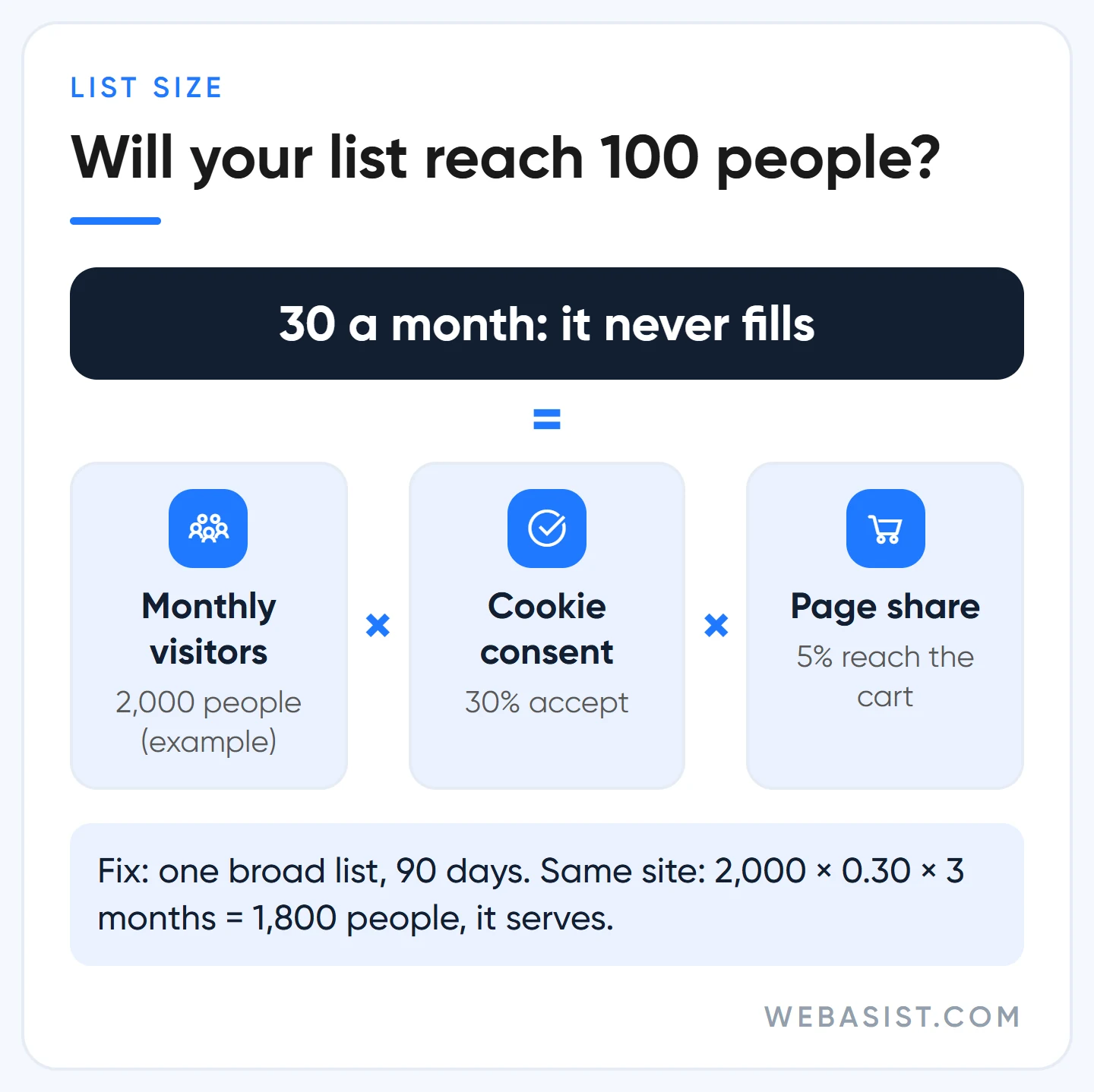
We do three things in that situation. First, one broad list instead of narrow ones: "all visitors, 90 days". On the same site that list reaches 2,000 × 0.30 × 3 months = 1,800 people and serves. Second, extend the duration; the maximum is 540 days, but beyond 90 the message goes stale. Third, add the list to the Search campaign as "observation" instead of targeting; the threshold still applies there, but you collect conversion data while the list fills. A new list starts filling within 48-72 hours, and the "pre-fill" option seeds it with the last 30 days of visitors. A list unused in any campaign for 540 days is closed, and an ad group targeting a closed list does not serve.
Cookie consent shrinks your list
Someone who clicks "reject" on your cookie banner never enters the list. In Google's Consent Mode the ad_personalization signal decides this; without that consent, the visitor's data never reaches remarketing. For users in Europe the ad_user_data consent is required as well. In Türkiye, explicit consent is the basis for advertising cookies; ask your lawyer once about how to build the banner, we do not give opinions on that.
The commercial side we can state: your consent rate directly sets the size of your list. A site with 20% consent has a remarketing list three times smaller than a site with the same traffic and 60% consent. Hiding or misleading the banner to collect consent is not the answer; a clear banner that can be dismissed in one click collects better consent both legally and commercially. We check that the tag fires on every page and that the consent order is right using the method in our conversion tracking article.
Where the ad appears: Display Network, YouTube and Google search
Remarketing is not a campaign type; it is an audience you add to campaigns. Where the ad appears depends on which campaign you add it to:
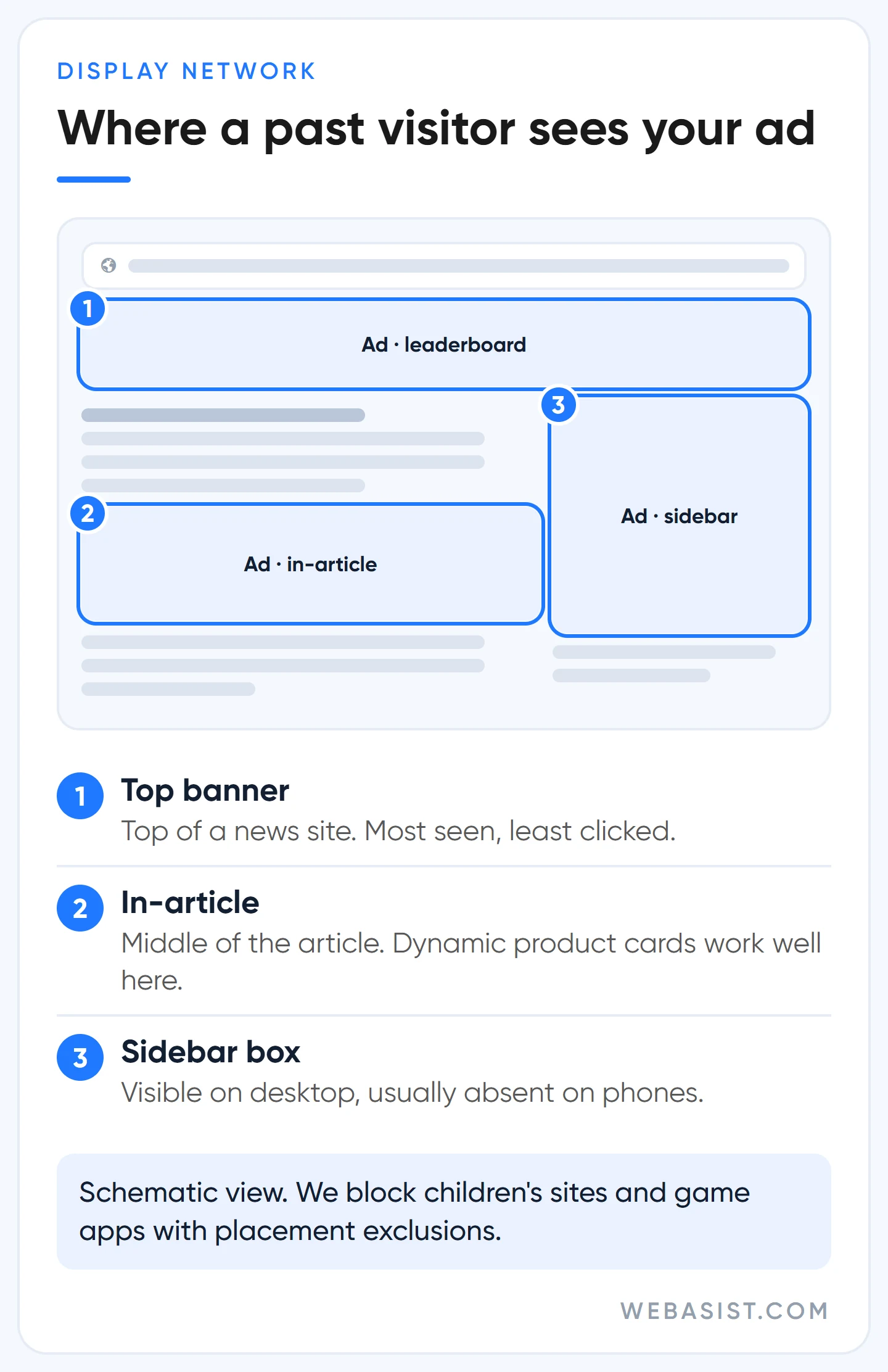
- Display Network (banners): news sites, blogs, apps. The most common use; clicks are cheap. Display campaigns are being folded into Demand Gen (a migration tool has been available since June 2026); for new setups we open Demand Gen directly. Image sizes are in our display ad sizes article.
- YouTube: video to people who browsed your site. Works well for businesses with video; a business without video has no reason to be here.
- Google search: you add the list to the Search campaign as "observation"; the ad shows to everyone, but you can raise bids or show different copy to people on the list. The industry calls it RLSA. Low risk, we do it in every account.
- Performance Max: the list is only an "audience signal"; Google does not stay within it and shows the ad to anyone it considers similar. If you want to speak only to past visitors, PMax is not the tool; we explain in our PMax article.
Google recommends it, but: in Display, Video and Demand Gen campaigns, "optimized targeting" comes switched on by default. While it is on, the system also shows ads to people outside your list and reports everything in the same campaign; half of the result you call "remarketing is doing great" may come from people who have never seen you. If the goal really is to bring back past visitors, we switch it off in the ad group settings. Likewise, Google has started adding your customer lists automatically to campaigns using Smart Bidding; if you do not want that, switch it off too.
Which lists we build, and for how many days
Showing the same ad to everyone from a single "all visitors" list is the most common and least efficient form of remarketing. We split lists by intent and give each its own duration and message. With little traffic we apply the rule above: a broad list first, splitting once the volume arrives.
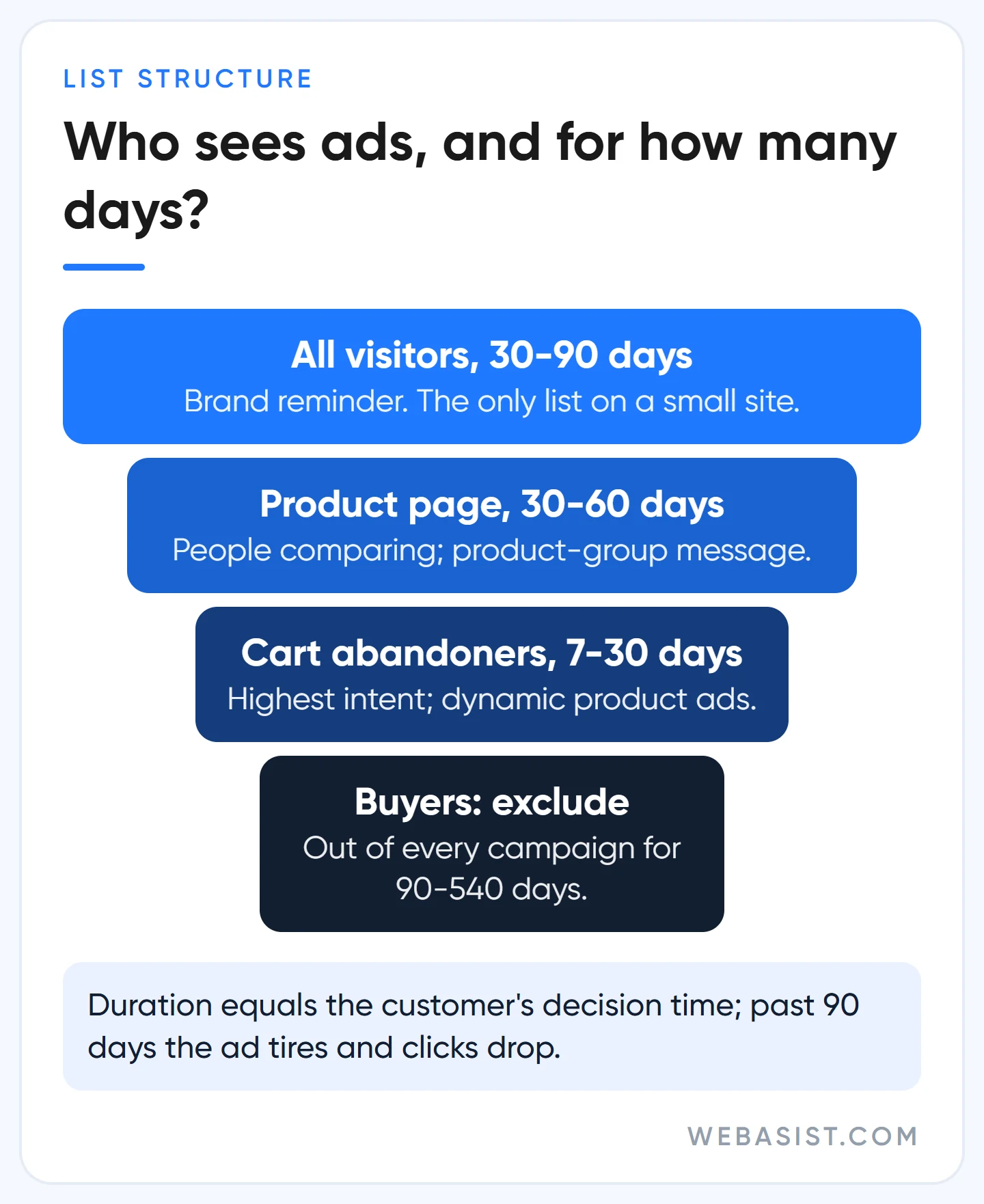
- Cart or form abandoners, 7-30 days: the highest intent. Short duration, clear call to action; in e-commerce, a dynamic ad showing the product they viewed with its price.
- Product or service page visitors, 30-60 days: people comparing. A message specific to the product group.
- All visitors, 30-90 days: brand reminder. On a small site this is the only list.
- Buyers and form submitters, 90-540 days, as an exclusion: removed from every campaign. It is the first thing we fix in accounts we take over; an account showing ads to customers who have already paid is throwing part of its budget away. For products with a repurchase cycle (lenses, coffee, cosmetics) we use the list in a separate campaign for complementary products.
- Customer list (email and phone): Google calls this Customer Match. In small and mid-sized accounts it is used only for observation and exclusion; targeting the list directly requires 90 days of account history and 50,000 US dollars of total spend. Upload only data customers gave you themselves; a purchased list gets the account closed.
Our duration rule: as long as the customer's decision takes, no longer. Beyond 90 days the ad becomes tiresome and the click rate drops. If you shorten the duration later, members beyond the new limit drop out immediately.
Setup: the Google tag, GA4 and dynamic remarketing
Setup ends in two places. In Google Ads, under Audience manager > Your data sources, you set up the Google tag and choose to collect "standard data" or, for e-commerce, "parameters to personalize ads"; if the tag is already installed for conversion tracking, the same tag does the job. If you use Tag Manager, enter only the conversion ID in the "Google Ads remarketing" tag type; the conversion label field stays empty here, otherwise your conversion counts inflate.
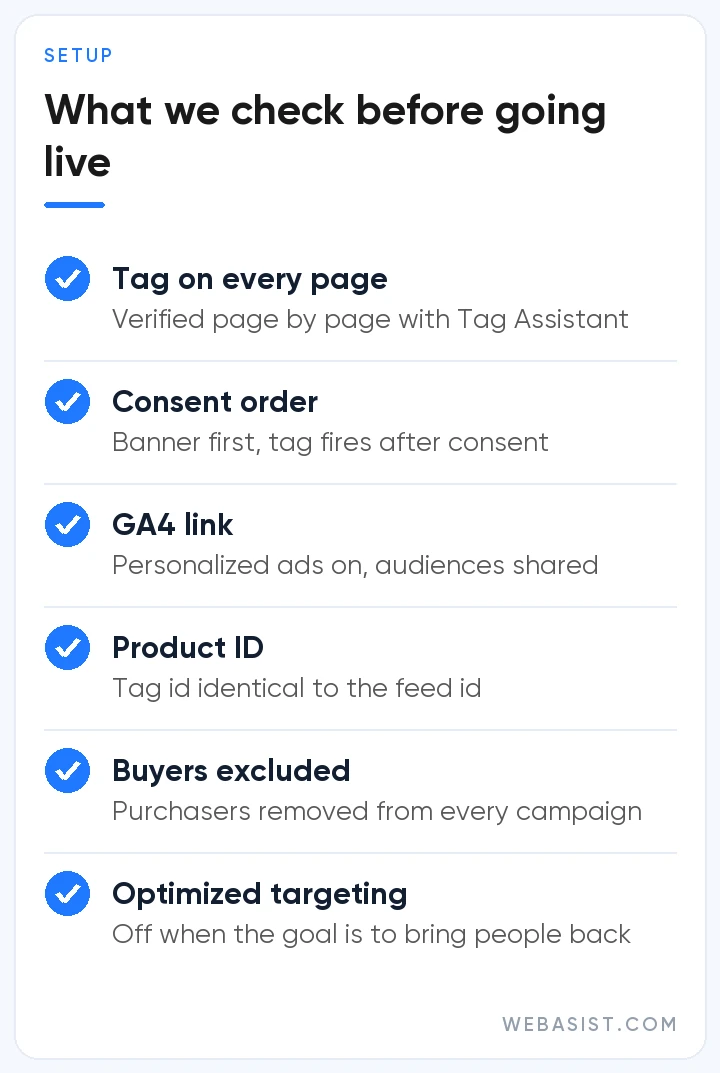
If you use GA4 you can build audiences there too: behaviour rules such as "visited three times but never submitted the form" are easier to write in GA4. If "personalized advertising" was left on in the GA4 to Google Ads link, audiences are shared automatically. One limit: product-based dynamic remarketing does not work with GA4 audiences; it needs the Google tag.
Dynamic remarketing shows the person the product they viewed, with price and image. In e-commerce it needs two parts: the product feed in Merchant Center and a tag parameter on every product page reporting which product was viewed. In accounts we take over, the most common reason dynamic ads come out empty is that the product ID sent by the tag does not match the ID in the feed; for products with variants, the ID on the site must be identical to the feed's id or item_group_id.
Frequently Asked Questions
How long does a Google Ads remarketing list take to fill?
A new list starts filling within 48-72 hours; the "pre-fill" option adds the last 30 days of visitors immediately. Serving also requires 100 active users in the last 30 days, and on a small site that takes weeks rather than days.
What is the minimum audience size for remarketing?
100 active users in the last 30 days for the Display Network, Search and YouTube. An older help page specific to Search still mentions 1,000 cookies; check which networks your list is eligible for in the size column of Audience manager.
Are remarketing and retargeting the same thing?
Yes. Google used to say "remarketing", the interface now says "your data" and "data segment", and the industry also says "retargeting" for the same thing. All of them mean showing ads again to someone who has already had contact with you.
Is cookie consent required for remarketing?
In practice, yes. Under Consent Mode, a person who declines ad personalization never enters the list. Ask your lawyer how to build the banner legally; what you need to know commercially is that your consent rate sets your list size.
Conclusion
Remarketing is the cheapest channel in the account for a business with traffic and customers who think before deciding, and a list that never serves for a site without traffic. Look at your visitor numbers first, then exclude buyers, then split the list by intent. Break that order and you spend money on people who already know you or have already bought.
If remarketing is already running in your account, send us a screenshot of the size column in Audience manager; within minutes we can tell you which list has never served and whether buyers are excluded. If you are setting it up from scratch, remarketing setup is part of our Google Ads packages; on sites with few visitors, we do not open it either.














