


Google Ads Invalid Clicks: How to Stop Fake Competitor and Bot Clicks

Fake clicks are a real problem, and what Google calls Google Ads invalid clicks covers only part of it. A competitor can click by hand, a bot can click all night, someone can tap your ad by accident on a poor-quality site. Google catches some of this itself and does not charge for it. You pay for what it misses, and it will not tell you which click it counted as valid or why.
So we do not shrug and say "Google handles it". In the accounts we manage we do three things: first we use conversion data to diagnose whether fake clicks are really there, then we close the account's open doors, and finally we ask Google for the money back before 60 days run out. IP blocking is not on that list, because on its own it rarely works.
The examples are in Turkish lira and use Turkish businesses, since that is the market we work in.
Are the clicks fake? Diagnose with conversion data first
Of the businesses that come to us saying "my competitor is clicking my ads", some really do have a fake click problem. In others the money is going to irrelevant searches, the wrong location or a poor landing page, and it gets mistaken for click fraud. The only thing that separates the two is conversion data. Look at what follows the click, not at the click count.
| What you see | Usual cause | Where we look |
|---|---|---|
| Clicks up, calls and forms flat | Real suspicion: fake or worthless traffic | Breakdown by hour, device, network and location |
| A regular wave of clicks between 2 and 5 a.m. | Bot or deliberate clicking | Hourly report, server logs |
| Clicks from a city you do not serve | Location setting also includes people "interested in" your area | The campaign's location options |
| Many clicks from one IP address | Usually a mobile carrier or office network | Did conversions come from that IP as well? |
| Zero-second visits on the site | How the analytics tool measures time | We do not treat it as proof by itself |
| Forms with nonsense names and fake numbers | Form bot | Form protection and customer records |
Diagnosis needs working conversion tracking. If you do not have it, set it up first, otherwise all you have is a feeling. Our conversion tracking guide shows how.
Work out the loss in lira
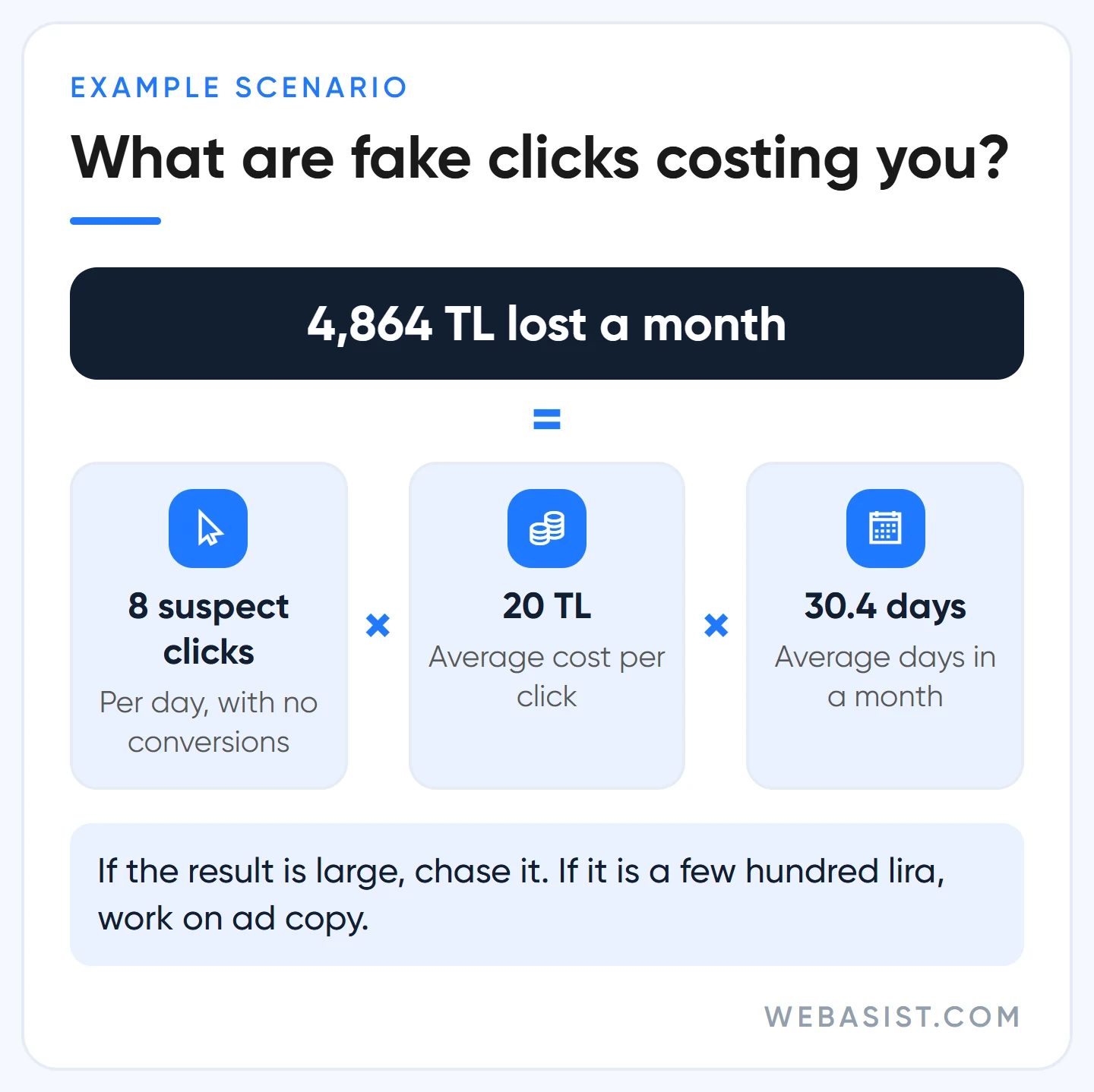
The number tells you whether the chase is worth it. An example scenario: a boiler repair business in Ümraniye, Istanbul, has a daily budget of 600 TL and pays 20 TL per click on average. It gets 30 clicks a day. Eight of them arrive at night and have not produced a single call in weeks.
8 clicks × 20 TL = 160 TL a day. Over a month, 160 × 30.4 = 4,864 TL. If that much goes in the bin every month, it is worth the effort. If the same sum comes to 300 TL a month, it is not, and your time is better spent on ad copy.
What does Google catch, and what does it miss?
Credit where due: Google's filter handles the crude stuff well. Known bots, data centre traffic, rapid double clicks and obvious repeats from one source are mostly removed before they reach your bill. What is spotted after invoicing comes back as a credit in a later period.
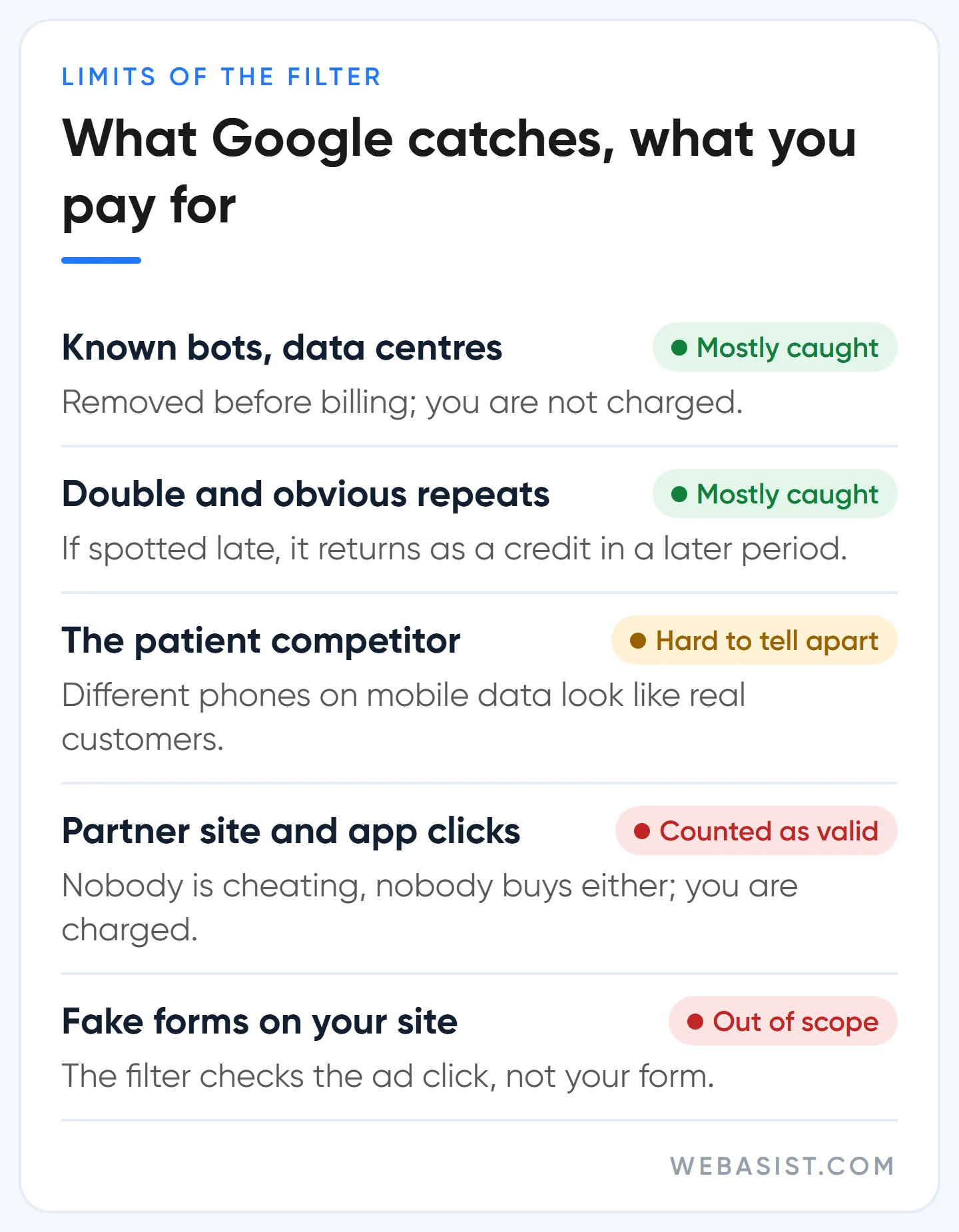
The problem is not that the filter fails, it is the blind spots and the black box. There are four things we assume stay on the bill in our accounts:
- The patient competitor. Someone clicking two or three times a day from different phones on mobile data is hard to tell from a real customer.
- Real but worthless clicks. Traffic from search partner sites and ad slots inside mobile apps, where nobody is cheating but nobody becomes a customer either. By the rules it is valid, so you are charged.
- Fake form fills. The filter looks at the click on the ad. It does not stop a bot that lands on your site and types rubbish into your form.
- New methods. Until the filter learns a pattern, clicks in that pattern get through. Some of what is noticed late comes back as credit, not all of it.
The uncomfortable part is this: the referee and the seller are the same company. You cannot see why a click was counted as valid, and when you dispute it you do not get a click-by-click answer.
There is a sensible reason for keeping detection methods secret, so fraudsters cannot learn them. The outcome is the same though, you are asked to trust blindly. We measure instead of trusting.
A rising invalid clicks column is not good news
You can see the clicks Google has filtered in your account. On the Campaigns page open Columns, search for "invalid", and add "Invalid clicks" and "Invalid click rate". You did not pay for the clicks counted here.
Google reads a rise in this number as "our filters are protecting your budget". We read the same number as an alarm. When the column climbs, two things are true at once: Google caught more, and more junk traffic is hitting your account. If the part that gets caught has grown, the part that does not has most likely grown too.
That is why we watch the change, not the rate itself. When a campaign's rate doubles against its own usual level, we open it and ask: which hour, which device, which network, which city? The answer usually points to one place, and closing it solves most of the problem. Add the column to your monthly check; we look at it every time in an account audit.
How to ask for your money back: the invalid clicks form
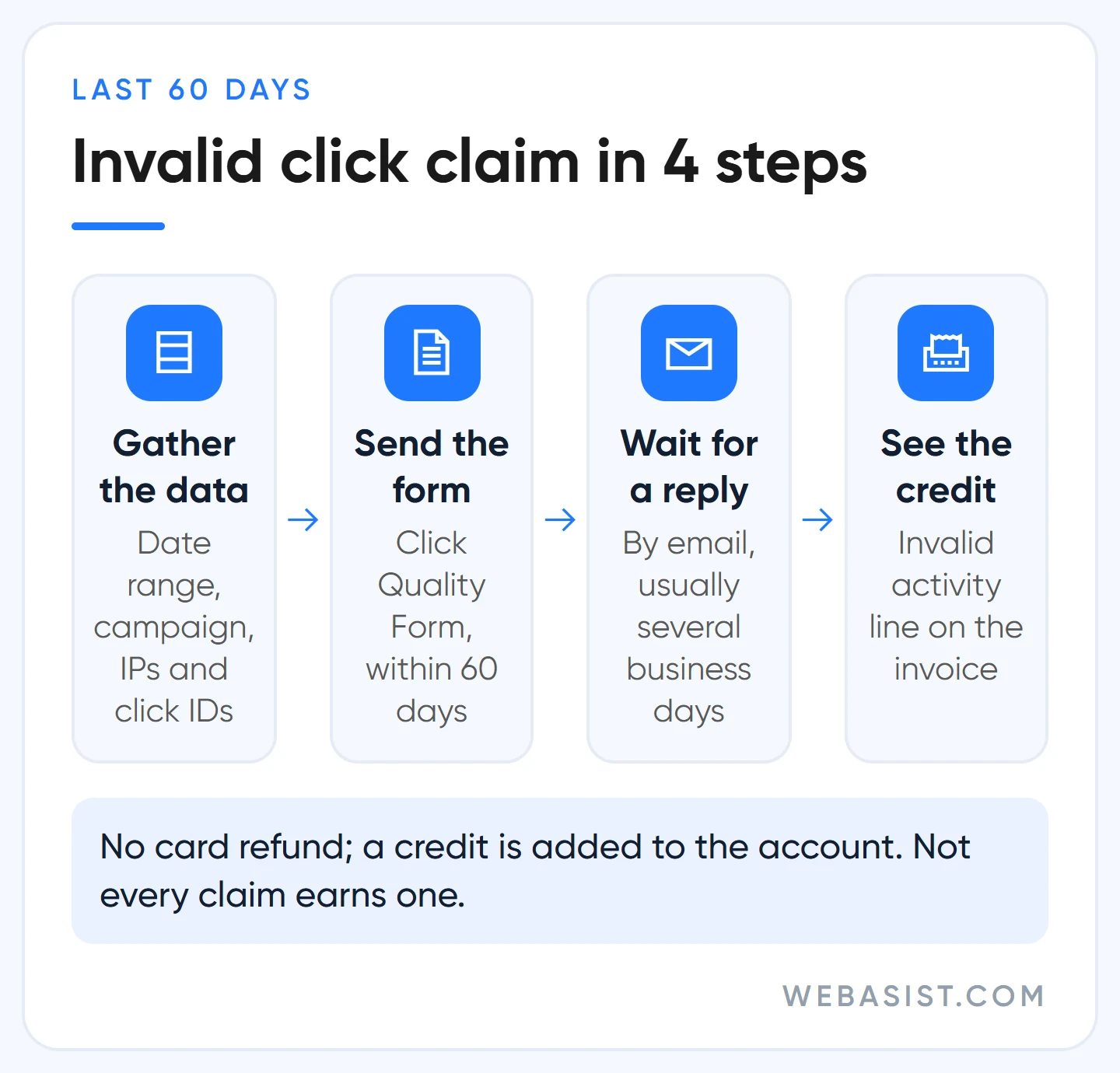
You can request an investigation into clicks you believe the filter missed. What people search for as the "invalid clicks form" is the Click Quality Form, linked from Google's invalid traffic page. Only traffic from the last 60 days is reviewed, so waiting costs you the right to claim.
Do not fill the form in with "my competitor is clicking, give me my money back". Nothing comes of that. This is how we prepare the file:
- Exact date range. Not "last month" but "3 to 17 September, every night between 2 and 5 a.m.".
- Account details. The 10-digit customer ID, the campaign and ad group names affected, the keywords bringing the unusual traffic.
- Server logs. Repeating IP addresses, browser and device details, and the click IDs of those clicks (the gclid value in the URL). For this, auto-tagging has to be on and your server has to store URLs with their parameters.
- A table for fake leads. The click ID of each lead and what happened when you called: wrong number, person says they never filled in a form.
- The trend in one sentence. Something like "clicks tripled, the number of calls did not change".
The answer comes by email and usually takes several business days. If Google finds something, it does not refund your card, it adds a credit to your account. You see the credit in the monthly summary under Billing, on the "Invalid activity" line. Our billing guide explains how to read the invoice lines.
Let us set expectations honestly. This form does not always produce money, and Google does not say which clicks it accepted and which it rejected. Send it anyway: you have nothing to lose, and a well-prepared file is not treated the same as a careless one.
But expect the real gain from the settings below, not from the form. The form claims past money, the settings protect future money.
Does IP blocking work?
To a limited degree. IP exclusion stops your ads being shown to the addresses you enter. Addresses added in account settings apply to every campaign, Performance Max included. Added in campaign settings, you can enter up to 500 addresses per campaign.
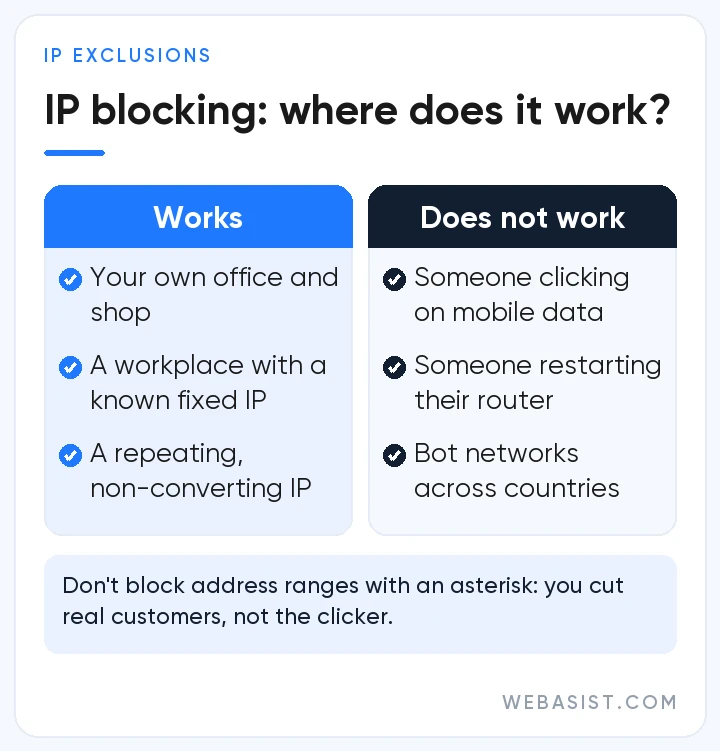
The limit is practical rather than technical. Someone clicking from a phone on mobile data has no fixed IP address, and the carrier hands the same address to thousands of subscribers in turn. The address you block today belongs to a real customer tomorrow, while the clicker comes back with a new one. Switching flight mode on and off is enough to get a new address.
| IP blocking works for | It does not work for |
|---|---|
| Your own office, shop or call centre | Someone clicking on mobile data |
| A business with a fixed IP whose address you know | Someone at home restarting the router |
| A fixed address repeating in server logs with no conversions | A bot network on servers in different countries |
One thing we ask you not to do: block a whole range of addresses with an asterisk. For one suspect you cut every subscriber of that carrier in the area off from your ads. In accounts we take over we find IP lists hundreds of lines long. Most of them cut off real customers and do not stop the clicker.
Six settings to close on your side
Most fake and worthless clicks come in through a few known doors. Most of those doors are open in a new campaign, because Google's defaults are chosen to produce more impressions and more clicks. Our order:
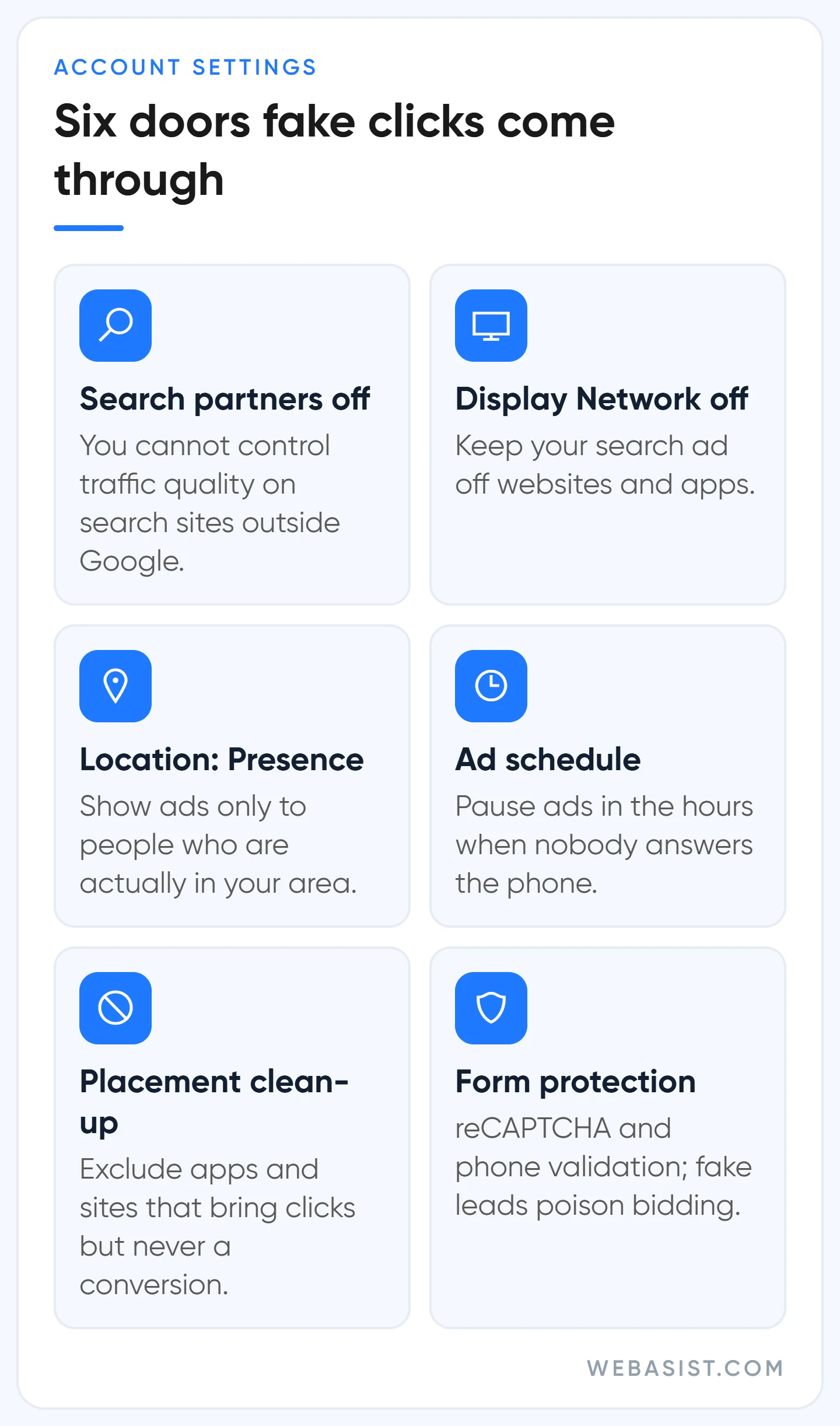
- Turn off Search partners. In campaign settings, under Networks. It shows your ad on search sites outside Google. Google recommends leaving it on. We start small and mid-sized budgets with it off, because you cannot control the quality of that traffic or see in detail which sites you appeared on.
- Untick Display Network in Search campaigns. It sits in the same section. Your search ad is also shown on websites and in apps. This is the main source of accidental clicks.
- Set location to "Presence". The default covers people interested in your area as well as people in it. When the Ümraniye boiler service gets clicks from another city, this is usually why.
- Set an ad schedule. A click that arrives when nobody answers the phone is wasted even if it is genuine. If you see a night-time wave, switch those hours off. If you work around the clock, keep them on and monitor night hours separately.
- Clean up placements. If you run Display or video campaigns, check the report on where ads showed. Exclude the mobile apps and sites that bring clicks and never a conversion.
- Protect the form. Add reCAPTCHA, validate the phone field and, where possible, ask for SMS confirmation. We cover the technical side of forms in our landing page guide.
The sixth item matters more than it looks. Automated bidding learns from conversions. If fake forms are counted as conversions, the system concludes that this traffic performs well and sends more money to the junk source.
Fake leads do not just waste your time, they poison the bidding. The fix is to feed back only the customers that turn out to be real as conversions.
Then there are search terms. Part of the loss you blame on fake clicks comes from irrelevant searches, and the cure for that is a negative keyword list.
Should you buy click protection software?
There are subscription tools sold on the promise of blocking fake clicks. They work in a similar way: you add a script to your site, the tool watches visitors and writes the IP addresses it finds suspicious into your Google Ads exclusion list automatically. We do not recommend a particular product and we are not against them either. Know this before you decide:
- They are built on IP blocking. Every limit described above applies to these tools too. The campaign-level list fills up at 500 addresses and mobile addresses rotate.
- The "money saved" in the report may be inflated. Google has already filtered and not charged for some of the clicks the tool calls fake. The two get counted on top of each other.
- The report carries no weight with Google. Google does not accept third-party reports as grounds for credit and relies only on its own review.
- They process visitor data. Before installing, check the privacy side (KVKK in Turkey, GDPR in the EU) with whoever writes your privacy notice.
Our yardstick is simple: if the monthly subscription is more than half the monthly loss you calculated above, do not buy it. In accounts with a monthly ad budget under 10,000 TL it almost never adds up. Make the six changes, wait a month and recalculate the loss. If it is still large and you are in a fiercely competitive trade such as locksmiths, movers or towing, then look at one on a trial period.
When not to chase it, and what never to do
Chasing every suspicion has a cost too. We advise against spending time on fake clicks when:
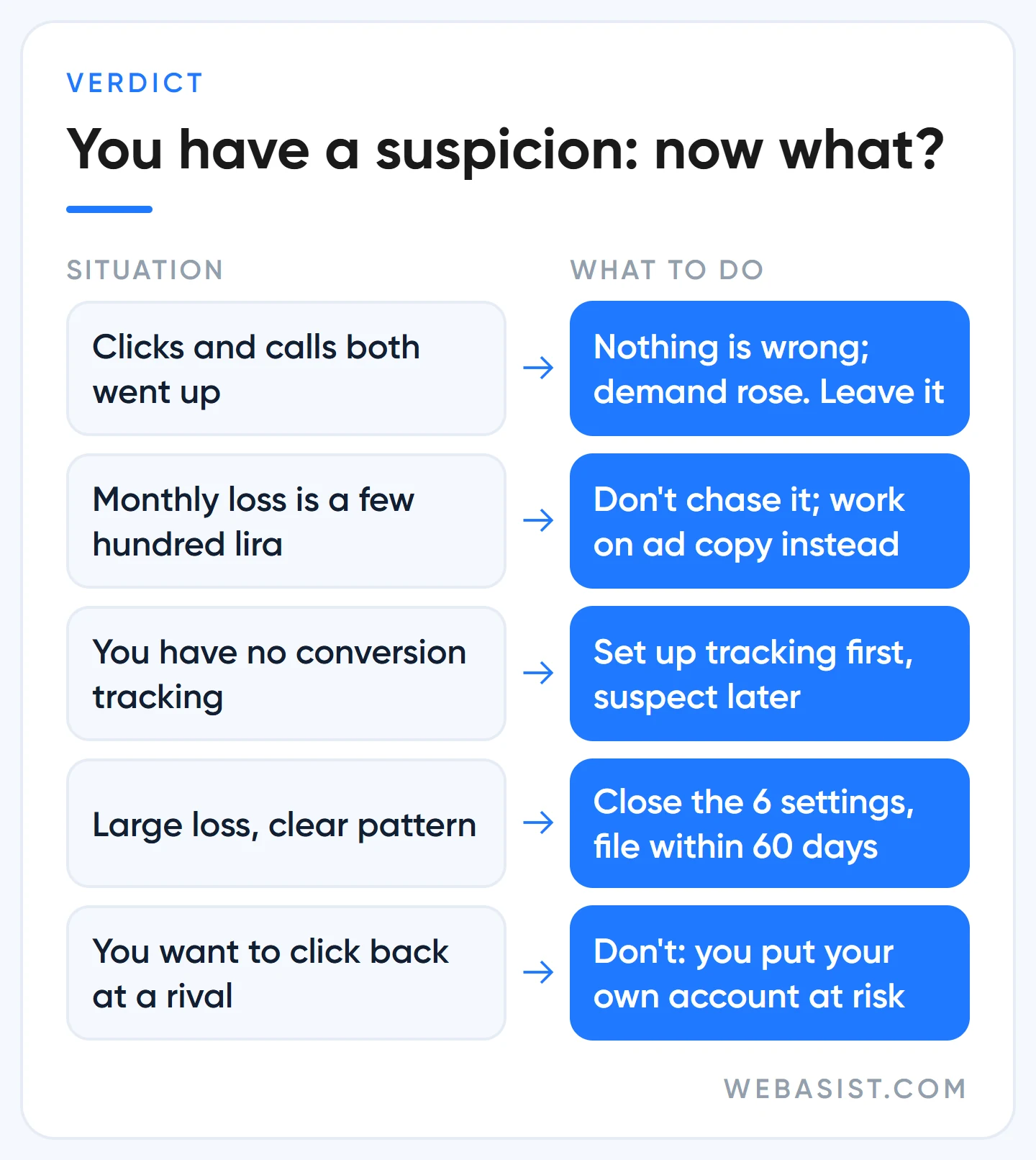
- Your conversions are healthy. If clicks rose and calls and sales rose with them, nothing is wrong, demand went up.
- The loss you calculated is small. Sifting server logs over a few hundred lira of suspect clicks a month earns less than anything else you could do in that hour.
- You have no tracking. Tracking first, suspicion second.
- The real problem is elsewhere. If the ad gets clicked but nobody calls, look at your page, your price and who answers the phone as well.
What you must never do is retaliate. Looking for a click bot to drain a competitor's budget is a bad idea three times over.
Crude bot traffic is exactly what Google catches best, so you cannot hurt the competitor. You break the advertising programme terms and put your own account at risk. And installing software of unknown origin on your computer is a security problem of its own.
Clicking a competitor's ad by hand is the same thing, only slower. We do not do it. If anyone offers to "burn through your competitor's budget", do not work with them. If you want to watch a competitor legitimately, you can view their ads without clicking in the Ads Transparency Center.
Frequently Asked Questions
Can I prove my competitor is clicking my ads?
Not conclusively. Google does not share who a click came from, and an IP address alone does not identify a person. What you can prove is a pattern: clicks at these hours, from this area, repeating without conversions. That is enough for an investigation request.
What is a normal invalid click rate?
There is no rate that applies to everyone. It varies by industry, network and season. We compare an account with its own history: when a campaign's rate climbs clearly above its usual level, something needs a look.
Do fake clicks use up my daily budget?
The cost of clicks Google catches before the month ends is added back to your campaign budget. The ones it misses eat into it. If your ads run out by midday every day and no conversions come in, check the hourly report.
How do I see fake clicks in Performance Max?
Look at the invalid click columns on the Campaigns page. The invalid activity credit report in the report editor also covers Performance Max alongside Search. Because you have less control over placements and networks in this campaign type, account-level IP exclusions, the location setting and form protection matter even more.
Conclusion
Google catches the crude part of fake clicks, leaves the subtle part to you and does not say which is which. Work out the loss in lira first; if it is large, close the six settings and send the form before 60 days pass. Filling IP lists and paying for software come after that, and in most accounts they never need to.
If you have a suspicion, give us read-only access to your account. We will go through the last 30 days by hour, network and location together and tell you how many lira you are losing and through which door. If you want us to watch the account continuously, the scope is set out in our Google Ads packages.














