


Google Ads Invoices in Turkey: VAT, the 4.5% Fee and Downloads

The short answer on the Google Ads invoice: Google produces a billing document every month, but for most accounts it is not emailed to you and it is not always an "invoice". You download it yourself as a PDF from Billing > Documents, and each month's document is ready from the 5th business day of the following month. What leaves your card is the click cost, plus the 4.5% Turkey Regulatory Operating Cost, plus VAT depending on which Google company bills you.
We wrote this for business owners stuck in the "Google won't give us an invoice" argument with their accountant. Below: which document you actually get, what a 25,000 TL month looks like on paper, the questions your accountant will ask, and one default setting that quietly inflates the bill. If you want to know what a single click costs first, start with our Google Ads pricing guide.
Does Google Ads issue invoices? Which document you actually get
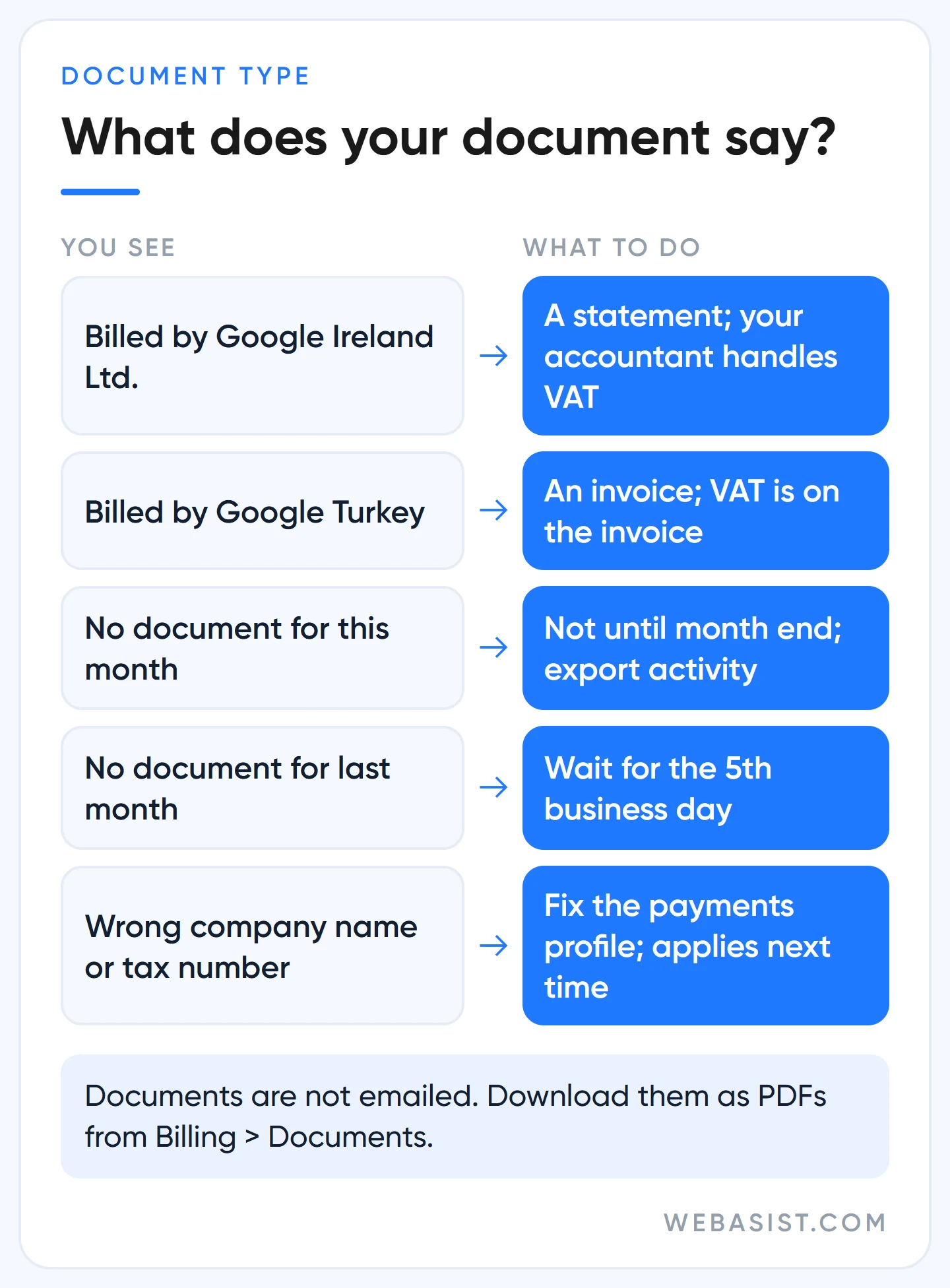
The document type depends on which Google entity provides your service. Google Ads accounts in Turkey are served by Google Ireland Ltd. by default. If Google has sent you an "Affected Products" notice, the contracting party becomes Google Turkey (Google Reklamcılık ve Pazarlama Ltd. Şti.), and Google Ads is on that list.
| Billed by | What you receive | Where is VAT? |
|---|---|---|
| Google Ireland Ltd. | Monthly statement | Not on the document; your accountant decides whether you self-assess |
| Google Turkey | Invoice | Added at Turkey's standard rate |
A statement is not an invoice, and Google says so plainly. It is a summary of the month's costs, payments and adjustments. Most "Google won't invoice us" complaints come from exactly this gap: the owner expects an invoice and is holding a statement.
To see which case you are in, look at the company name at the top of the document you downloaded. If it says Ireland, you bought a service from abroad and your accountant books it that way. The accountants our clients work with usually ask for two things together: the monthly statement and the "GOOGLE *ADS" lines on the card statement. File both in the same folder every month; matching them up is what eats the most time at year end.
How to get your Google Ads invoice and send it to your accountant
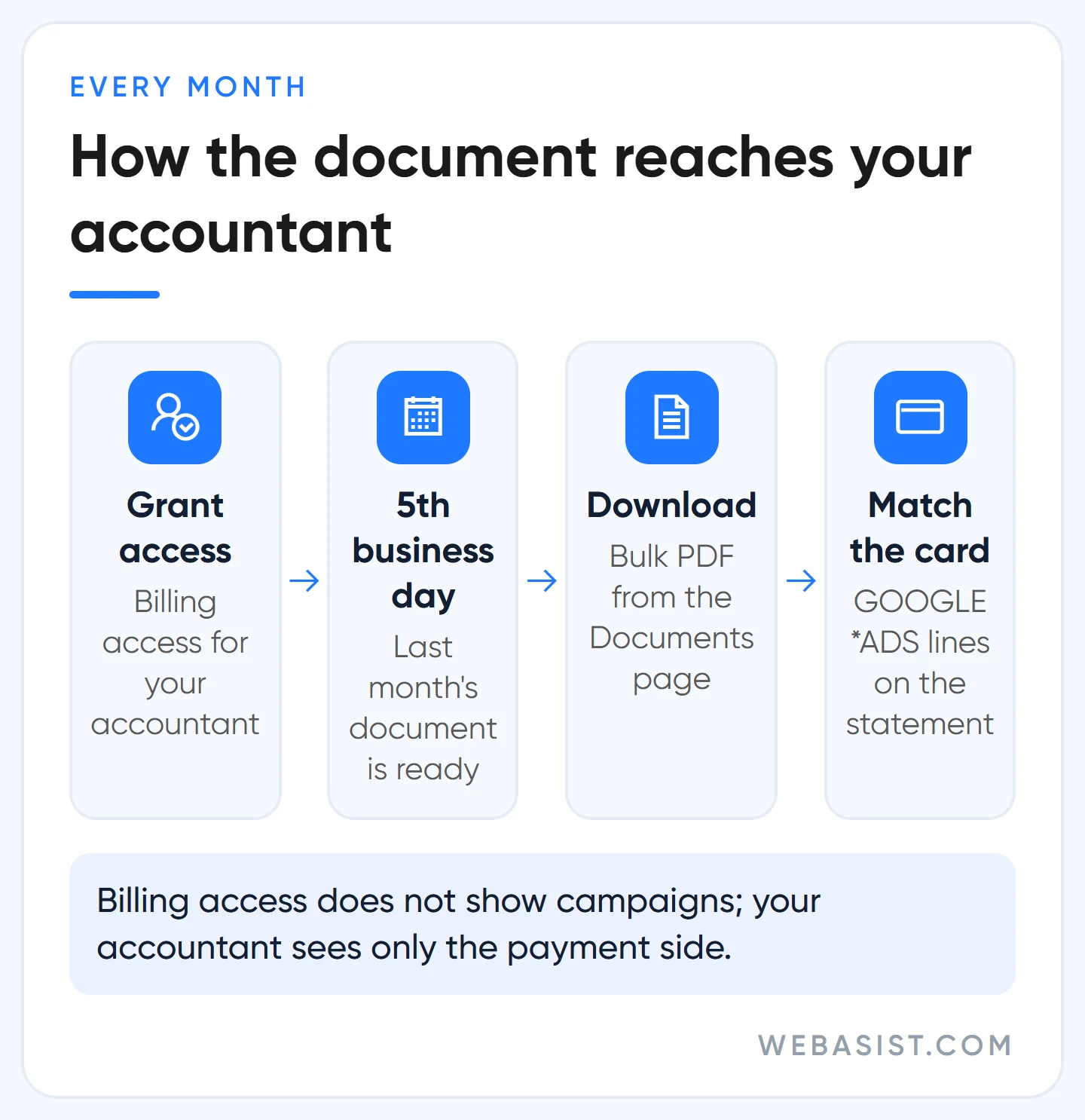
Documents are not emailed, except for large accounts on monthly invoicing. The path is one line: Billing > Documents, tick the documents, then "Download selected". If nothing happens, your browser is blocking the pop-up.
Three details matter:
- The current month's document does not exist until the month ends. If your accountant needs something mid-month, download the date range from the Billing activity page; individual payment receipts can be printed from the Summary page.
- There are no per-campaign documents. If you run separate companies, give each its own account and payments profile; if it is two campaigns of the same company, split the cost from reports.
- Issued documents cannot be edited. A wrong company name or address is corrected on future documents only. Some invoices can be regenerated with updated details, but the VAT number never changes retroactively.
Our method is simple: add your accountant to the account with "Billing" access. That level cannot see campaigns; it can download documents and update payment and tax details. Your accountant stops emailing you for the PDF every month, and you have not handed out campaign access. We cover every access level in our agency selection and access guide.
What is the 4.5% on my bill? The Turkey Regulatory Operating Cost
Google adds a 4.5% surcharge to the cost of ads served in Turkey. It is called the Turkey Regulatory Operating Cost, and the rate dropped from 7% to 4.5% on 1 January 2026. This is not a government tax; it is Google's own fee, which Google attributes to the cost of complying with Turkish regulation. For you the result is simple: 4.5% more than your ad spend leaves the card.
Knowing how it works saves you a surprise at month end:
- It depends on whether the ad was shown to users in Turkey, not on where you are based. A foreign company advertising into Turkey pays it too.
- On automatic payments it is added once at the end of the month and collected with the next charge, which is why the charge on the 1st looks bigger than the ones during the month.
- On manual payments it is taken from the balance you loaded; load 10,000 TL and slightly less than that goes to clicks.
- It is a separate line on the invoice or statement, and VAT is charged on top of it.
- It sits outside the daily budget you set on the campaign. A 500 TL daily budget means up to 15,200 TL of clicks a month, plus 684 TL of surcharge.
Google recommends it, but for a local business it inflates the bill: the location option
New campaigns come with the location option labelled "recommended": people in, or interested in, your targeted area. Google recommends it because it reaches more people. But it also means an Istanbul boiler repair ad can show to someone in Germany searching "Istanbul boiler repair". You pay for that click, you may also pick up that country's surcharge, and Google does not refund these fees for clicks served according to your settings.
For clients serving a local area, we switch this on day one to the option that targets only people located in the area. To see which countries you were shown in, open the Distance template in Report editor and add the "Country/Territory (User location)" row. If a country you never meant to target shows up, exclude it explicitly in location targeting.
Sample invoice breakdown: what does 25,000 TL of ad spend really cost?
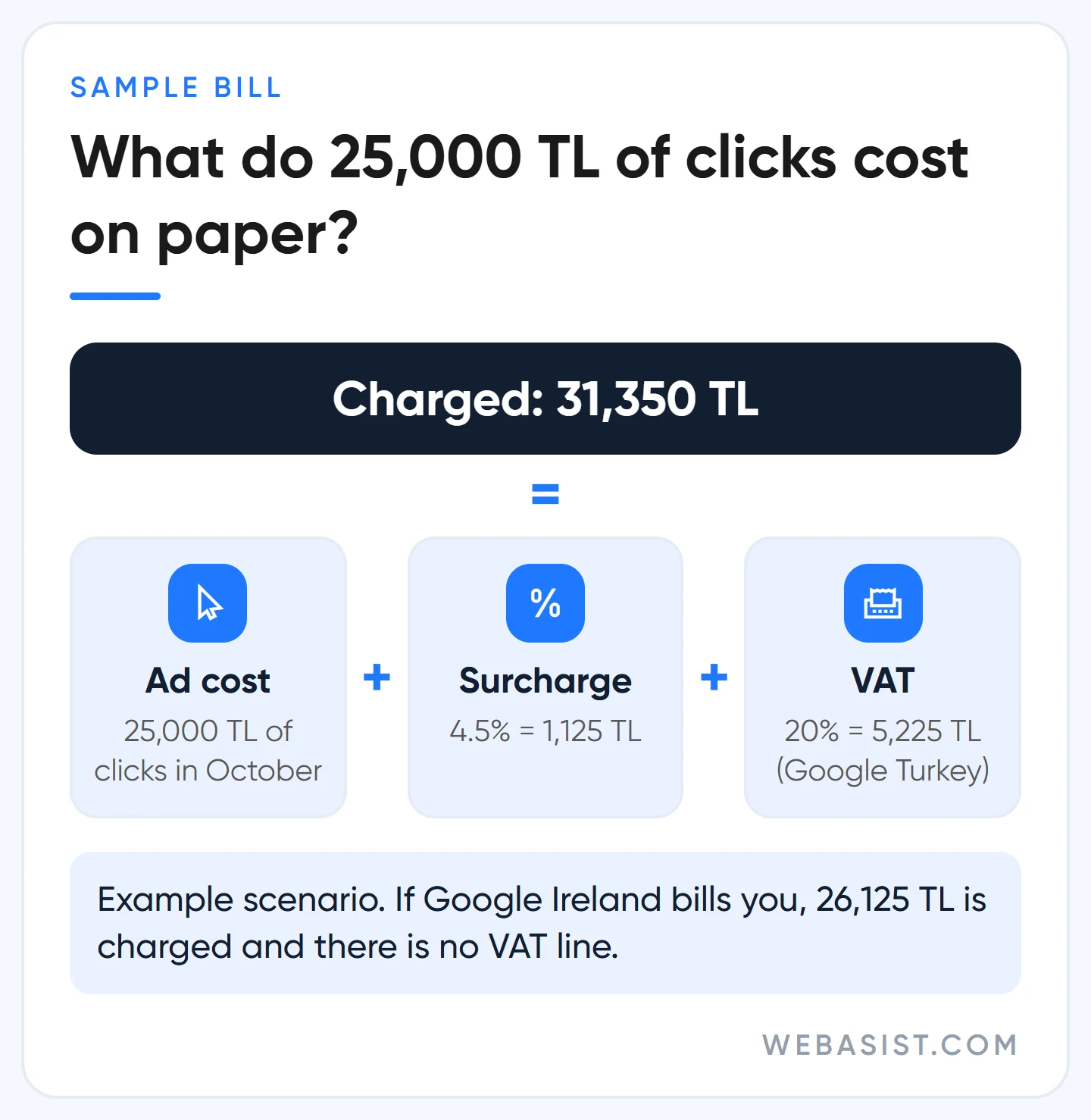
Example scenario: an Ankara e-commerce site selling spare parts bought 25,000 TL of clicks in October. It uses automatic payments and is served by Google Turkey. At month end the document shows these lines:
| Line | Amount | Note |
|---|---|---|
| Ad cost | 25,000 TL | October clicks |
| Turkey Regulatory Operating Cost (4.5%) | 1,125 TL | For ads served in Turkey |
| Subtotal | 26,125 TL | VAT is calculated on this |
| VAT (20%, example rate) | 5,225 TL | On the Google Turkey invoice |
| Total | 31,350 TL | Charged to the card over the month |
If the same business is served by Google Ireland, 26,125 TL leaves the card and there is no VAT line. Whether VAT is declared on your side is your accountant's call; put the possibility into your cash plan from day one. We used the general VAT rate at the time of writing as an example.
The money does not leave your card in one go. A charge is made every time spend reaches your payment threshold, the remainder is collected on the 1st, and the 4.5% is added to that last charge. The threshold rises on its own over time without notice, so four charges in one month on your statement is normal. If money left your card that you did not expect, the steps are in our Google Ads cancellation and refund guide.
Set your budget from this table. If you want no more than 31,350 TL to leave the card in a month, the daily budget is 25,000 ÷ 30.4 = 822 TL, not 31,350 ÷ 30.4 = 1,031 TL. How a daily budget turns into a monthly total is explained in our budget planning guide.
VAT and withholding tax: the 6 questions your accountant will ask
Tax decisions belong to your accountant, who sets the rates and handles the filings. What we can do is tell you which information to bring to the table. Almost every accountant question we get is one of these six:
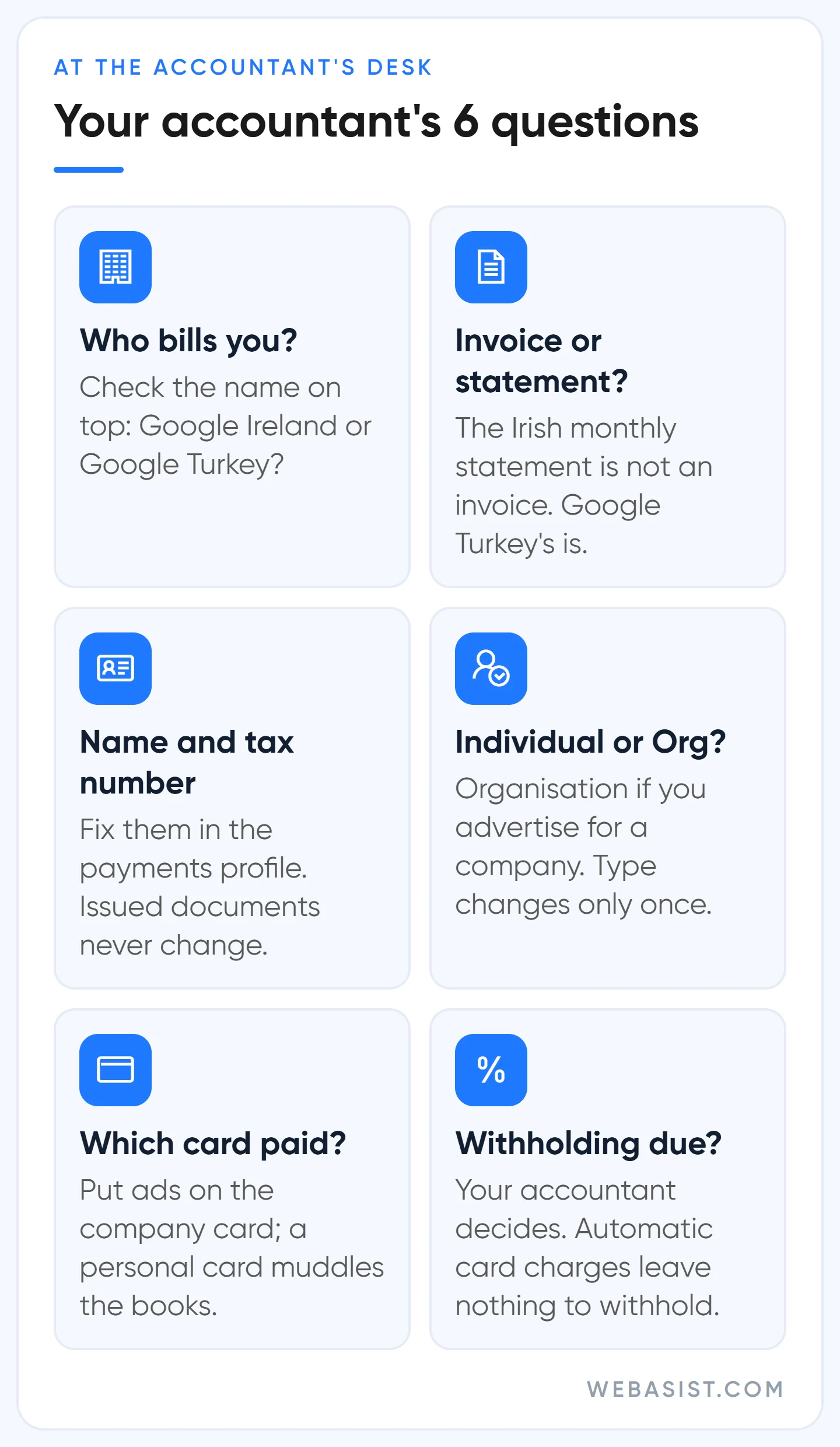
- Which company bills you, Google Ireland or Google Turkey? The name at the top of the document answers it and decides how VAT is handled.
- Is it an invoice or a statement? The Irish monthly statement is not an invoice; the document from Google Turkey is.
- Are the company name, address and tax number right? Whatever is in the payments profile goes onto the document. Fix errors today; past documents will not change.
- Is the account type Individual or Organisation? If you advertise for a company, it should be Organisation. The type can be changed only once; when it changes, advertiser verification starts again and any promotional credit is not carried over.
- Which card paid? A partner's personal card or the company card? This wastes more bookkeeping time than anything else. Put the ads on the company card.
- Is withholding tax due? If so, you may need to send Google the withholding certificate: by email on automatic or manual payments, by support form on monthly invoicing. Processing usually takes 10 to 14 days.
Question six has a practical catch. With automatic card payments Google takes the full amount, so there is nothing for you to withhold from. If your accountant says withholding is due, that tax comes out of your pocket on top, and the real cost of advertising rises a little. Organisations with full VAT exemption send their certificate through Google's form; those entitled to partial VAT withholding should read the dedicated section on Google's Turkey tax page.
Automatic or manual payments? Our preference
Google Ads has three payment settings. With automatic payments you spend first and are charged when you reach the threshold and on the 1st of the month. With manual payments you load a balance first and ads stop when it runs out. Monthly invoicing works on a credit line and asks for things like a business registered for at least a year, an account in good standing for six months and at least 5,000 US dollars (or local equivalent) of monthly spend in three of the last 12 months, so most small businesses never see it.
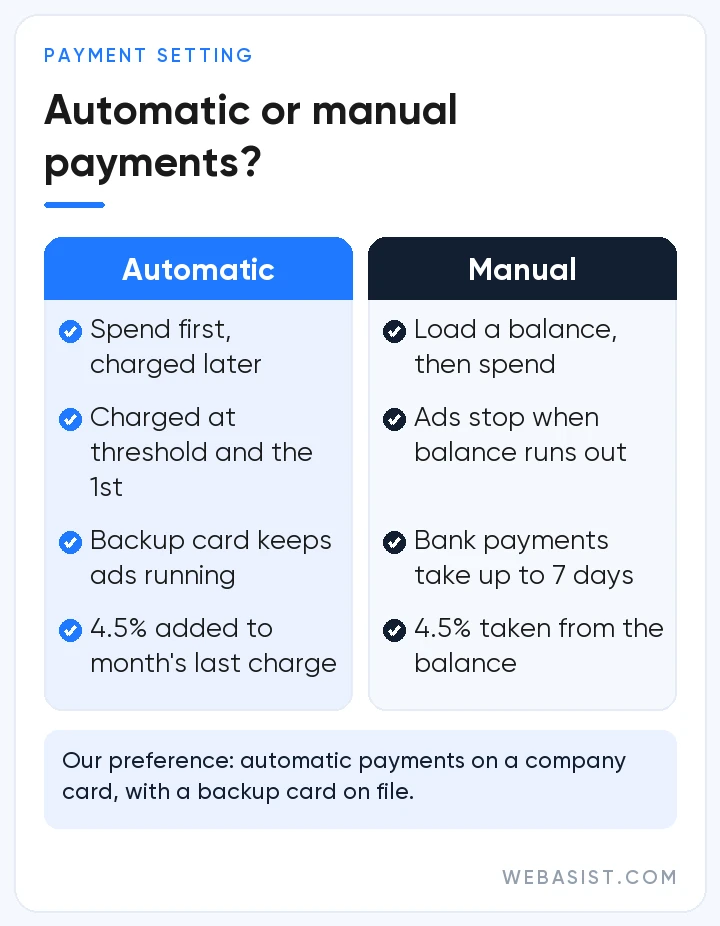
Our preference is automatic payments on a company credit card, always with a backup card. The appeal of manual payments is obvious: you want a hard cap. But if the balance runs out on a Saturday evening, your ads stay off until someone tops up on Monday, and a manual payment from a bank account can take up to seven days to land. Use the daily budget to control spend, not prepayment.
Manual payments do make sense in one case: your card limit cannot cover the monthly spend, or you do not want a card permanently attached to the account. Then keep the balance at two weeks of spend at least and check who receives the low-balance emails.
Payment declined: have my ads stopped?
Most likely, yes. The bank that issued the card declines the payment, not Google, and ads can stop until payment goes through. Google's support team cannot override a bank decline, so call the bank first.
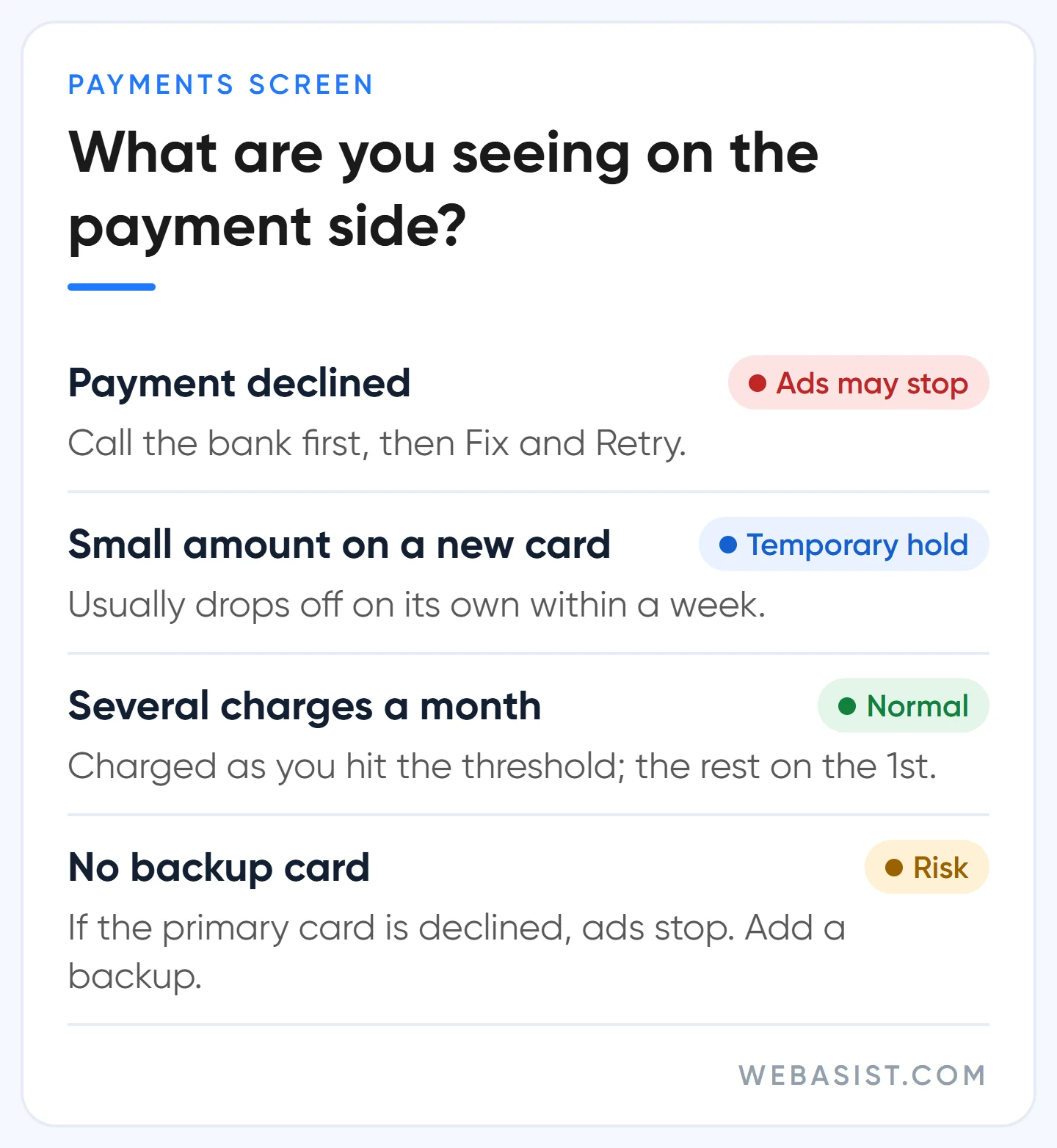
The causes we see most are a maxed-out limit, an expired card, and a card blocked for online or international transactions. Once the bank side is sorted, go to Billing > Settings, use "Fix" next to the card to check the details, then "Retry". Even if you clear the debt with another card, fix the primary card too; with no valid method left, ads stop again.
The lasting fix is a backup payment method: when the primary card is declined, Google charges the backup. Make sure the two cards expire in different months. If an unpaid balance has turned into a suspension, see our suspended account guide.
What you lose when the agency invoices you: who this setup is wrong for
Some agencies pay for your ads with their own card and send you one invoice for ad spend and fees together. We do not recommend that model. Google's document is issued in the agency's name; how much went to clicks, what the 4.5% came to and whose account any promotional credit landed in, you only know from the agency's word. When you part ways, the past documents stay with them.
Our setup works like this: ad payments go straight from your card to Google, Google's document is issued in your company's name, and our management fee is invoiced separately. That fee does not include ad spend; what each package covers is on the Google Ads advertising packages page.
In two cases the setup in this article does not fit you yet; fix the foundation first:
- You advertise for a company but opened the account as Individual. The document is issued to a person, and changing the type restarts verification. Pick the right type when you open the account; we walk through sign-up in our Google Ads account setup guide.
- Someone else, such as a former agency or an employee, opened the account in their own name. If you cannot reach the documents and the payments profile, take back control of the account first.
Frequently Asked Questions
Are Google Ads invoices sent by email?
Not on automatic or manual payments; you download them from the Documents page. Only accounts on monthly invoicing receive the invoice by email, within the first five business days of each month.
Where do I change my tax number and billing details?
In the payments profile section under Billing > Settings. Changes apply to future documents only; issued documents stay as they are. Some details, such as country and account type, change only through a billing transfer.
Is there a separate "advertising tax" line?
No line on the document is called an advertising tax. The extra lines you see are the 4.5% Turkey Regulatory Operating Cost and, if Google Turkey bills you, VAT. Obligations that may arise on your side, such as withholding tax, are for your accountant to assess.
How does promotional credit show on the bill?
Credit appears on the Promotions page and in the billing summary as an amount taken off your ad costs; it does not cover taxes or surcharges. Today's amounts and conditions are in our Google Ads promotional credit guide.
Conclusion
Most Google Ads invoice trouble comes from not knowing the document type: Ireland sends a statement, Google Turkey sends an invoice, and neither arrives in your inbox on its own. Plan cash as click budget plus 4.5% plus VAT where it applies, and give your accountant Billing access. Let us check your payments profile, account type and location setting together; a single month issued under the wrong company name can cost you hours at year end.
Sources
- Get an invoice, statement, or payment receipt: document types, the 5th business day rule and downloading.
- Jurisdiction-specific surcharges: the 4.5% Turkey Regulatory Operating Cost and the location report.
- Taxes in your country (Turkey): Google Ireland versus Google Turkey, VAT.
- Requests about tax residency and withholding tax certificates: how to submit and the 10 to 14 day timeline.
- About payment settings in Google Ads: automatic payments, manual payments and monthly invoicing.














