


Google Ads Promo Code 2026 in Turkey: How Much Credit, How to Get It

The short answer on the Google Ads promo code in Turkey: at the time of writing (5 October 2026), Google's Turkey page shows new advertisers three offers, no code needed. Spend 8,000 TL in your first 60 days and get 8,000 TL in ad credit, spend 25,000 TL and get 30,000 TL, or spend 50,000 TL and get 75,000 TL. You pick the offer when you sign up, and the credit lands after you meet the spend requirement.
So this is not free money; it is "spend first, then receive". You do not need to buy a code online, and a code you buy will most likely not work. Below we work out in lira which offer fits you, when the credit actually arrives and why codes sold online are a trap. If you do not have an account yet, read our Google Ads account setup guide first; the offer appears during sign-up.
Google Ads promo code 2026: how much credit is on offer today?
On Google's Google Ads page for Turkey, new advertisers choose one of three offers based on their monthly budget. This is the set we saw at the time of writing:
| Offer | Spend in first 60 days | Credit you earn | Daily spend to qualify |
|---|---|---|---|
| A | 8,000 TL | 8,000 TL | About 134 TL |
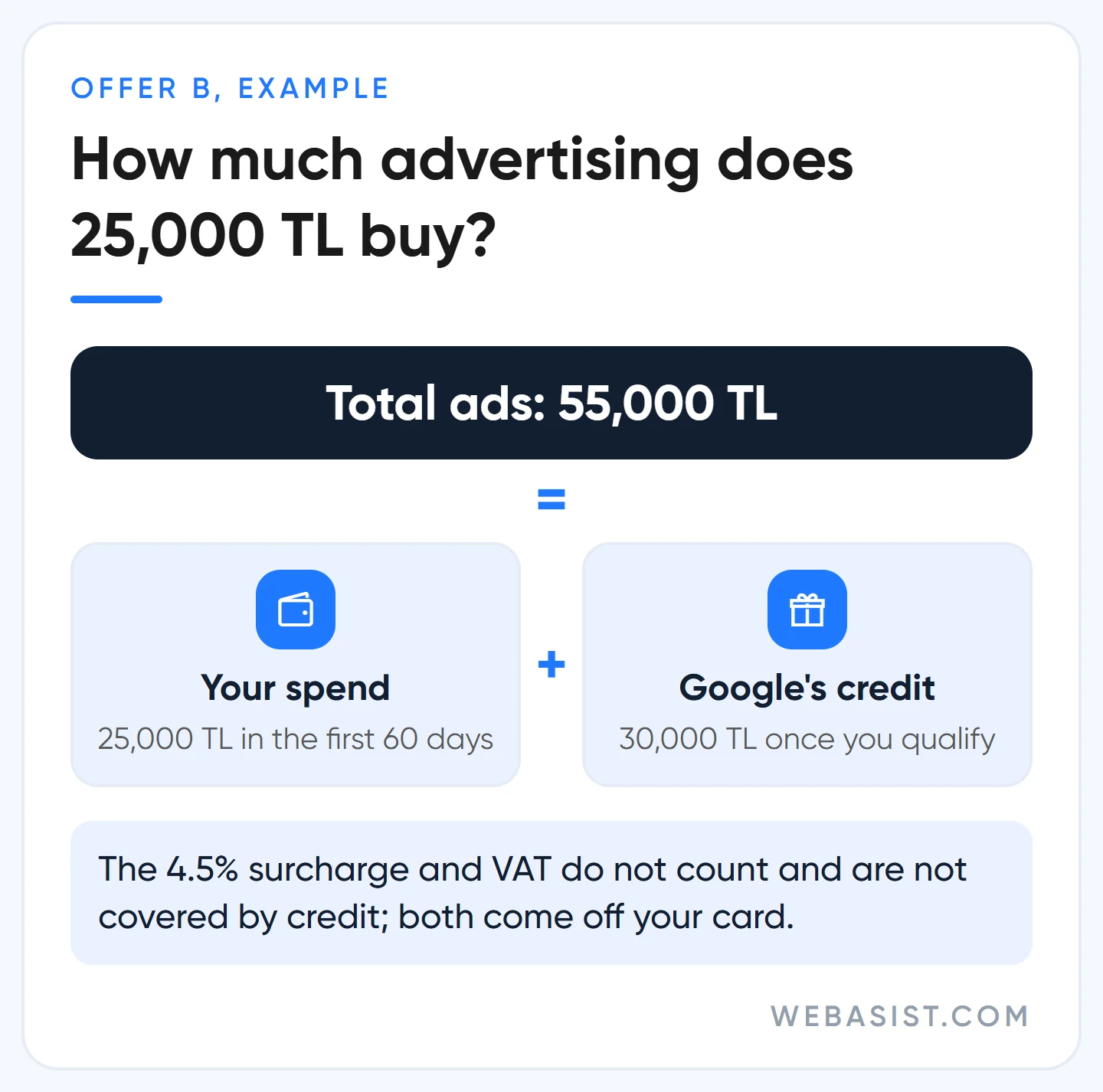
| B | 25,000 TL | 30,000 TL | About 417 TL |
| C | 50,000 TL | 75,000 TL | About 834 TL |
These amounts are not a fixed rate card. Google can change the figures by visitor and by period; we have seen different combinations within the same week. What counts is the offer on your screen when you sign up and the terms link attached to it. Figures floating around online, such as a "5500 promo code", come from older offers or from code sellers; they are not today's offer.
Factor this in from the start: taxes and surcharges do not count towards the spend requirement, and the credit does not cover them. While you work through the 25,000 TL requirement, the 4.5% Turkey Regulatory Operating Cost and any VAT come off your card on top. The same applies during the credit period: the 1,350 TL surcharge on 30,000 TL of credited clicks is still paid by your card. We explain those invoice lines in our Google Ads billing guide.
Not free money: when and how promotional credit arrives
The credit goes through four steps, and most complaints come from the wait in step three:
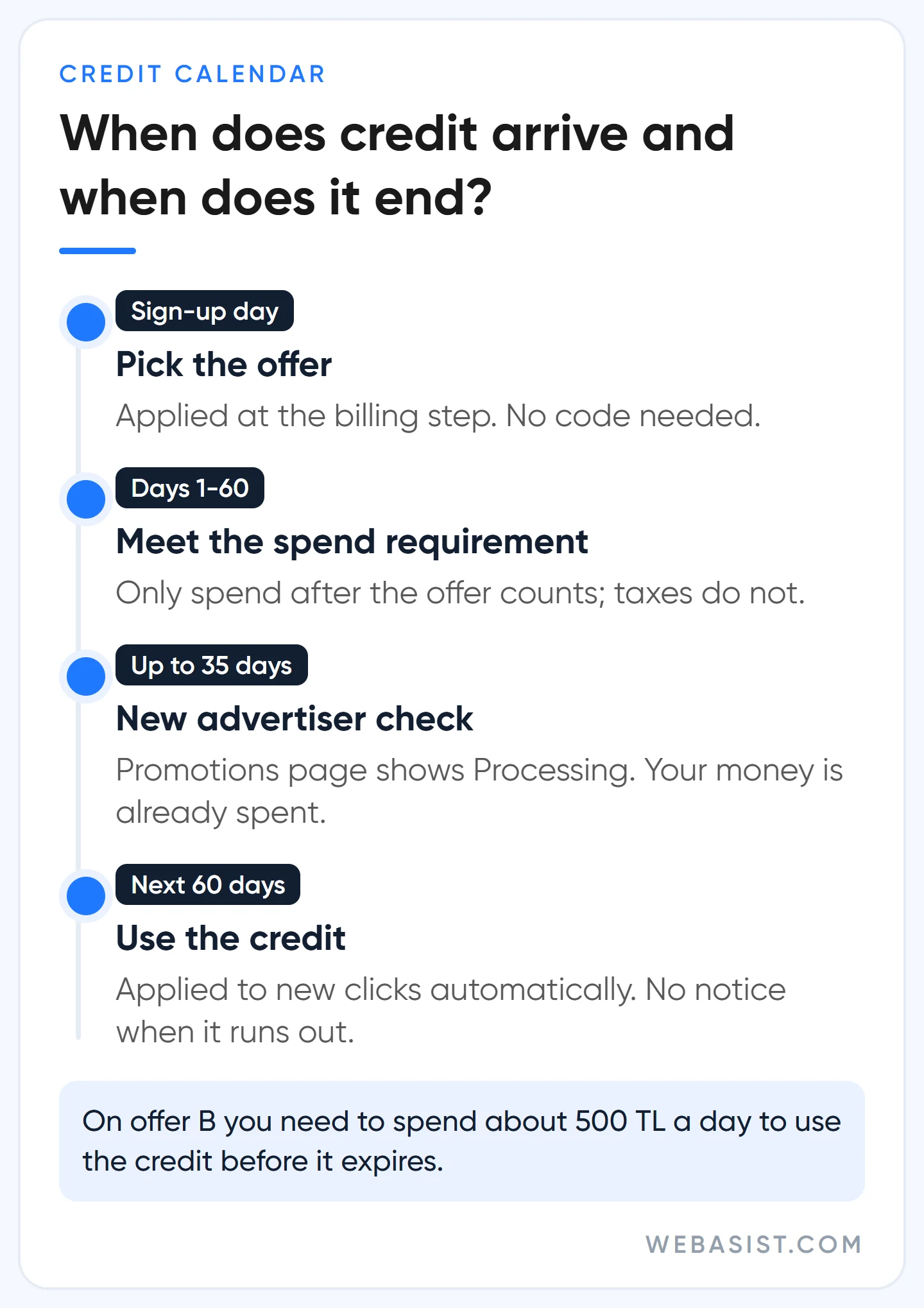
- Sign-up: you pick an offer and sign up; it is applied when you enter billing details. No code needed.
- Spend: you spend the required amount within the first 60 days. Only spend after the offer is applied counts.
- Check: once you hit the requirement, Google checks that the business really is a new advertiser. This takes up to 35 days, and the Promotions page shows "Processing".
- Credit: if approved, the credit is added and applied to new clicks automatically. Unless the offer says otherwise it expires 60 days after it is applied, and you are not told when it runs out.
The cash side looks like this: on offer B you spend 25,000 TL yourself over the first two months, and the credit arrives around month three. To use it up within 60 days you need to spend roughly 500 TL a day. When the credit ends, ads keep running and your card is charged again. If you want to limit the campaign to the credit period, put the end date in your calendar.
We draw up this calendar with clients before sign-up, and when the credit lands we recommend keeping the same budget rather than cutting it; the credit makes the period in which the campaign gathers most data cheaper.
Which offer should you pick? Google shows the biggest, we look at your budget
The page says "choose an offer that fits your monthly budget", yet the headline pushes the biggest credit, 75,000 TL. Google's aim is clear: get a new account used to spending as much as possible in its first two months. That is exactly the danger for you. A business that would normally spend 10,000 TL a month and stretches to 50,000 TL in 60 days for the 75,000 TL credit burns most of that money as the learning cost of a new account with no data.
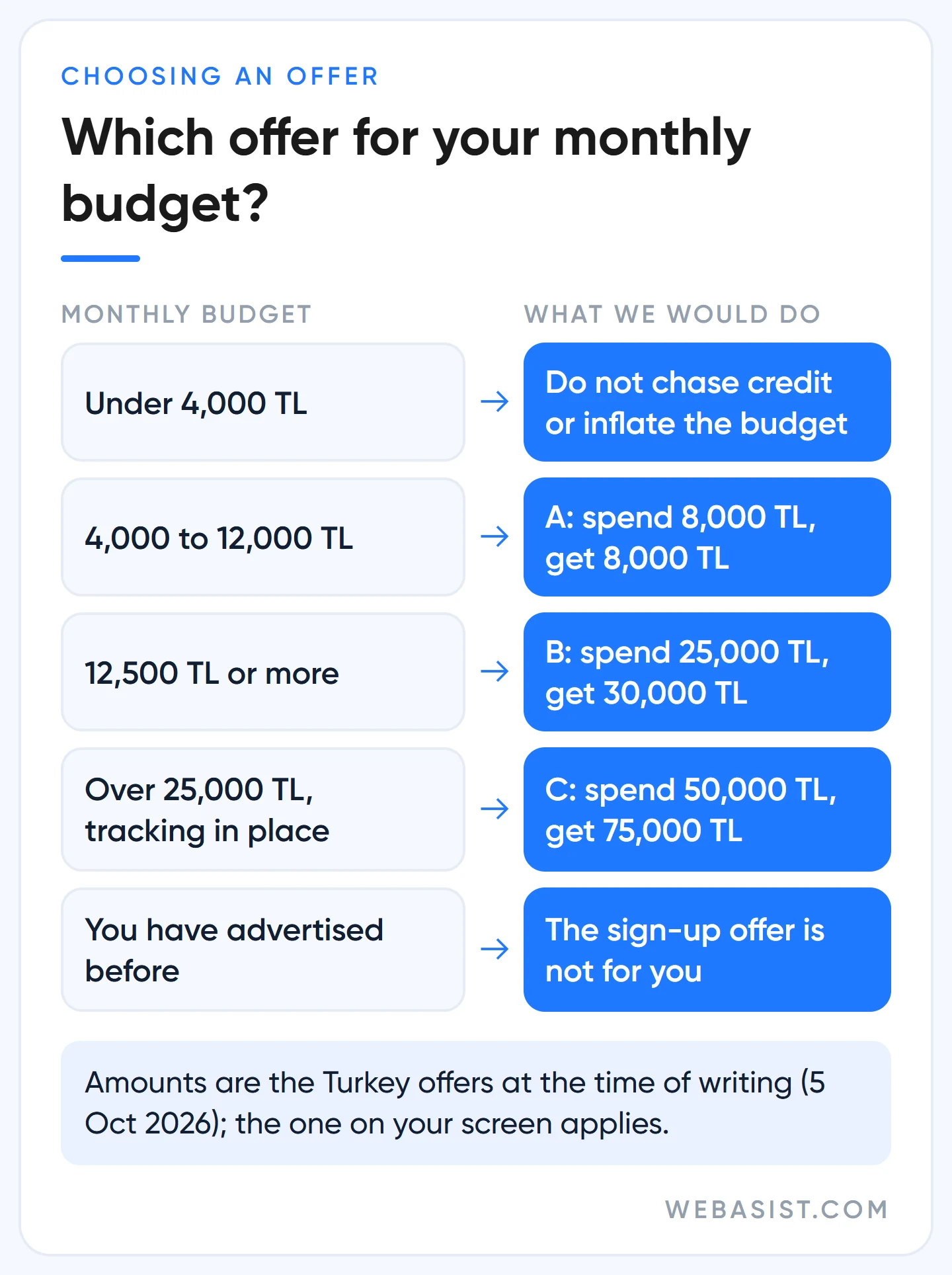
Our rule is simple: choose the biggest offer that fits within the two-month budget you would spend anyway, not one tier above it.
- Spending 4,000 to 12,000 TL a month: offer A. You will spend 8,000 TL in two months comfortably and get the same back.
- Spending 12,500 TL a month or more: offer B. 30,000 TL for 25,000 TL is the best ratio of the three.
- Offer C we only recommend to businesses already spending over 25,000 TL a month with conversion tracking in place.
- Spending under 4,000 TL a month: do not inflate your budget to qualify. You can still pick an offer, just do not make the credit the goal.
Example scenario: a painting and decorating firm in Bursa budgets 15,000 TL a month. It picks offer B, starts at 450 TL a day and hits the requirement on day 56. If it keeps the same budget once the credit lands, the 30,000 TL covers most of its clicks for two months. Had it picked C, it would have needed 50,000 TL in 60 days: either triple the budget or miss the requirement and get nothing.
How to build a daily budget backwards from a target is in our budget planning guide.
Why promo codes sold online are a trap
Marketplaces and social media groups sell "Google Ads coupon codes". We never recommend them to a client, and the reason is mechanics, not morals:
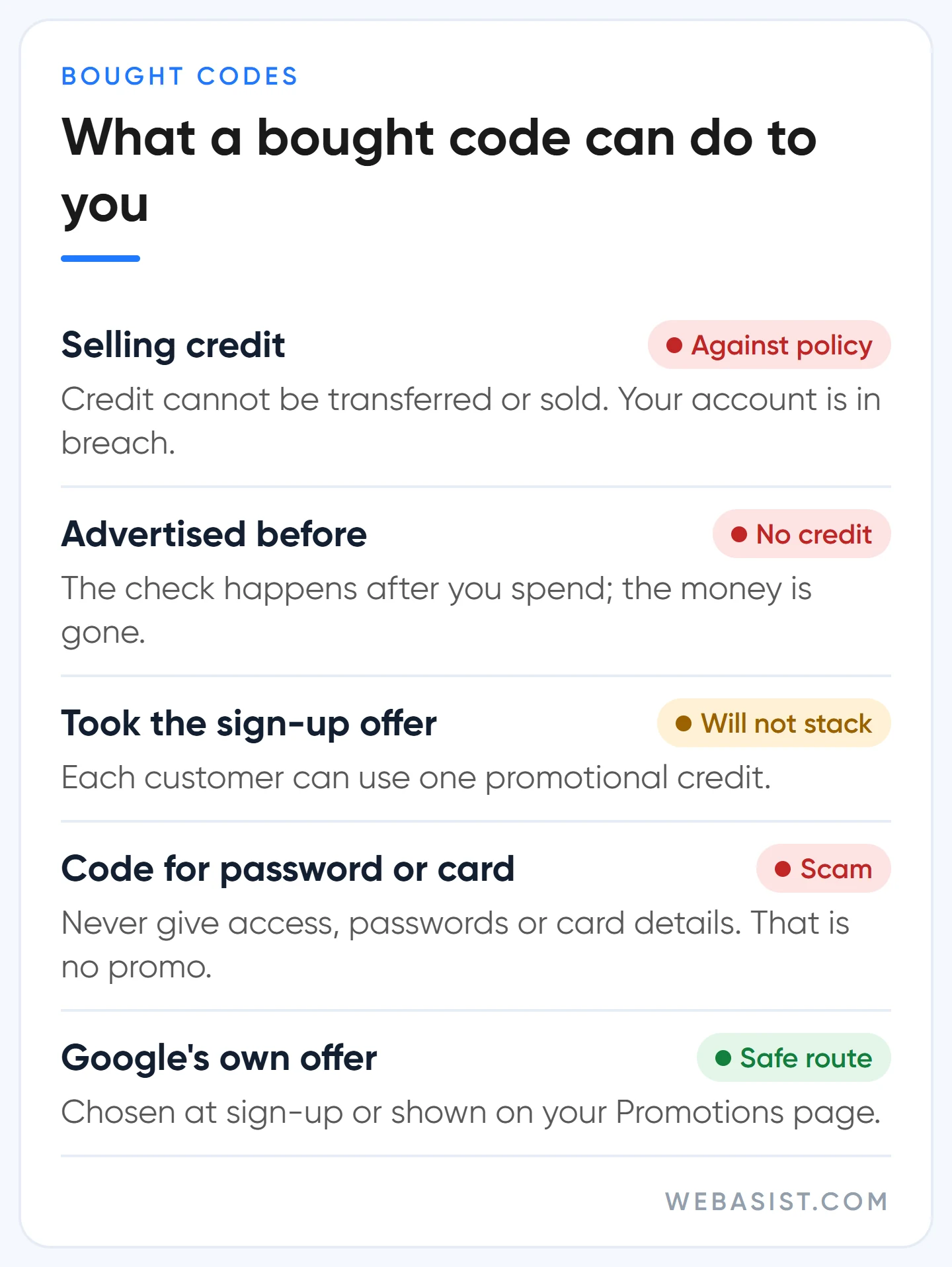
- Selling credit is explicitly prohibited in Google's promotional offers policy, and the Turkey terms say credit cannot be transferred or sold. An account opened with a bought code is the one in breach.
- The new advertiser check happens after the spend. If your business has advertised before, you enter the code, meet the requirement, and 35 days later no credit arrives. The money is spent and the code is sold.
- Each customer can use one credit. If you took the sign-up offer, a second code will not stack.
- The penalty is not limited to the code. Serious or repeated violations can get the account suspended, related accounts permanently closed and new accounts suspended automatically at setup.
If anyone asks for account access, a password or card details in exchange for a code, this is no longer about promotions; do not hand them over. The same goes for "ready-made Google Ads account for sale" listings. We describe how painful it is to recover a suspended account in our suspended account guide; do not take that risk for a few thousand lira of credit.
How to use a Google Ads promo code, step by step
On a new account you usually do not need a code; the offer you picked is applied with sign-up. If you have a code that came from Google, type it into the "Introductory offer" field in the billing step and click Apply. If you are adding it after the account is open, the path is one line: Billing > Promotions, the blue plus button, enter the code and submit.
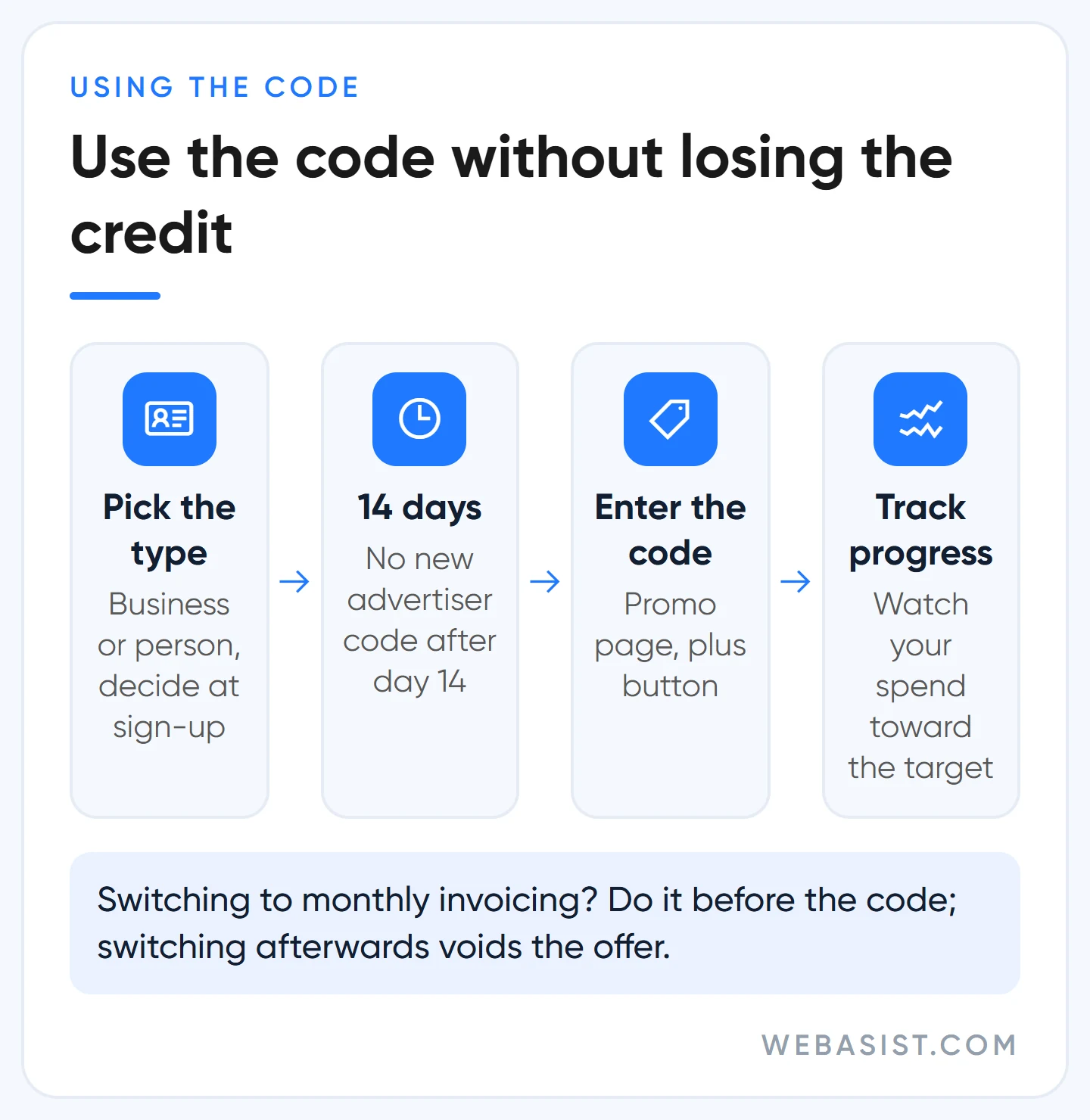
Three sequencing mistakes cost people the credit; the one we see most is the last:
- Being late. A new advertiser offer cannot be applied once your account is more than 14 days old. Enter the code in the first days after sign-up.
- Switching to monthly invoicing after entering the code. The offer becomes invalid; if you plan that switch, do it before the code.
- Changing the account type later. If you change Individual to Organisation, active promotional credit is not carried over to the new profile and is not refunded. Pick the right type at sign-up.
If you use a manager account, enter the code on the Promotions page of the ad account that should receive it, not at manager level. Promotional credit cannot be turned into cash; close the account before using it up and the remainder is not refunded. What is and is not refunded is covered in our cancellation and refund guide.
Existing accounts and agencies: where else credit comes from
If your account is already advertising, the sign-up offer is not for you. Google occasionally gives existing advertisers offers to try a new campaign type or to reactivate an account that has been dormant for a long time. These appear on your Promotions page or arrive by email. You cannot ask Google support for a promotion; they cannot add one to your account manually.
With emailed offers, do not click the link; sign in to Google Ads yourself and check the Promotions page. And keep this in mind: an offer for a new campaign type is a way to get you to switch that type on with little oversight. Before opening Performance Max for the credit, get your brand searches and conversion tracking in order.
There is also a separate setup where agencies in the Google Partners program can assign one of Google's credit tiers to newly created client accounts. The rules are tight: it must be assigned within 20 days of account creation, the account must have no other promotion, and the client must genuinely be new to Google Ads. The total credit an agency can hand out in a month is capped by its own spend. So if you took Google's offer at sign-up, an agency cannot add a second credit on top.
Ask any agency promising you credit, us included, three things: whose name will the account be in, is the credit Google's official offer, and whose card will pay for the ads? The rest of those questions are in our guide to choosing an agency.
Who should not chase promotional credit?
For a business that will advertise anyway, the credit is a nice discount; for one that has not decided, it is bait. Do not let the credit drive the decision if:
- You have no conversion tracking. The credit period is the cheapest window to learn which keywords bring customers; without tracking that knowledge is lost. Set up conversion tracking first.
- You have advertised for the same business before. A new account does not make you a new advertiser; you meet the requirement and the credit never comes.
- You would need to double your budget to qualify. Money spent on unprofitable clicks does not come back as credit.
- No one will answer the phone or follow up on forms. If the traffic the credit brings goes unanswered, the gain is zero.
In these four cases we do not even discuss credit with a client; we fix what is missing first. The credit will not run away: you can still take the offer within the first 14 days of a new account.
Frequently Asked Questions
How do I get a Google Ads promo code?
As a new advertiser you do not need to hunt for one: choose an offer on Google's Turkey page and sign up, and it is applied to your account at the billing step. Existing accounts receive offers on the Promotions page or by email; bought codes break Google's policy.
Is Google Ads gift balance the same as promotional credit?
Yes, what people call "gift balance" is promotional credit. It is not an unconditional gift: you first spend the required amount on your own card, the credit comes afterwards and can only be spent on ads.
My promotional credit has not arrived. What should I do?
Check the Promotions page first. If it says "Processing", the 35 days after meeting the requirement have not passed yet; wait. If 35 days have passed and there is still no credit, contact Google Ads support with your customer ID and a screenshot of the offer.
Can an expired promo code be reused?
No. Expired offers cannot be reactivated or modified, and promotions are not granted retroactively. Put the code's expiry date and the 60-day spend window in your calendar the day you get it.
Conclusion
Today Google's Turkey page shows three credits of 8,000, 30,000 and 75,000 TL, and all of them ask you to spend first. Pick the offer that fits the two-month budget you would spend anyway, do not buy codes, and go into the credit period with conversion tracking in place. Before you open the account, write to us: we will work out which offer fits your budget and which keywords the credit should go to in your first two months.
Sources
- Google Ads page for Turkey: new advertiser offers and the 60-day spend requirement.
- Turkey promotional credit terms and conditions: 14 days, 35 days, 60 days, one credit, taxes.
- Different types of Google Ads promotional offers: new and existing advertiser offers.
- Promotional offers policy: selling credit and what happens on violation.
- About Google Partners promotional offers: rules for agency-assigned credit.














